Creating a questionnaire with a consent form | Experience Community
Skip to main content
Question

Creating a questionnaire with a consent form

  • June 3, 2026
  • 2 replies
  • 26 views

Hi, I am trying to create a link or QR code that I can send or post to volunteer participants for my research project. I am new to all this technology and really could use some simple step-by-step instructions on how to create and upload those documents,  first my consent form, which will open up first thing, with the 5 questions for demographic context only attached with it, so participants can easily sign the consent form, answer the questions, then have it returned to me.

Can anyone provide me with a step-by-step, simple process without all the technical jargon?

Thank you

Faye

2 replies

gPandey_715
Level 4 ●●●●
Forum|alt.badge.img+10
  • Level 4 ●●●●
  • June 3, 2026

Hi Faye,

Yes, this can be done quite easily in Qualtrics. 

Step 1: Create a New Survey

  1. Create Survey Project and give it a name.

Step 2: Add Your Consent Form

  1. Add the text of your consent form as the first question (using a Descriptive Text question).

  2. Below it, add a question in a block such as:

    • Do you agree to participate in this study?

    • ○ Yes, I consent

    • ○ No, I do not consent

Step 3: Add Your Demographic Questions

  1. After the consent question, add your 5 demographic questions in another block.

Step 4: Prevent Non-Consenting Participants from Continuing

  1. Add simple survey logic so that if a participant selects No, the survey ends immediately with a thank-you message.

  2. If they select Yes, they continue to the demographic questions.

Step 5: Collect Responses

  1. Click Publish when your survey is ready.

Step 6: Create a QR Code

  1. Go to the Distributions tab.

  2. Copy the anonymous survey link.

  3. Use the built-in QR code option (or any free QR code generator) to create a QR code that points to the survey link.

Step 7: Share With Participants

You can:

  • Email the survey link

  • Post the QR code on flyers or posters

  • Share the link through social media or messaging apps

Step 8: View Responses

As participants complete the consent form and demographic questions, their responses will be stored automatically in Qualtrics and can be viewed from the Data & Analysis tab.

Let me know if this helps.


vgayraud
QPN Level 7 ●●●●●●●
Forum|alt.badge.img+65
  • QPN Level 7 ●●●●●●●
  • June 3, 2026

Hi,

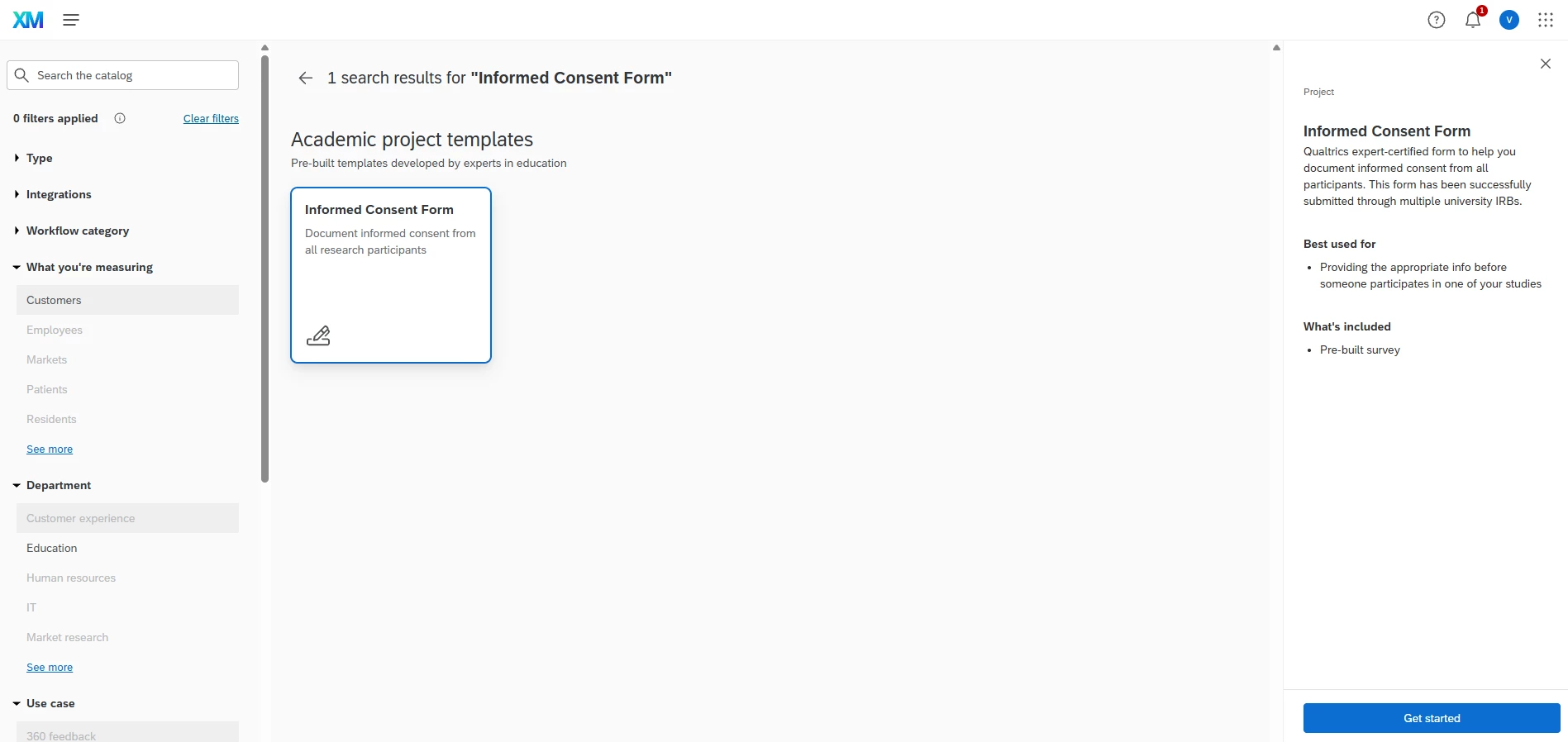
There is also a prebuilt solution for a consent form in the catalog. you could start from there and customize.