

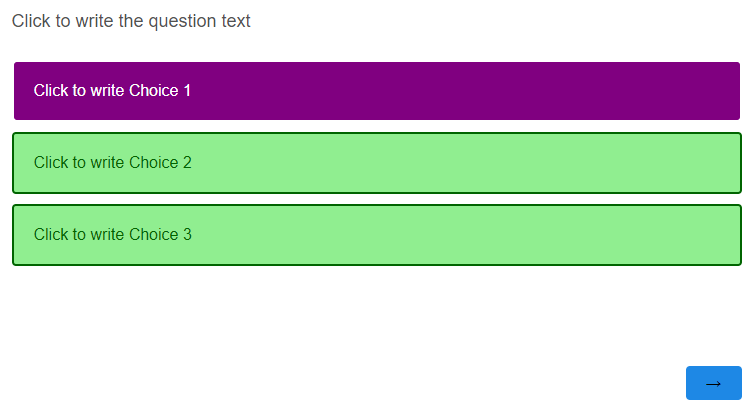
A survey I'm building includes a multiple choice question that has three response options, and only one response can be selected. The options are presented as rectangular buttons containing text.
I'd like to customize the color scheme so that when an option is unselected, its background color is light green, font color is dark green, and border color is dark green. When an option is selected, I'd like for its background color to be dark purple, font color to be white and border color to be dark purple.
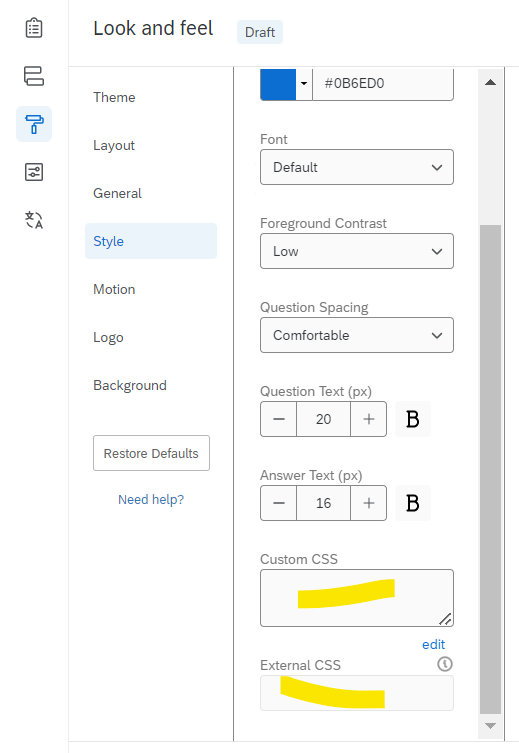
Any tips on how I can achieve this? I'm not sure what CSS code to use, and I'm very much a beginner.

Solved
Changing font and selected/unselected button colors
Best answer by Tom_1842
.Skin label.SingleAnswer.q-checked {
    color: #000000 !important;
    background-color: #F9E980 !important;
}
Below for Simple layout:
.mc .choice.selected .choice-label, .mc .choice.selected.focused .choice-label  {
    background-color: #F9E980;
    border-color: transparent;
}








Sign up
Already have an account? Login

Welcome! To join the Qualtrics Experience Community, log in with your existing Qualtrics credentials below.
Confirm your username, share a bit about yourself, then you're ready to explore and connect .
Free trial account? No problem. Log in with your trial credentials to join.
No free trial account? No problem! Register here
Already a member? Hi and welcome back! We're glad you're here 🙂
You will see the Qualtrics login page briefly before being taken to the Experience Community.
Login with Qualtrics
Welcome! To join the Qualtrics Experience Community, log in with your existing Qualtrics credentials below.
Confirm your username, share a bit about yourself, then you're ready to explore and connect .
Free trial account? No problem. Log in with your trial credentials to join. No free trial account? No problem! Register here
Already a member? Hi and welcome back! We're glad you're here 🙂
You will see the Qualtrics login page briefly before being taken to the Experience Community.
Login to the Community
Welcome! To join the Qualtrics Experience Community, log in with your existing Qualtrics credentials below.
Confirm your username, share a bit about yourself, then you're ready to explore and connect .
Free trial account? No problem. Log in with your trial credentials to join.
No free trial account? No problem! Register here
Already a member? Hi and welcome back! We're glad you're here 🙂
You will see the Qualtrics login page briefly before being taken to the Experience Community.
Login with Qualtrics
Welcome! To join the Qualtrics Experience Community, log in with your existing Qualtrics credentials below.
Confirm your username, share a bit about yourself, then you're ready to explore and connect .
Free trial account? No problem. Log in with your trial credentials to join. No free trial account? No problem! Register here
Already a member? Hi and welcome back! We're glad you're here 🙂
You will see the Qualtrics login page briefly before being taken to the Experience Community.
Enter your E-mail address. We'll send you an e-mail with instructions to reset your password.