

I have one question regarding how to score a "text entry". In my study, participants study image-name pairs and take a test. In the test, I show them the image, and also the first letter of the name, participants should input the missing part of the name in the text entry blank. I use loop & merge to do this. Please see the attached picture. Field 5 is the first letter of the name. Field 6 is the correct answer. I want to compare participants' input with Field 6 (the correct answer). But it seems that the scoring function in Qualtrics could not achieve this. The logic is clear. If the "text entry" equals to ${lm://Field/6}, then score = 1, if not, then score = 0. I think maybe a JavaScript is helpful. But I have no knowledge about how to write a JavaScript. Is there anyone who can help me? I will be very much appreciated.
PS. I can add a feedback using the display logic. If the input = ${lm://Field/6}, then display the text "you are right". I tried to think this question in another way: to calculate how many times this feedback is displayed. That equals to the correct score. But I can't find a way to calculate the display times of a question. Help!!!!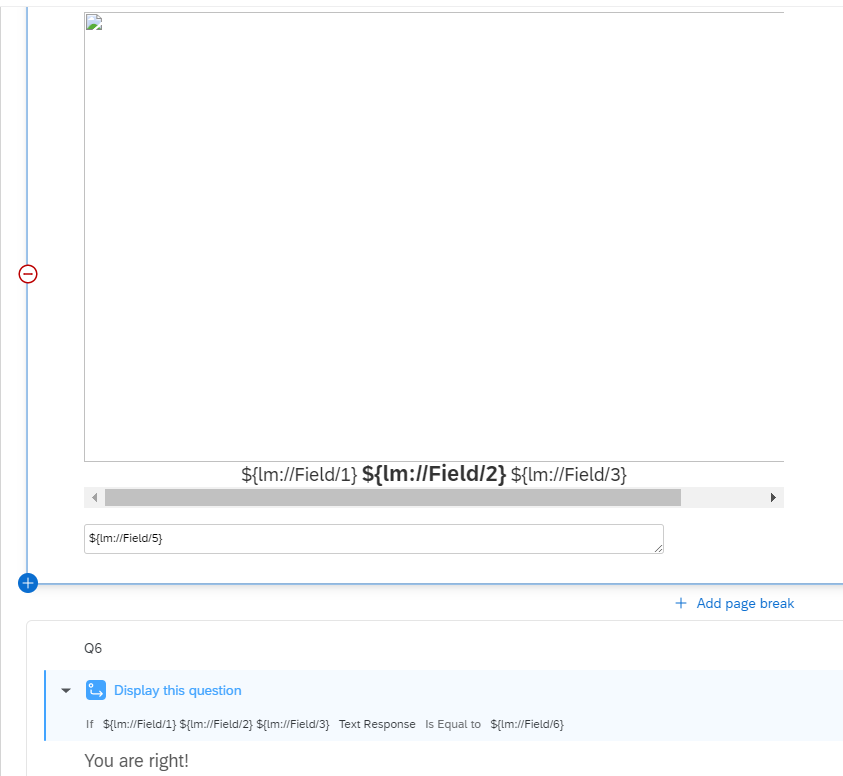

Scoring text entry in Loop & Merge
 +1
+1Best answer by Tian
Finally I figured this out based on Loop & Merge with Scoring (text box) — Qualtrics Community.
It is important to firstly set an embedded data named "score" and set its initially with 0.
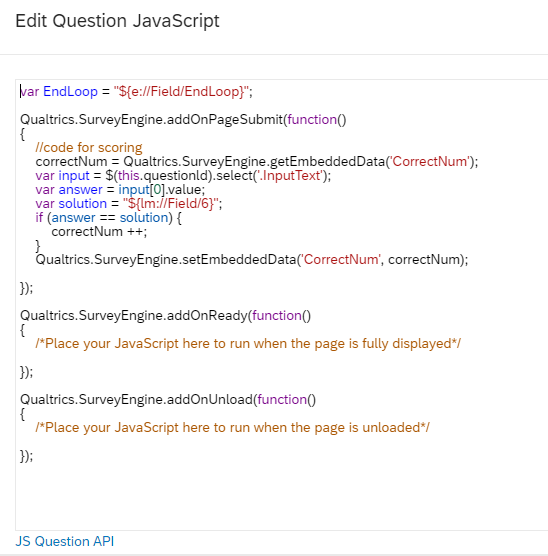
Qualtrics.SurveyEngine.addOnPageSubmit(function() {
score = Qualtrics.SurveyEngine.getEmbeddedData('score');
var input = $(this.questionId).select('.InputText');
var answer = input [0].value;
var solution = "${lm://Field/6}";
if (answer === solution) {
score++;
}
Qualtrics.SurveyEngine.setEmbeddedData("score", score);
});
Qualtrics.SurveyEngine.addOnReady(function()
{
/*Place your JavaScript here to run when the page is fully displayed*/
});
Qualtrics.SurveyEngine.addOnUnload(function()
{
/*Place your JavaScript here to run when the page is unloaded*/
});



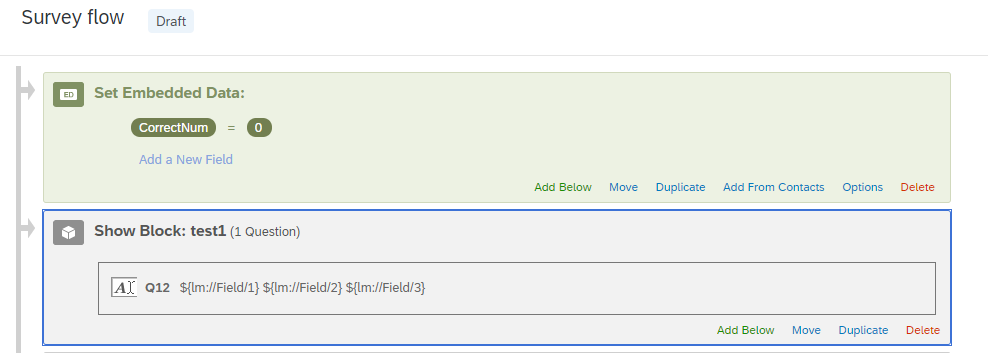 Here is what my loop and merge block looks like: for convenience I only include one case now
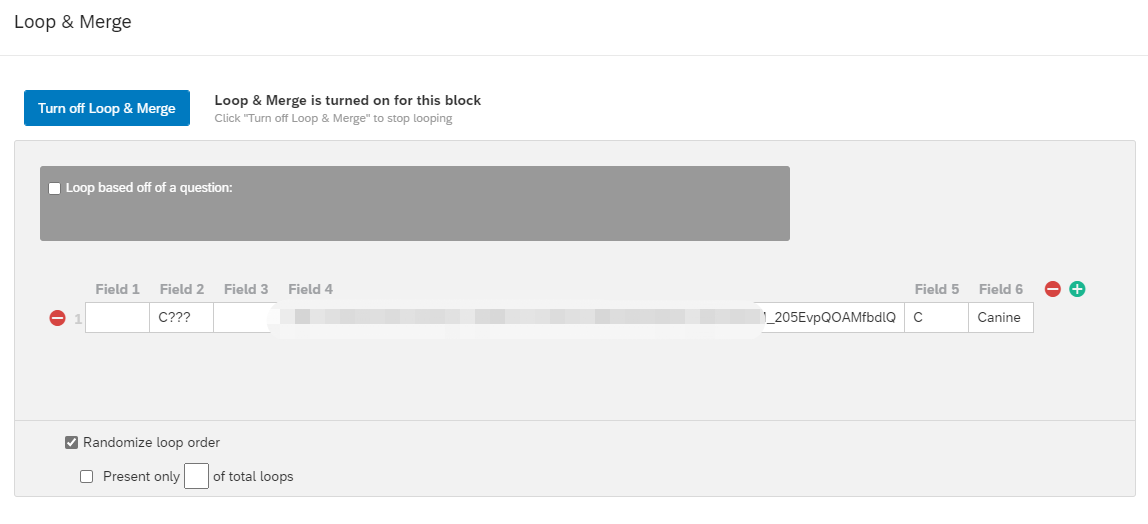 and it looks good
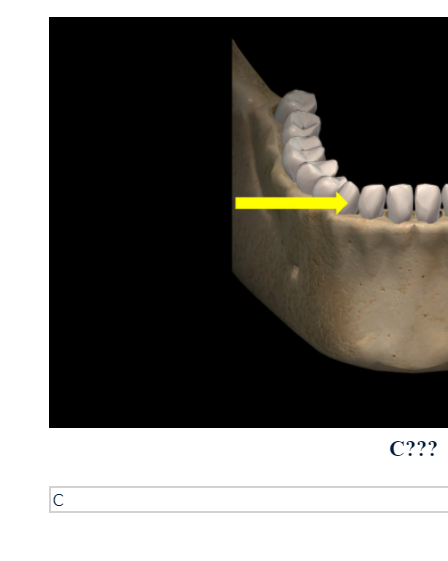 Second, I add JavaScript in the "Text entry" part for scoring. Do I understand right?
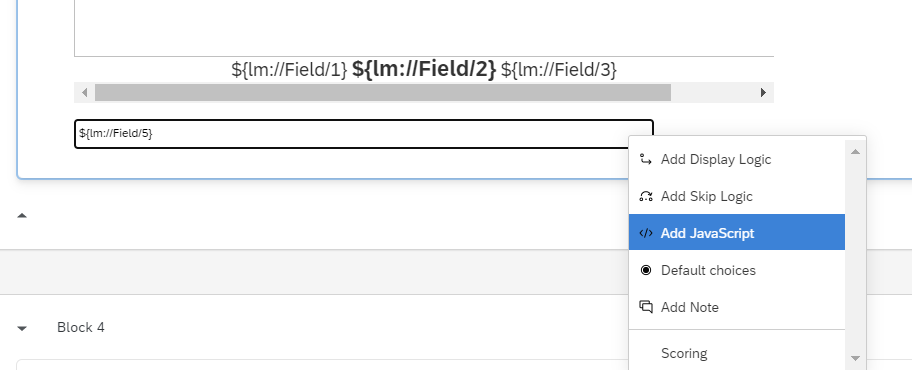 And my JavaScript is based on
  Third, I add a feedback block after the loop and merge block, and retrieve the embedded data "CorrectNum".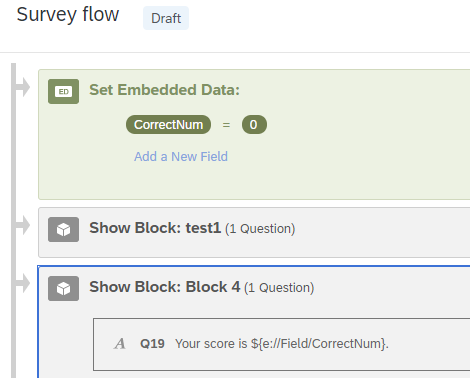
Sign up
Already have an account? Login

Welcome! To join the Qualtrics Experience Community, log in with your existing Qualtrics credentials below.
Confirm your username, share a bit about yourself, then you're ready to explore and connect .
Free trial account? No problem. Log in with your trial credentials to join.
No free trial account? No problem! Register here
Already a member? Hi and welcome back! We're glad you're here 🙂
You will see the Qualtrics login page briefly before being taken to the Experience Community.
Login with Qualtrics
Welcome! To join the Qualtrics Experience Community, log in with your existing Qualtrics credentials below.
Confirm your username, share a bit about yourself, then you're ready to explore and connect .
Free trial account? No problem. Log in with your trial credentials to join. No free trial account? No problem! Register here
Already a member? Hi and welcome back! We're glad you're here 🙂
You will see the Qualtrics login page briefly before being taken to the Experience Community.
Login to the Community
No account yet? Create an account
Welcome! To join the Qualtrics Experience Community, log in with your existing Qualtrics credentials below.
Confirm your username, share a bit about yourself, then you're ready to explore and connect .
Free trial account? No problem. Log in with your trial credentials to join.
No free trial account? No problem! Register here
Already a member? Hi and welcome back! We're glad you're here 🙂
You will see the Qualtrics login page briefly before being taken to the Experience Community.
Login with Qualtrics
Welcome! To join the Qualtrics Experience Community, log in with your existing Qualtrics credentials below.
Confirm your username, share a bit about yourself, then you're ready to explore and connect .
Free trial account? No problem. Log in with your trial credentials to join. No free trial account? No problem! Register here
Already a member? Hi and welcome back! We're glad you're here 🙂
You will see the Qualtrics login page briefly before being taken to the Experience Community.
Enter your E-mail address. We'll send you an e-mail with instructions to reset your password.