


Hi,
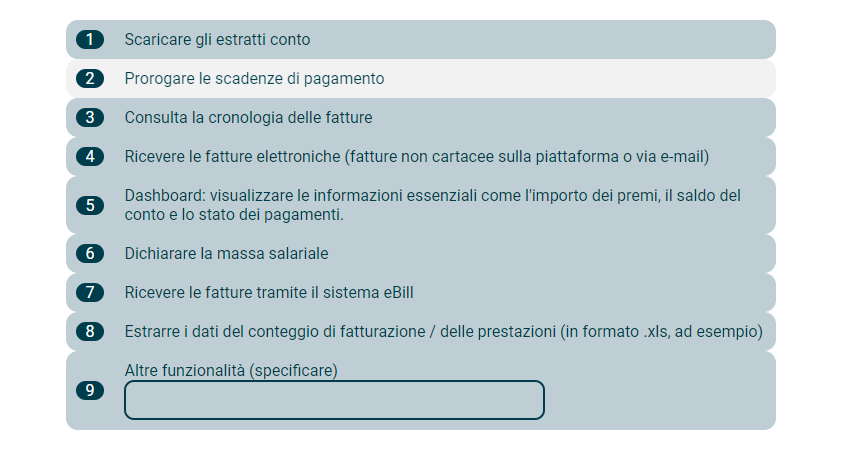
I use the classic design and in all other forms of questions, I have spacing between the choises. Here in the “Rank order”, I cannot seem to get spaces inbetween.
Would anyone have a suggestion, what would be the code for this ?
Thanks :)

 +1
+1Hi,
I use the classic design and in all other forms of questions, I have spacing between the choises. Here in the “Rank order”, I cannot seem to get spaces inbetween.
Would anyone have a suggestion, what would be the code for this ?
Thanks :)
Best answer by Tom_1842
Try adding the below CSS to the Style section of the survey’s Look & Feel:
.Skin .RO .DND ul li {
margin-bottom: 5px !important;
}
Already have an account? Login

Welcome! To join the Qualtrics Experience Community, log in with your existing Qualtrics credentials below.
Confirm your username, share a bit about yourself, then you're ready to explore and connect .
Free trial account? No problem. Log in with your trial credentials to join. No free trial account? No problem! Register here
Already a member? Hi and welcome back! We're glad you're here 🙂
You will see the Qualtrics login page briefly before being taken to the Experience Community.
Welcome! To join the Qualtrics Experience Community, log in with your existing Qualtrics credentials below.
Confirm your username, share a bit about yourself, then you're ready to explore and connect .
Free trial account? No problem. Log in with your trial credentials to join. No free trial account? No problem! Register here
Already a member? Hi and welcome back! We're glad you're here 🙂
You will see the Qualtrics login page briefly before being taken to the Experience Community.
Enter your E-mail address. We'll send you an e-mail with instructions to reset your password.


