


Distribution reporting dashboard data sources | XM Community
Skip to main content
Answer

Distribution reporting dashboard data sources

  • June 6, 2023
  • 3 replies
  • 191 views

JohannesCE
Level 6 ●●●●●●
Forum|alt.badge.img+12

Hi! When following instructions for the distribution reporting in my CX Dashboard, I'm encountering some issues.

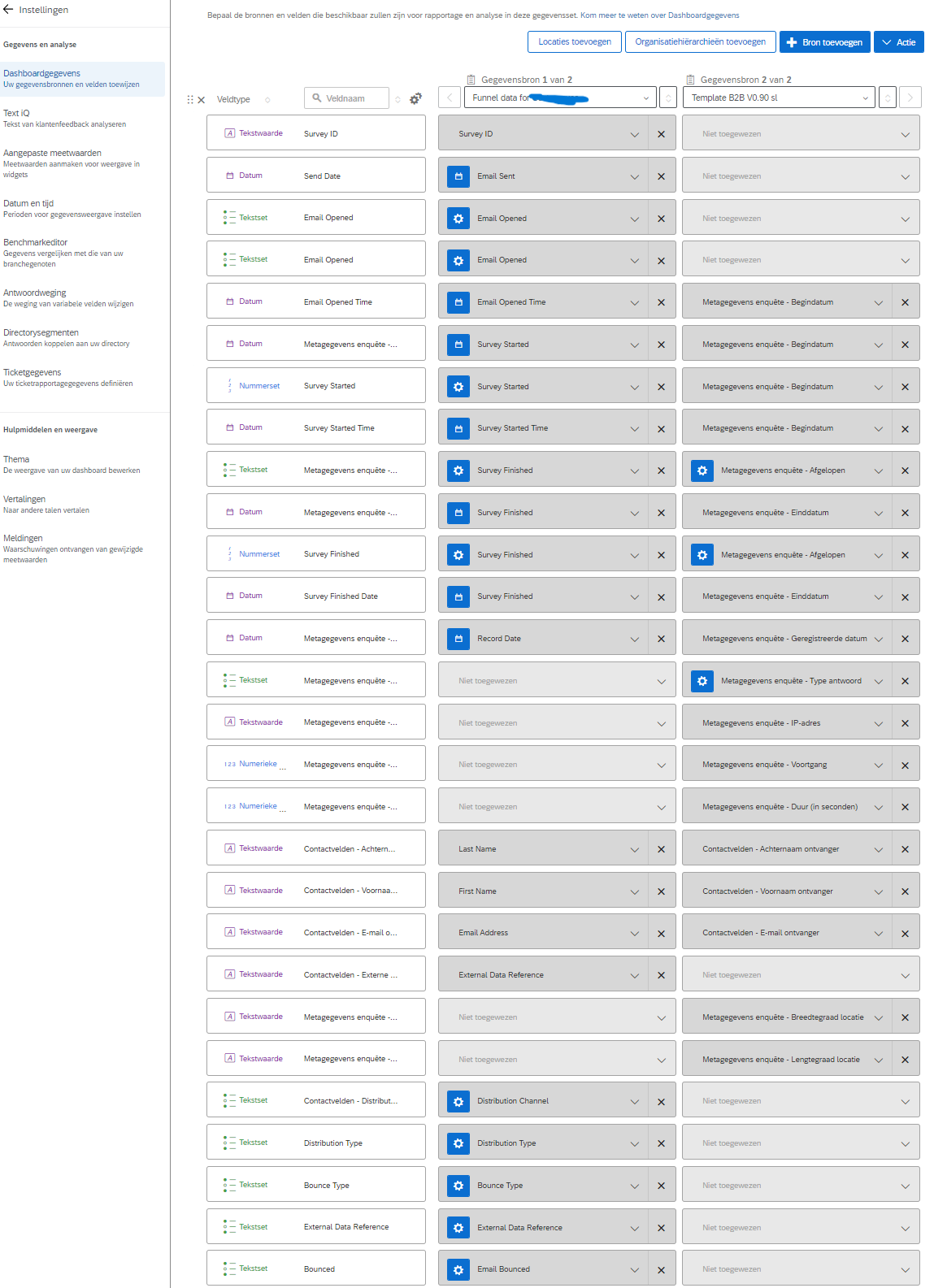
  1. I don't see the option “Distributions” as data source but “Funnel data for (directory list name)”. Is this correct?
  2. I'm not sure if I should also map variables from the Survey, such as “Survey Started” (Begindatum) or if I should leave just the variable from the distribution.

 

Best answer by InessaG

I think it’s always good to map overlapping data points to the same field to avoid confusion - for example, additional data fields like respondent’s name, etc. I am always mapping to same fields. However, you won’t be able to report on both data sources on the same dashboard page - that’s something that Qualtrics is severely lacking at this time. So your approach to how you map these can be customized to your needs.

3 replies

InessaG
Level 5 ●●●●●
Forum|alt.badge.img+19
  • Level 5 ●●●●●
  • June 6, 2023

Yes, that’s the correct data source. You’ll need to map the data points from the respondent funnel into your dashboard like Email Sent Time, etc. - whichever ones you need to include in your response rate reporting, or anything else you need (e.g. bounce data).


JohannesCE
Level 6 ●●●●●●
Forum|alt.badge.img+12
  • Author
  • Level 6 ●●●●●●
  • June 6, 2023

Thank you @InessaG. But is it necessary/efficient to also map the corresponding Survey data points, if it has any? For example, should I map Survey Started both with the Distribution data and the Survey data, or just the former?


InessaG
Level 5 ●●●●●
Forum|alt.badge.img+19
  • Level 5 ●●●●●
  • Answer
  • June 6, 2023

I think it’s always good to map overlapping data points to the same field to avoid confusion - for example, additional data fields like respondent’s name, etc. I am always mapping to same fields. However, you won’t be able to report on both data sources on the same dashboard page - that’s something that Qualtrics is severely lacking at this time. So your approach to how you map these can be customized to your needs.