
Changing colour of selected choice | Experience Community
Skip to main content
Question

Changing colour of selected choice

  • Oct 19, 2023 10:28 AM UTC
  • 6 replies
  • 353 views

Forum|alt.badge.img+2

hi everyone, i’ve set up the css based on forum advice for my 1-10 rating question. however, respondents are unable to see their selected choice now. what would be the correct “selected” choice code to be applied? does it have to be written for each of the label?


.LabelContainer:hover 
{
z-index:1 ;
transition:all 0.3s ;
transform:scale(1.2,1.2) ;
}

#QID2-1-label
{
background-color: #d35242  ;
color: white;
}

#QID2-2-label
{
background-color: #ce6448  ;
color: white;
}

#QID2-3-label
{
background-color: #c9744e  ;
color: white;
}

#QID2-4-label
{
background-color: #c38154  ;
color: white;
}

#QID2-5-label
{
background-color: #be8d59  ;
color: white;
}

#QID2-6-label
{
background-color: #b8995d  ;
color: white;
}

#QID2-7-label
{
background-color: #b8995d  ;
color: white;
}

#QID2-8-label
{
background-color: #b2a362  ;
color: white;
}

#QID2-9-label
{
background-color: #80b75c  ;
color: white;
}

#QID2-10-label
{
background-color: #5ec159  ;
color: white;

6 replies

Forum|alt.badge.img+2
  • Author
  • Oct 19, 2023 1:01 PM UTC

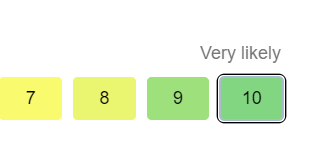
I managed to find the custom code such that the selected score is shaded in black. however, when i move on to the selection of response choice for the next question, the black shading disappears again


.Skin label.SingleAnswer:hover 
{background-color: #107da3 !important;
}
.LabelContainer:hover 
{
z-index:1 ;
transition:all 0.3s ;
transform:scale(1.2,1.2) ;
}

#QID2-1-label
{
background-color: #bd6158  ;
color: black;
}

#QID2-2-label
{
background-color: #c46758  ;
color: black;
}

#QID2-3-label
{
background-color: #cb6e58  ;
color: black;
}

#QID2-4-label
{
background-color: #d77b58  ;
color: black;
}

#QID2-5-label
{
background-color: #dd8358  ;
color: black;
}

#QID2-6-label
{
background-color: #e79257  ;
color: black;
}

#QID2-7-label
{
background-color: #fafa6e  ;
color: black;
}

#QID2-8-label
{
background-color:#eaf66f  ;
color: black;
}

#QID2-9-label
{
background-color: #9ee07b  ;
color: black;
}

#QID2-10-label
{
background-color: #83d681  ;
color: black;
}

.Skin label.SingleAnswer.q-checked.q-focused {
    color: #ffffff !important;
    border-style: solid !important;
    border-width: 2px !important;
    border-color: #000000 !important;
    background-color: #000000 !important;
}


TomG
Level 8 ●●●●●●●●
Forum|alt.badge.img+27
  • Level 8 ●●●●●●●●
  • Oct 19, 2023 2:26 PM UTC

Remove .q-focused from your last rule.


Forum|alt.badge.img+2
  • Author
  • Oct 19, 2023 3:06 PM UTC

Remove .q-focused from your last rule.

I encounter the selected choice highlights disappearing somehow because of the codes above when ive created different displays of colour, but the other questions are functioning as per expected behaviour.

  1. on click it shows this


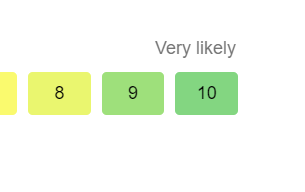
  1. when i select the response choice for the next question, the border goes off again


TomG
Level 8 ●●●●●●●●
Forum|alt.badge.img+27
  • Level 8 ●●●●●●●●
  • Oct 19, 2023 5:02 PM UTC

@Jason Ling - I would have to see a survey preview to diagnose further.


Forum|alt.badge.img+2
  • Author
  • Oct 20, 2023 1:55 AM UTC

@Jason Ling - I would have to see a survey preview to diagnose further.

Thank you Tom. Thanks for suggesting the survey preview link as the screenshots were definitely not easy to show what was happening.

https://shorturl.at/hntH2


TomG
Level 8 ●●●●●●●●
Forum|alt.badge.img+27
  • Level 8 ●●●●●●●●
  • Oct 20, 2023 12:00 PM UTC

@Jason Ling, 

Add this rule:

.Skin label.MultipleAnswer.q-checked, .Skin label.SingleAnswer.q-checked {
box-shadow: 0 0 0 3px activeborder;
outline: #a9bccc auto 5px;
}