



To get all of the benefits of the Qualtrics Experience Community, make sure you create a Community account. It’s easy! Here’s how 👇
1 | Create your Experience Community Account 💜
Use your existing Qualtrics account login credentials to log into the Experience Community (right click on the link to open a new browser tab and keep this page open) then, you will be prompted to continue to step 2, below.
2 | Choose to Register or Login 🖥️
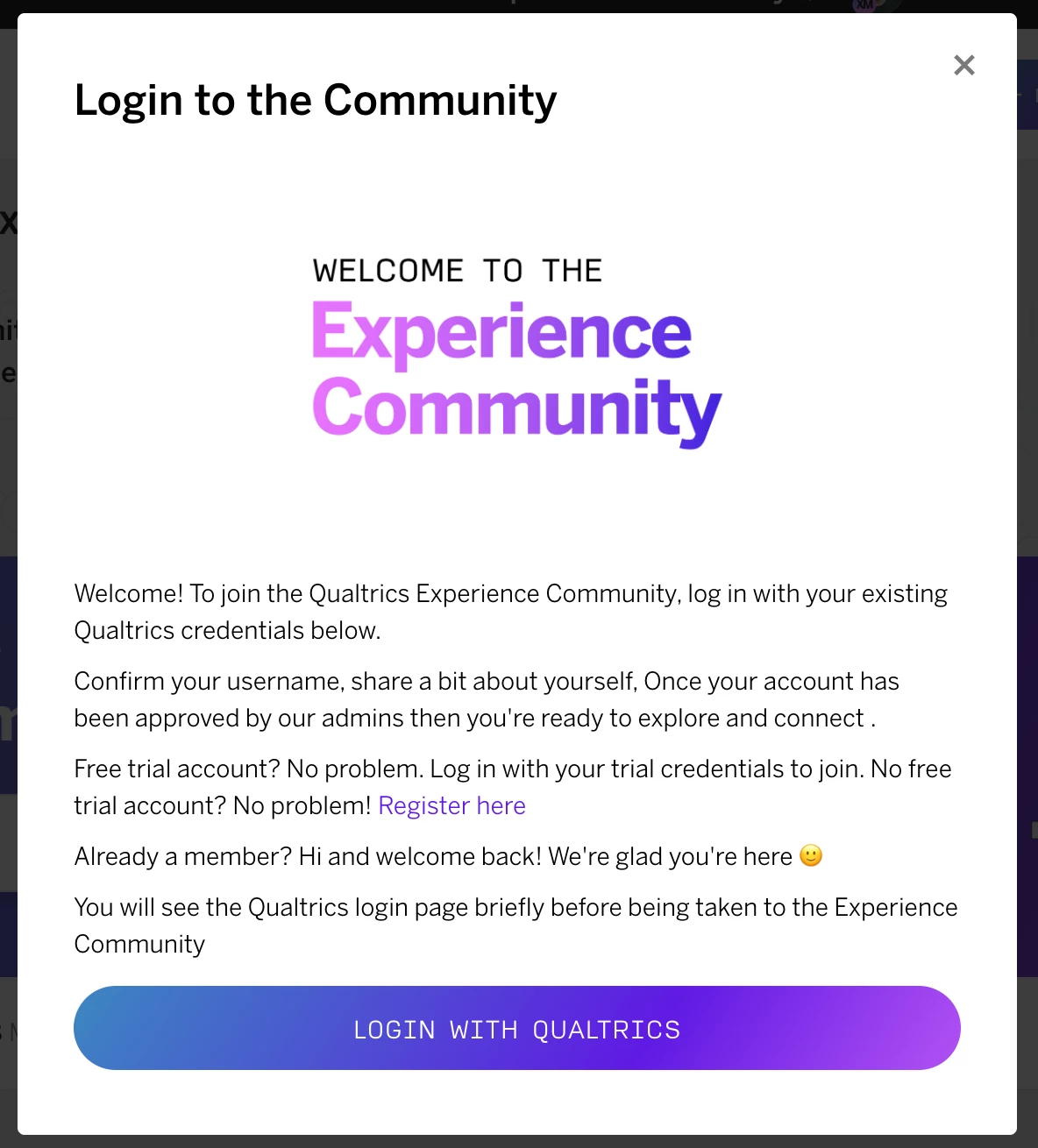
You will be prompted with a popup that asks you to Login with your Qualtrics account, or if you don’t have an account just yet, click the Register here option to create a free account.
3 | Set your Username 📝
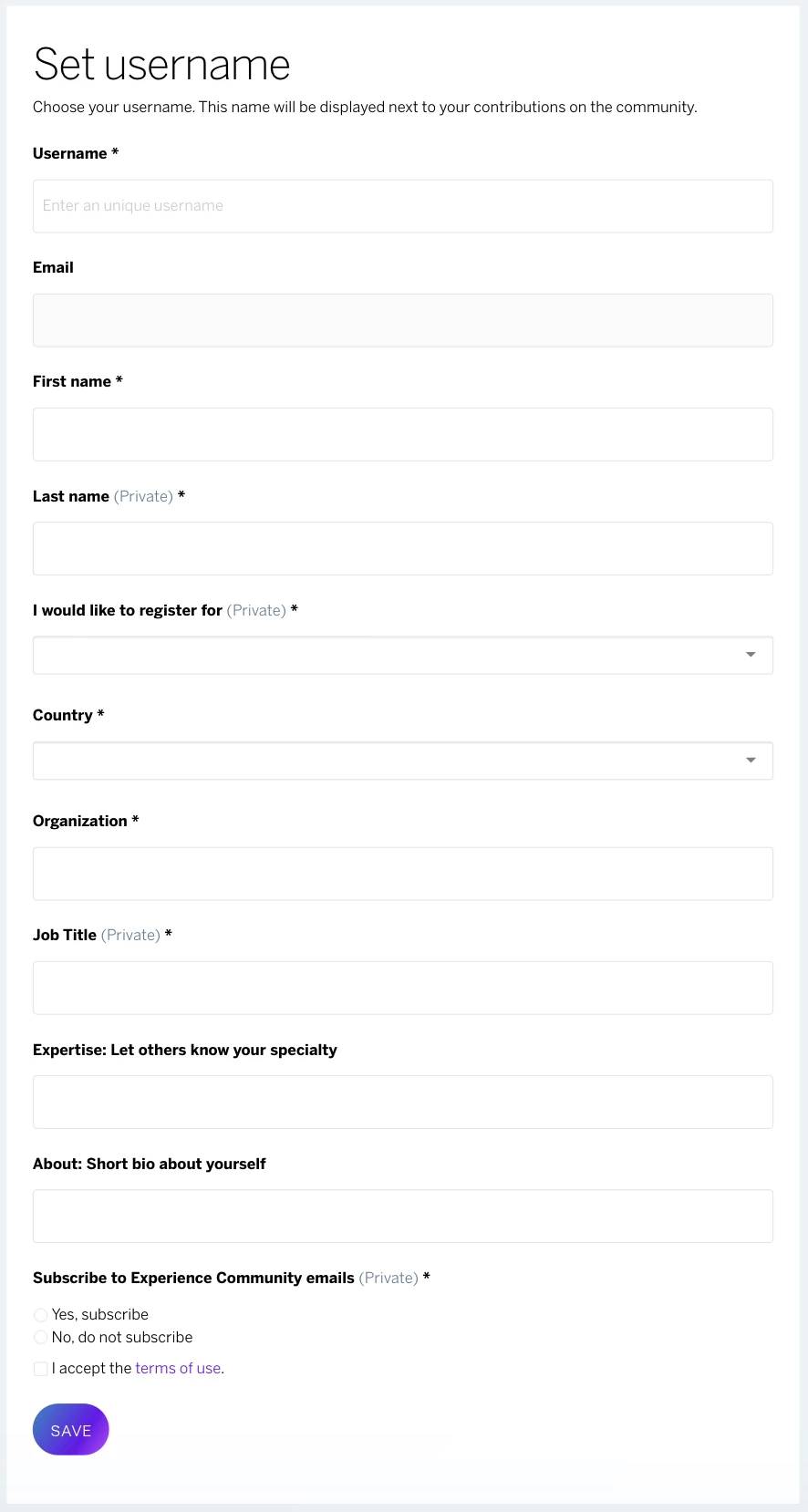
Choose your username, add your first name, last name, country, organization, and job title. Once you’ve added all of the required fields, click Save and your community account will be created!
4 | Personalize your Profile 👤
Set up your profile, where you can update your profile picture, view your badges, & more. Note: At this point, your account will be awaiting admin approval, and the Community will be in “read only” mode for you. After admin approval, move on to step 5, below.
5 | Introduce yourself 👋
Introduce yourself to the Experience Community and start connecting with other members! Tell us a little about yourself, where you're from, and your Qualtrics use case.
Want to learn more about how to use the Experience Community? This post linked here contains more information about our Community.
