I’m having trouble using the EQ-5D under the Qualtrics New Survey Taking Experience.
After creating a new survey from the QSF file upload (Effective_USA (English) EQ-5D-5L Qualtrics Self-Complete v2.1.qsf), I switched to the new survey taking experience and the VAS disappeared.

EuroQol support was able to provide some guidance, but the VAS is still not appearing after applying their instructions.
- Updated Look & Feel > Style > Custom CSS
.Skin .LanguageSelectorContainer {

display: none !important;

}

.hide_me {

display: none !important;

}

@media (max-width: 600px) {

.Skin .QuestionBody {

padding-bottom: 0px !important;

}

}

@media (min-width: 480px) {

.Skin .QuestionText p, .Skin .QuestionText h4 {

font-size: 16px !important;

}

.Skin label.MultipleAnswer, .Skin label.SingleAnswer {

padding: 0px !important;

min-height: 0px !important;

}

.Skin .MC .QuestionBody ul.ChoiceStructure {

height: 250px !important;

}

.Skin .Button {

font-size: 16px !important;

}

#range {

margin: 10px !important;

height: 300px !important;

}

.left {

flex: 75% !important;

padding: 10px !important;

}

.right {

flex: 25% !important;

padding: 10px !important;

}

.my_selection {

margin-top: 100px !important;

width: 160px !important;

}

.my_ChoiceStructure {

margin-right: 100px !important;

}

.vas-ul {

font-size: 16px !important;

}

.Skin #Buttons {

padding: 4px 4px !important;

}

.Skin #Header {

padding: 10px !important;

background: #F8F8F8 !important;

}

.Skin .ValidationError {

font-size: 16px !important;

}

.Skin label.MultipleAnswer > span, .Skin label.SingleAnswer > span {

max-width: 400px !important;

}

}

@media (min-width: 580px) {

.Skin label.MultipleAnswer > span, .Skin label.SingleAnswer > span {

max-width: 500px !important;

}

}

@media (min-width: 680px) {

.Skin label.MultipleAnswer > span, .Skin label.SingleAnswer > span {

max-width: 600px !important;

}

}

@media (min-width: 780px) {

.Skin label.MultipleAnswer > span, .Skin label.SingleAnswer > span {

max-width: 650px !important;

}

}

@media (max-width: 480px) {

.Skin .QuestionText p, .Skin .QuestionText h4 {

font-size: 12px !important;

}

.Skin label.MultipleAnswer, .Skin label.SingleAnswer {

min-height: 0px !important;

padding-bottom: 0px !important;

padding-top: 0px !important;

margin-bottom: 0px !important;

//margin-top: 0px !important;

}

.Skin .Button {

font-size: 12px !important;

}

#range {

margin: 5px;

height: 300px;

}

.left {

flex: 60%;

padding: 5px;

}

.right {

flex: 40%;

padding: 5px;

}

.my_selection {

margin-top: 10px !important;

width: 140px !important;

}

.vas-ul {

font-size: 16px !important;

padding-right: 26px !important;

}

.top_text {

font-size: 12px !important;

}

.bottom_text {

font-size: 12px !important;

}

.my_row {

padding-bottom: 0px !important;

}

.my_span {

font-size: 12px !important;

}

.my_inputText {

font-size: 20px !important;

}

.Skin #Header {

background: #F8F8F8 !important;

}

.Skin .ValidationError {

font-size: 12px !important;

}

}

body {

-webkit-font-smoothing: antialiased !important;

}

.Skin {

font-family: Arial, Helvetica, sans-serif !important;

}

.Skin .SkinInner {

padding-top: 0px !important;

}

.Skin .QuestionText {

padding-bottom: 0px !important;

}

.Skin .QuestionOuter {

padding-bottom: 0px !important;

}

.Skin .MC .QuestionBody {

padding-left: 0px !important;

}

.Skin label.MultipleAnswer, .Skin label.SingleAnswer {

border: 0 !important;

}

.Skin label.MultipleAnswer.q-checked, .Skin label.SingleAnswer.q-checked {

background: rgb(255 255 255 / 10%) !important;

color: #393939 !important;

-moz-transition: none !important;

-webkit-transition: none !important;

-o-transition: color 0 ease-in !important;

transition: none !important;

border-style: none !important;

}

.Skin label.MultipleAnswer.q-checked.q-focused, .Skin label.SingleAnswer.q-checked.qfocused

{

background: rgb(255 255 255 / 10%) !important;

color: #393939 !important;

box-shadow: 0 0 0 0 !important;

}

.Skin label.SingleAnswer span:after {

border-radius: 0 !important;

background:

url('https://euroqol.eu.qualtrics.com/ControlPanel/Graphic.php?IM=IM_7NEemGZI5tSuU4d')

center center / 25px 25px no-repeat rgb(255 255 255 / 10%) !important;

}

.Skin label.SingleAnswer.q-checked span:after, .Skin label.SingleAnswer.q-checked.qfocused

span:after {

background:

url('https://euroqol.eu.qualtrics.com/ControlPanel/Graphic.php?IM=IM_866SZJU4Ai9TODz')

center center / 25px 25px no-repeat rgb(255 255 255 / 10%) !important;

border-color: rgb(255 255 255 / 10%) !important;

-moz-transition: none !important;

-webkit-transition: none !important;

-o-transition: color 0 ease-in !important;

transition: none !important;

}

.Skin label.MultipleAnswer>span:after, .Skin label.SingleAnswer>span:after {

border-color: #222 !important;

}

.Skin .ValidationError {

color: red !important;

}

.Skin .QuestionOuter.Highlight .Inner {

border-style: none !important;

}

.Skin label.MultipleAnswer:active, .Skin label.SingleAnswer:active {

-moz-transition: none !important;

-webkit-transition: none !important;

-o-transition: color 0 ease-in !important;

transition: none !important;

border-style: none !important;

}

.Skin label.MultipleAnswer:focus, .Skin label.SingleAnswer:focus {

box-shadow: 0 0 0 0px rgba(0,122,192,.2) !important;

}

.Skin .Button {

position: relative !important;

display: inline-block !important;

overflow: hidden !important;

user-select: none !important;

vertical-align: middle !important;

white-space: nowrap !important;

text-decoration: none !important;

border-radius: 4px !important;

color: black !important;

outline: none !important;

font-family: Arial, Helvetica, sans-serif !important;

border: 2px solid #8c95a2 !important;

background: linear-gradient(to bottom, #d8d8ff 0%, #fff 17%, #fff 100%) !important;

width: 103px !important;

height: 54px !important;

}

.Skin .Button:hover {

cursor: pointer !important;

text-decoration: none !important;

border: 4px solid #8c8cf5 !important;

}

.Skin .NextButton {

padding: 12px 24px 12px 14px !important;

background:

url('https://euroqol.eu.qualtrics.com/ControlPanel/Graphic.php?IM=IM_8ocsbYOWE52a6jj')

90% 50% / 18px 19px no-repeat rgb(255 255 255 / 10%) !important;

}

.Skin .PreviousButton {

padding: 12px 14px 12px 28px !important;

background:

url('https://euroqol.eu.qualtrics.com/ControlPanel/Graphic.php?IM=IM_6XAu3m0Xapeb8e9')

10% 50% / 18px 19px no-repeat rgb(255 255 255 / 10%) !important;

}

.my_row {

display: flex;

}

.my_inputwrap {

display: block !important;

}

.my_selection {

display: block !important;

border: 2px solid !important;

height: 150px !important;

background: black !important;

color: white !important;

text-align: center !important;

}

.my_inputText {

background: black !important;

width: 100px !important;

border-style: none !important;

color: white !important;

font-weight: bold !important;

font-size: 25px !important;

}

.my_ChoiceStructure {

display: grid !important;

place-items: flex-end !important;

}

.range_text {

font-weight: bold !important;

text-align: center !important;

}

.top_text {

margin-bottom: 20px !important;

}

.bottom_text {

margin-top: 20px !important;

}

/*! nouislider - 14.6.0 - 6/27/2020 */

/* Functional styling;

* These styles are required for noUiSlider to function.

* You don't need to change these rules to apply your design.

*/

.noUi-target,

.noUi-target * {

-webkit-touch-callout: none;

-webkit-tap-highlight-color: rgba(0, 0, 0, 0);

-webkit-user-select: none;

-ms-touch-action: none;

touch-action: none;

-ms-user-select: none;

-moz-user-select: none;

user-select: none;

-moz-box-sizing: border-box;

box-sizing: border-box;

}

.noUi-target {

position: relative;

}

.noUi-base,

.noUi-connects {

width: 100%;

height: 100%;

position: relative;

z-index: 1;

}

/* Wrapper for all connect elements.

*/

.noUi-connects {

overflow: hidden;

z-index: 0;

}

.noUi-connect,

.noUi-origin {

will-change: transform;

position: absolute;

z-index: 1;

top: 0;

right: 0;

-ms-transform-origin: 0 0;

-webkit-transform-origin: 0 0;

-webkit-transform-style: preserve-3d;

transform-origin: 0 0;

transform-style: flat;

}

.noUi-connect {

height: 100%;

width: 100%;

}

.noUi-origin {

height: 10%;

width: 10%;

}

/* Offset direction

*/

.noUi-txt-dir-rtl.noUi-horizontal .noUi-origin {

left: 0;

right: auto;

}

/* Give origins 0 height/width so they don't interfere with clicking the

* connect elements.

*/

.noUi-vertical .noUi-origin {

width: 0;

}

.noUi-horizontal .noUi-origin {

height: 0;

}

.noUi-handle {

-webkit-backface-visibility: hidden;

backface-visibility: hidden;

position: absolute;

}

.noUi-touch-area {

height: 100%;

width: 100%;

}

.noUi-state-tap .noUi-connect,

.noUi-state-tap .noUi-origin {

-webkit-transition: transform 0.3s;

transition: transform 0.3s;

}

.noUi-state-drag * {

cursor: inherit !important;

}

/* Slider size and handle placement;

*/

.noUi-horizontal {

height: 18px;

}

.noUi-horizontal .noUi-handle {

width: 34px;

height: 28px;

right: -17px;

top: -6px;

}

.noUi-vertical {

width: 18px;

}

.noUi-vertical .noUi-handle {

width: 28px;

height: 34px;

right: -6px;

top: -17px;

}

.noUi-txt-dir-rtl.noUi-horizontal .noUi-handle {

left: -17px;

right: auto;

}

/* Styling;

* Giving the connect element a border radius causes issues with using transform: scale

*/

.noUi-target {

background: #FAFAFA;

border-radius: 4px;

border: 1px solid #D3D3D3;

box-shadow: inset 0 1px 1px #F0F0F0, 0 3px 6px -5px #BBB;

}

.noUi-connects {

border-radius: 3px;

}

.noUi-connect {

background: #3FB8AF;

}

/* Handles and cursors;

*/

.noUi-draggable {

cursor: ew-resize;

}

.noUi-vertical .noUi-draggable {

cursor: ns-resize;

}

.noUi-handle {

border: 1px solid #D9D9D9;

border-radius: 3px;

background: #FFF;

cursor: default;

box-shadow: inset 0 0 1px #FFF, inset 0 1px 7px #EBEBEB, 0 3px 6px -3px #BBB;

}

.noUi-active {

box-shadow: inset 0 0 1px #FFF, inset 0 1px 7px #DDD, 0 3px 6px -3px #BBB;

}

/* Handle stripes;

*/

.noUi-handle:before,

.noUi-handle:after {

content: "";

display: block;

position: absolute;

height: 14px;

width: 1px;

background: #E8E7E6;

left: 14px;

top: 6px;

}

.noUi-handle:after {

left: 17px;

}

.noUi-vertical .noUi-handle:before,

.noUi-vertical .noUi-handle:after {

width: 14px;

height: 1px;

left: 6px;

top: 14px;

}

.noUi-vertical .noUi-handle:after {

top: 17px;

}

/* Disabled state;

*/

[disabled] .noUi-connect {

background: #B8B8B8;

}

[disabled].noUi-target,

[disabled].noUi-handle,

[disabled] .noUi-handle {

cursor: not-allowed;

}

/* Base;

*

*/

.noUi-pips,

.noUi-pips * {

-moz-box-sizing: border-box;

box-sizing: border-box;

}

.noUi-pips {

position: absolute;

color: #999;

}

/* Values;

*

*/

.noUi-value {

position: absolute;

white-space: nowrap;

text-align: center;

}

.noUi-value-sub {

color: #ccc;

font-size: 10px;

}

/* Markings;

*

*/

.noUi-marker {

position: absolute;

background: #CCC;

}

.noUi-marker-sub {

background: #AAA;

}

.noUi-marker-large {

background: #AAA;

}

/* Horizontal layout;

*

*/

.noUi-pips-horizontal {

padding: 10px 0;

height: 80px;

top: 100%;

left: 0;

width: 100%;

}

.noUi-value-horizontal {

-webkit-transform: translate(-50%, 50%);

transform: translate(-50%, 50%);

}

.noUi-rtl .noUi-value-horizontal {

-webkit-transform: translate(50%, 50%);

transform: translate(50%, 50%);

}

.noUi-marker-horizontal.noUi-marker {

margin-left: -1px;

width: 2px;

height: 5px;

}

.noUi-marker-horizontal.noUi-marker-sub {

height: 10px;

}

.noUi-marker-horizontal.noUi-marker-large {

height: 15px;

}

/* Vertical layout;

*

*/

.noUi-pips-vertical {

padding: 0 10px;

height: 100%;

top: 0;

left: 100%;

}

.noUi-value-vertical {

-webkit-transform: translate(0, -50%);

transform: translate(0, -50%);

padding-left: 25px;

}

.noUi-rtl .noUi-value-vertical {

-webkit-transform: translate(0, 50%);

transform: translate(0, 50%);

}

.noUi-marker-vertical.noUi-marker {

width: 5px;

height: 2px;

margin-top: -1px;

}

.noUi-marker-vertical.noUi-marker-sub {

width: 10px;

}

.noUi-marker-vertical.noUi-marker-large {

width: 15px;

}

.noUi-tooltip {

display: block;

position: absolute;

border: 1px solid #D9D9D9;

border-radius: 3px;

background: #fff;

color: #000;

padding: 5px;

text-align: center;

white-space: nowrap;

}

.noUi-horizontal .noUi-tooltip {

-webkit-transform: translate(-50%, 0);

transform: translate(-50%, 0);

left: 50%;

bottom: 120%;

}

.noUi-vertical .noUi-tooltip {

-webkit-transform: translate(0, -50%);

transform: translate(0, -50%);

top: 50%;

right: 120%;

}

.noUi-horizontal .noUi-origin > .noUi-tooltip {

-webkit-transform: translate(50%, 0);

transform: translate(50%, 0);

left: auto;

bottom: 10px;

}

.noUi-vertical .noUi-origin > .noUi-tooltip {

-webkit-transform: translate(0, -18px);

transform: translate(0, -18px);

top: auto;

right: 28px;

}- Updated Introduction Q1 Text/Graphic Javascript
Qualtrics.SurveyEngine.addOnload(function()
{
    /*Place your JavaScript here to run when the page loads*/
//jQuery('#header_test').append('<input id="TestButton" class="NextButton Button" title="Test Button" type="button" name="TestButton" value="TestButton" data-runtimedisabled="runtime.Disabled" data-runtime-aria-label="runtime.ariaLabel" data-runtimehide="runtime.Hide" aria-label="Test Button">');

});

Qualtrics.SurveyEngine.addOnReady(function()
{
    /*Place your JavaScript here to run when the page is fully displayed*/

});

Qualtrics.SurveyEngine.addOnUnload(function()
{
    /*Place your JavaScript here to run when the page is unloaded*/

});
- Updated Q14 VAS Question Javascript
Qualtrics.SurveyEngine.addOnload(function()
{
var question_id = this.getQuestionContainer().id
jQuery("#"+question_id).find('.question-content').addClass("my_row");
jQuery("#"+question_id).find('.choices-container').before('<ul class="newQuestionText vas-ul"><li>Please indicate on the line how your health is TODAY.</li></ul>');
jQuery("#"+question_id).find('.newQuestionText, .choicescontainer').
wrapAll('<div class="left"></div>');
jQuery("#"+question_id).find('.left').after('<div class="right"><div class="range_text top_text">The best health<br>you can imagine</div><div id="range" style="margin-left: 50px;"></div><div class="range_text bottom_text">The worst health<br>you can imagine</div></div>');
jQuery("#"+question_id).find('.choice-outer').addClass("my_selection");
jQuery("#"+question_id).find('.input-wrapper').addClass("my_inputwrap");
jQuery("#"+question_id).find('.text-input').addClass("my_inputText");
jQuery("#"+question_id).find('.text-input').before('<span class="my_span">YOUR<br>HEALTH<br>TODAY =<br></span>');
jQuery("#"+question_id).find('.choicescontainer').
addClass("my_ChoiceStructure");
jQuery("#"+question_id).prepend('<div id="MyNewValidation" class="ValidationError hide_me" role="alert">This item is blank, please complete it. </div>');
});
var vasValue = 0;
Qualtrics.SurveyEngine.addOnReady(function() {
var qobj = this;
var range = document.getElementById('range');
var count = 0;
var question_id = this.getQuestionContainer().id
noUiSlider.create(range, {
range: {
'min': 0,
'max': 100
},
step: 1,
behaviour: 'tap-drag',
tooltips: true,
format: wNumb({
decimals: 0
}),
// Handles start at ...
start: [50],
// ... must be at least 300 apart
margin: 300,
// Display colored bars between handles
connect: true,
// Put '0' at the bottom of the slider
direction: 'rtl',
orientation: 'vertical',
// Show a scale with the slider
pips: {
mode: 'values',
values: [0,10,20,30,40,50,60,70,80,90,100],
stepped: true,
density: 1
}
});
range.noUiSlider.on('update', function(values,handle,unencoded){
count = count + 1;
var valslide = range.noUiSlider.get();
if (count == 1) {
jQuery("#"+question_id).find('.text-input').addClass("hide_me");
jQuery("#"+question_id).find('.noUi-tooltip').addClass("hide_me");
} else {
jQuery("#"+question_id).find('.text-input').removeClass("hide_me");
jQuery("#"+question_id).find('.noUi-tooltip').removeClass("hide_me");
jQuery("#" + question_id).find('.InputText')
.val(valslide)
.attr('value', valslide)
.trigger("input")
.trigger("change")
.trigger("blur");
var choiceIds = qobj.getChoices(); // Returns array of IDs like [1, 2, 3]
vasValue = parseInt(valslide)
qobj.setChoiceValue(choiceIds[0], valslide)
Qualtrics.SurveyEngine.setEmbeddedData("vasvalue", valslide);
}
});
var nxtBtn = document.getElementById("NextButton");
nxtBtn.setAttribute('style', 'display:none !important');
function createNextButton() {
var nextButtonHTML = '<button aria-label="Next" class="navigation-button" id="MyNewButton" type="button"><span>Next</span></button>';
jQuery('#PreviousButton').after(nextButtonHTML);
}
if( jQuery('#MyNewButton').length ) {
var newBtn = document.getElementById("MyNewButton")
newBtn.setAttribute('style', 'display:flex !important')
} else {
createNextButton();
}
jQuery('#MyNewButton').on('click', function() {
if (vasValue > 0) {
// jQuery('#MyNewButton').addClass("hide_me");
jQuery('#NextButton').click();
} else {
/* This is where you set your error message text */
jQuery("#"+question_id).find('#MyNewValidation').removeClass("hide_me");
}
});
});
Qualtrics.SurveyEngine.addOnUnload(function(callback) {
var question_id = this.getQuestionContainer().id
var value = jQuery("#"+question_id).find('.text-input').val();
if (!value) {
alert("Please ensure all fields are filled out correctly.");
}
callback(); // Proceed with submission
});
Qualtrics.SurveyEngine.addOnPageSubmit(function(){
/*Place your JavaScript here to run when the page is submitted*/
});
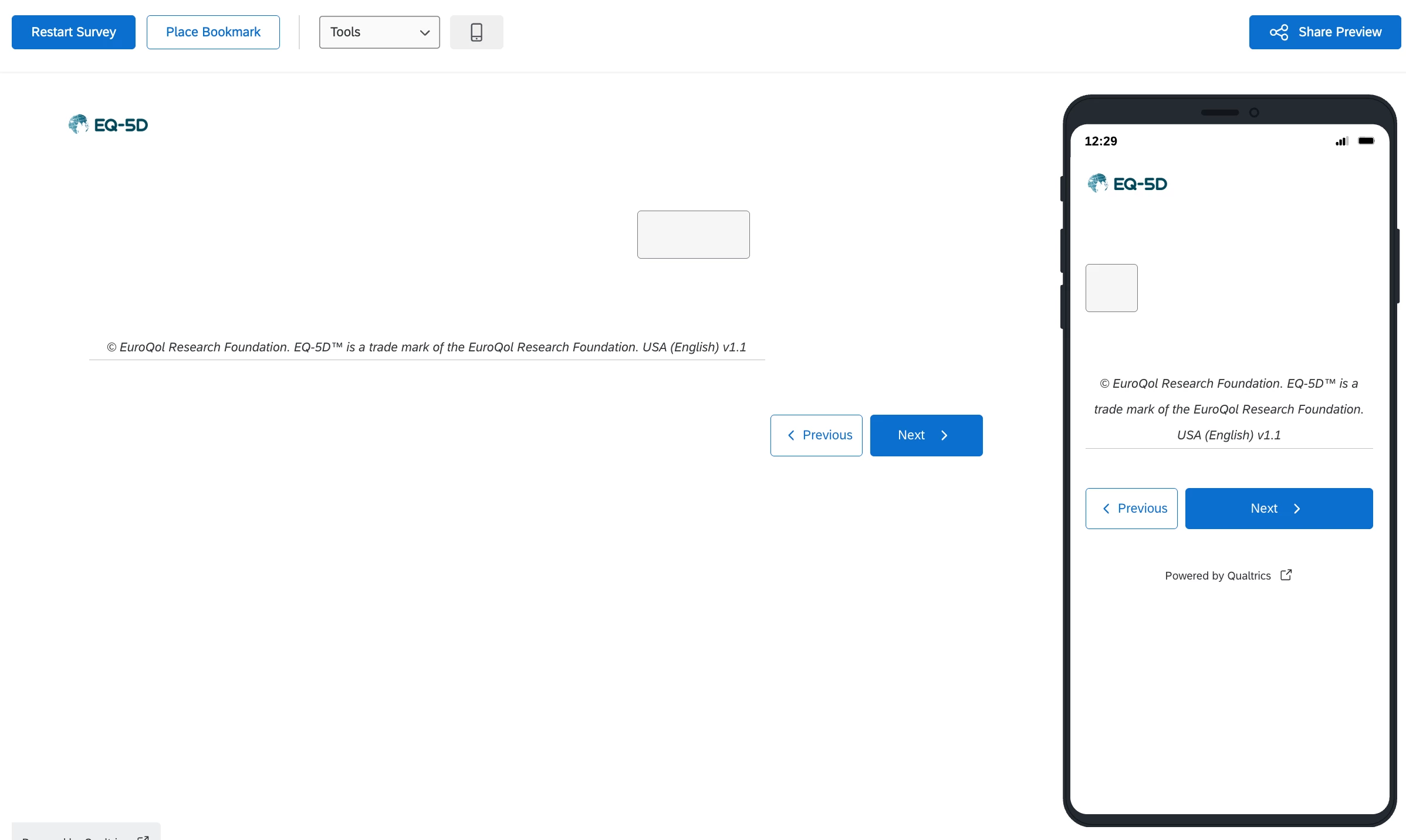
The VAS still does not appear:
Has anyone been able to use EQ-5D vertical slider under the new survey taking experience? Any assistance would be greatly appreciated!