


Hi Everyone,
I have a single answer choice question Q4 in survey and I want to store some xyz value in the Embedded data field depending upon the choice selected in Q4. After that, I am using the Embedded data as a pipe text in the next question Q5.
Q4 and Q5 both questions are in separate blocks. Firstly, I tried doing this through branch logic in survey flow but the problem I am facing is the Back button gets disabled from the page when we use branch logic between the elements or blocks.
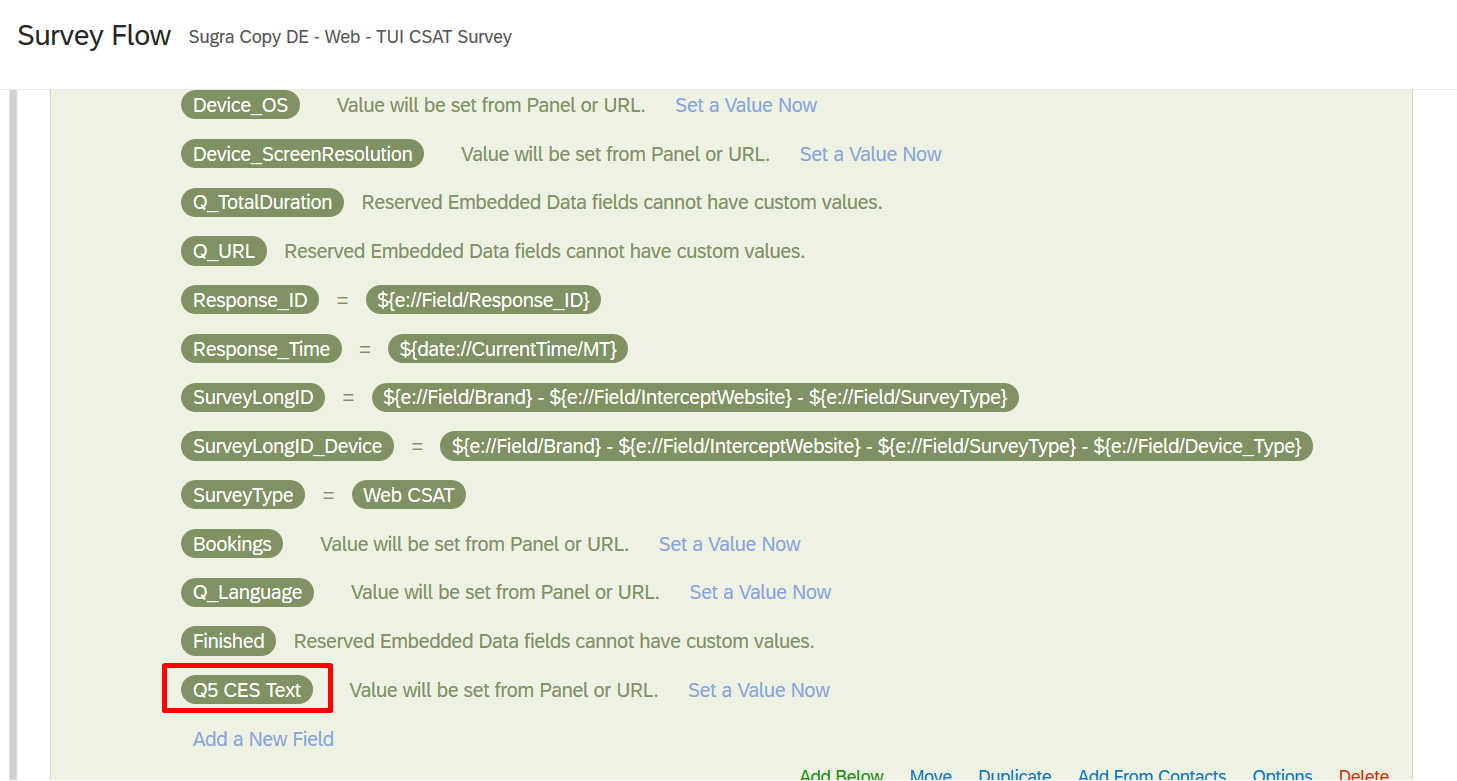
Client wants the Back button to be enabled so we are thinking if this can be achieved through custom javascript. I tried below code through which I am able to retrieve the alert box on Q4 showing the value selected but it is not setting the value in the embedded data. Name of the embedded data is Q5 CES Text.
Any help will be appreciated!
Code Below:
var selectedRecode;
this.questionclick = function(event, element) {
if(element.type == "radio")
{selectedRecode = Number(this.getChoiceRecodeValue(this.getSelectedChoices()));
alert(selectedRecode);
if (selectedRecode == 1)
{
Qualtrics.SurveyEngine.setEmbeddedData('Q5 CES Text', test1);
alert(selectedRecode);
}
}}

Fetch response from one question and set the value in Embedded Data field
Best answer by rondev
If you want to store "test1" in embedded data then the code will be as below:
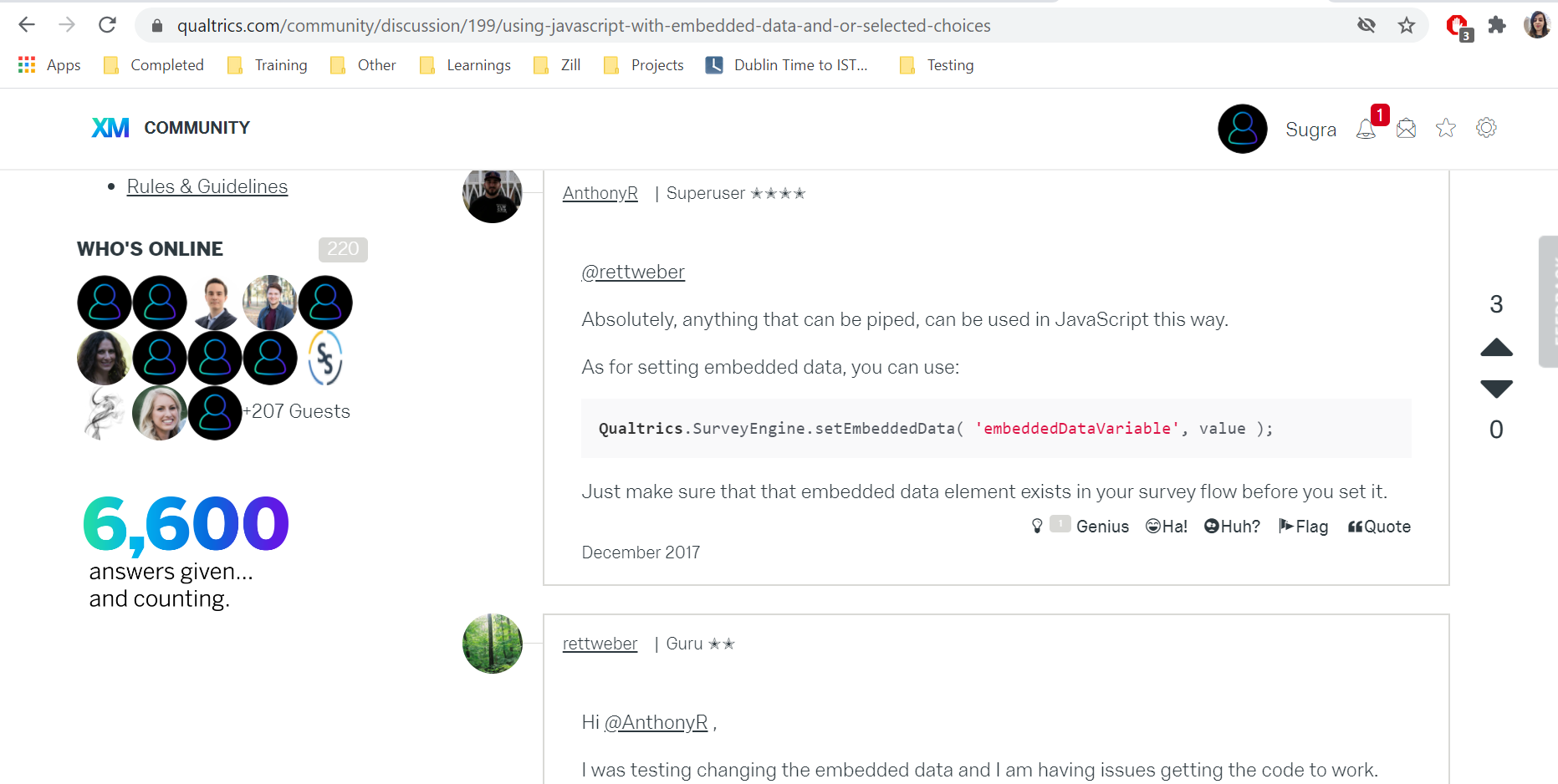
Qualtrics.SurveyEngine.setEmbeddedData('Q5 CES Text', "test1");
Also, just change the name of embedded data, as it is not in best practises to have spaces in embedded data name.



Sign up
Already have an account? Login

Welcome! To join the Qualtrics Experience Community, log in with your existing Qualtrics credentials below.
Confirm your username, share a bit about yourself, then you're ready to explore and connect .
Free trial account? No problem. Log in with your trial credentials to join.
No free trial account? No problem! Register here
Already a member? Hi and welcome back! We're glad you're here 🙂
You will see the Qualtrics login page briefly before being taken to the Experience Community.
Login with Qualtrics
Welcome! To join the Qualtrics Experience Community, log in with your existing Qualtrics credentials below.
Confirm your username, share a bit about yourself, then you're ready to explore and connect .
Free trial account? No problem. Log in with your trial credentials to join. No free trial account? No problem! Register here
Already a member? Hi and welcome back! We're glad you're here 🙂
You will see the Qualtrics login page briefly before being taken to the Experience Community.
Login to the Community
No account yet? Create an account
Welcome! To join the Qualtrics Experience Community, log in with your existing Qualtrics credentials below.
Confirm your username, share a bit about yourself, then you're ready to explore and connect .
Free trial account? No problem. Log in with your trial credentials to join.
No free trial account? No problem! Register here
Already a member? Hi and welcome back! We're glad you're here 🙂
You will see the Qualtrics login page briefly before being taken to the Experience Community.
Login with Qualtrics
Welcome! To join the Qualtrics Experience Community, log in with your existing Qualtrics credentials below.
Confirm your username, share a bit about yourself, then you're ready to explore and connect .
Free trial account? No problem. Log in with your trial credentials to join. No free trial account? No problem! Register here
Already a member? Hi and welcome back! We're glad you're here 🙂
You will see the Qualtrics login page briefly before being taken to the Experience Community.
Enter your E-mail address. We'll send you an e-mail with instructions to reset your password.