

Hey everyone!
I will try it again, since I did not succeed so far and I think my previous discussion (https://www.qualtrics.com/community/discussion/10800/how-to-randomly-draw-one-of-the-rows-in-a-biploar-matrix-and-display-the-choice-of-the-respondent#latest) was misplaced.
So, I have a lottery with 10 different decision situations in which subject chose between A and B, see below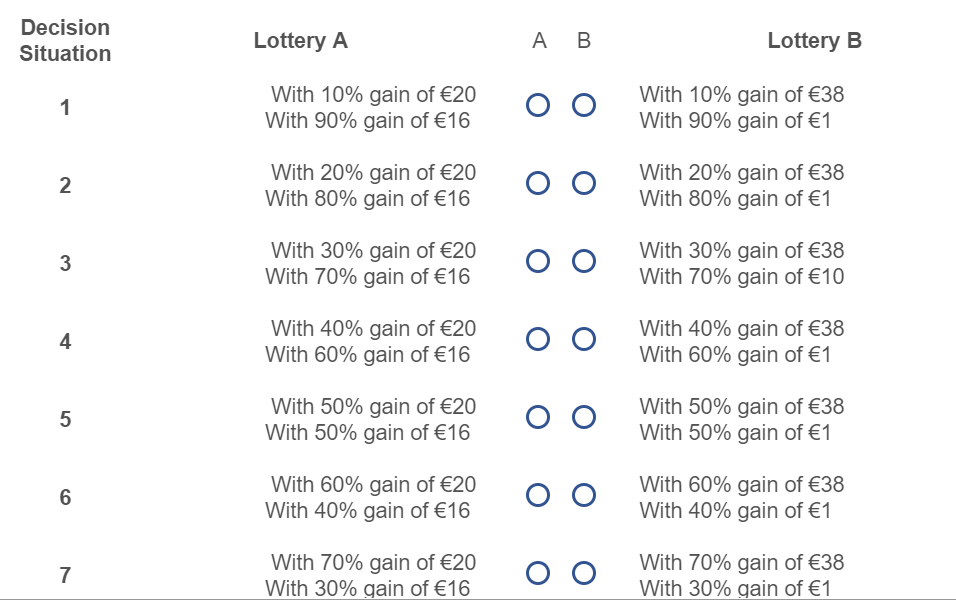 In a separate question, I would like to
i) announce which of the 10 decision situations (basically rows in a bipolar matrix) has been randomly chosen (1-10)
ii) recall the choice they made in that particular decision situation (A or B) and
iii) play the lottery of that particular choice (depends on i) and ii): e.g. if decision situation 7 was drawn and the participant chose A, the lottery we are playing is 70% chance of lets say a blue ball and 30% chance of a red ball)
iv) announce the amount of money subjects won (eventually calculations needed, if e.g. only 50% of lottery prize is actually payed out)
v) IMPORTANT: save the amount of iv in embedded data
I would highly appreciate any help. This being said, I am a complete novice to JS and am barely able to write codes and would need a really simple step-by-step explanation.
Cheers

How to combine a random draw, pipe a decision, play a lottery and save the outcome?


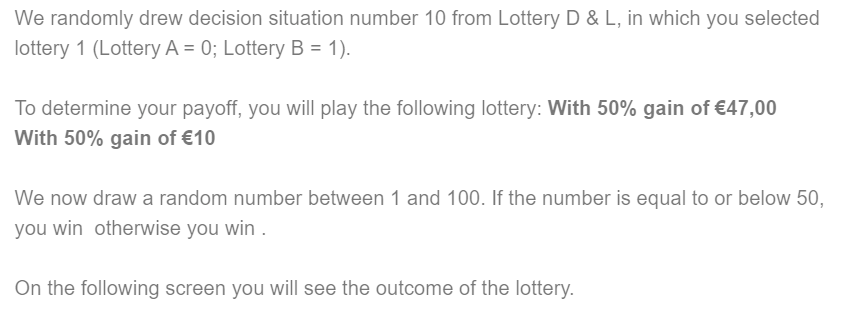 The last thing that needs to be fixed is the winnings. I pipe the text as follows, but the winnings do not appear.
 I tried two different ways to create the embedded date fields.
 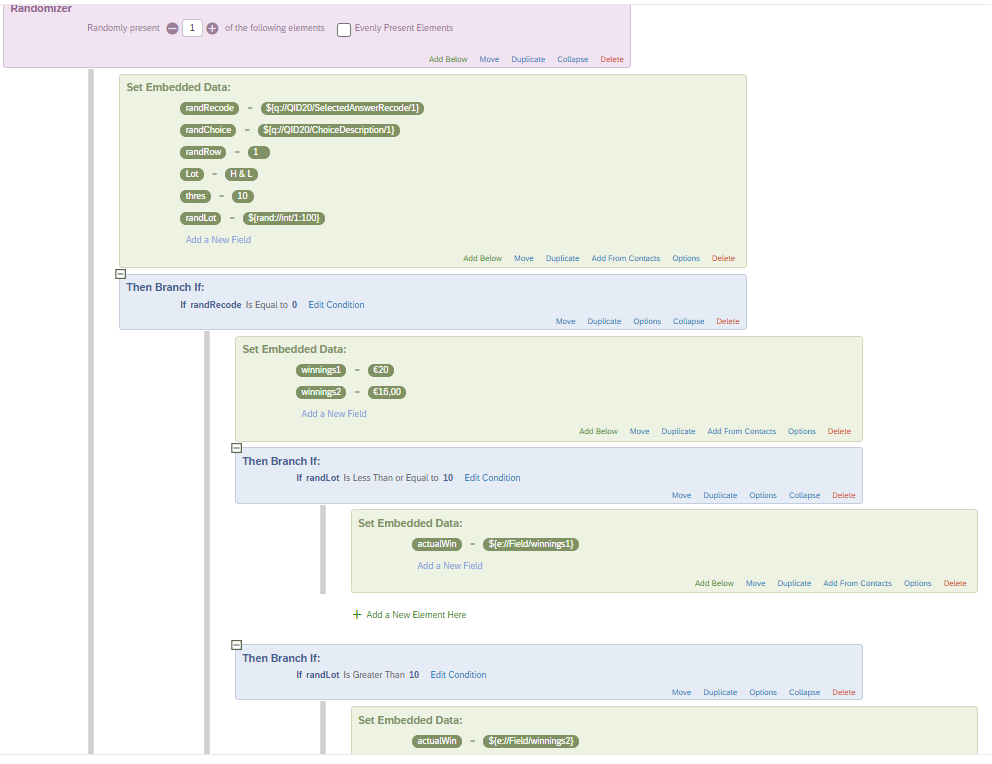 Option 2: use embedded data from question
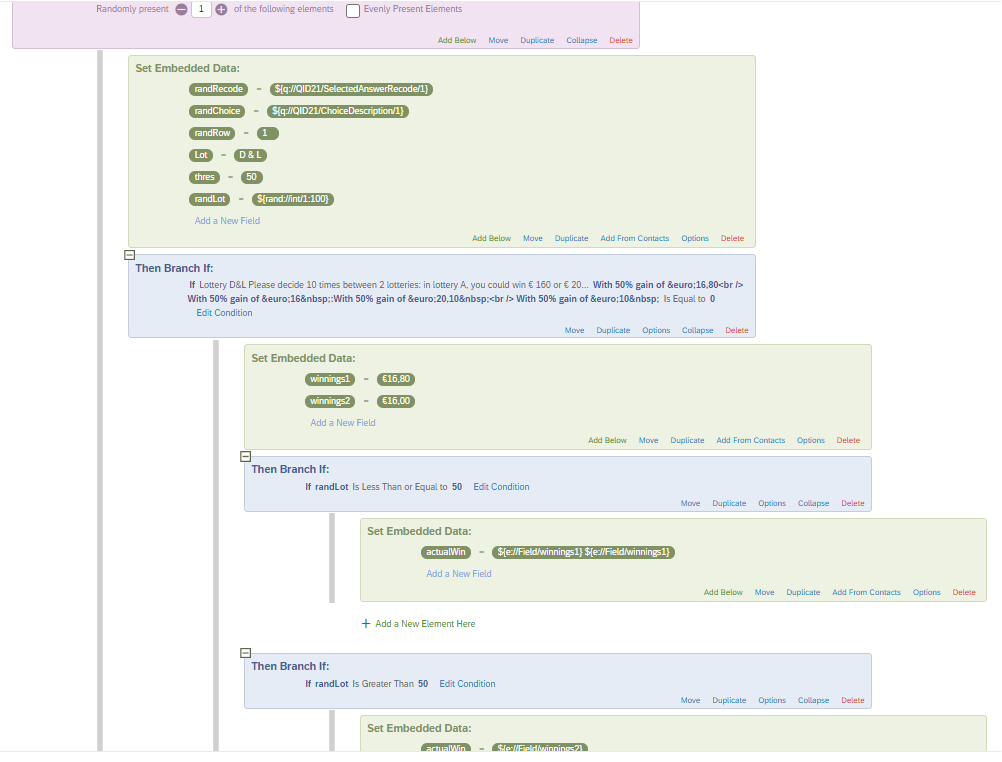 neither of the two works unfortunately, as you can see.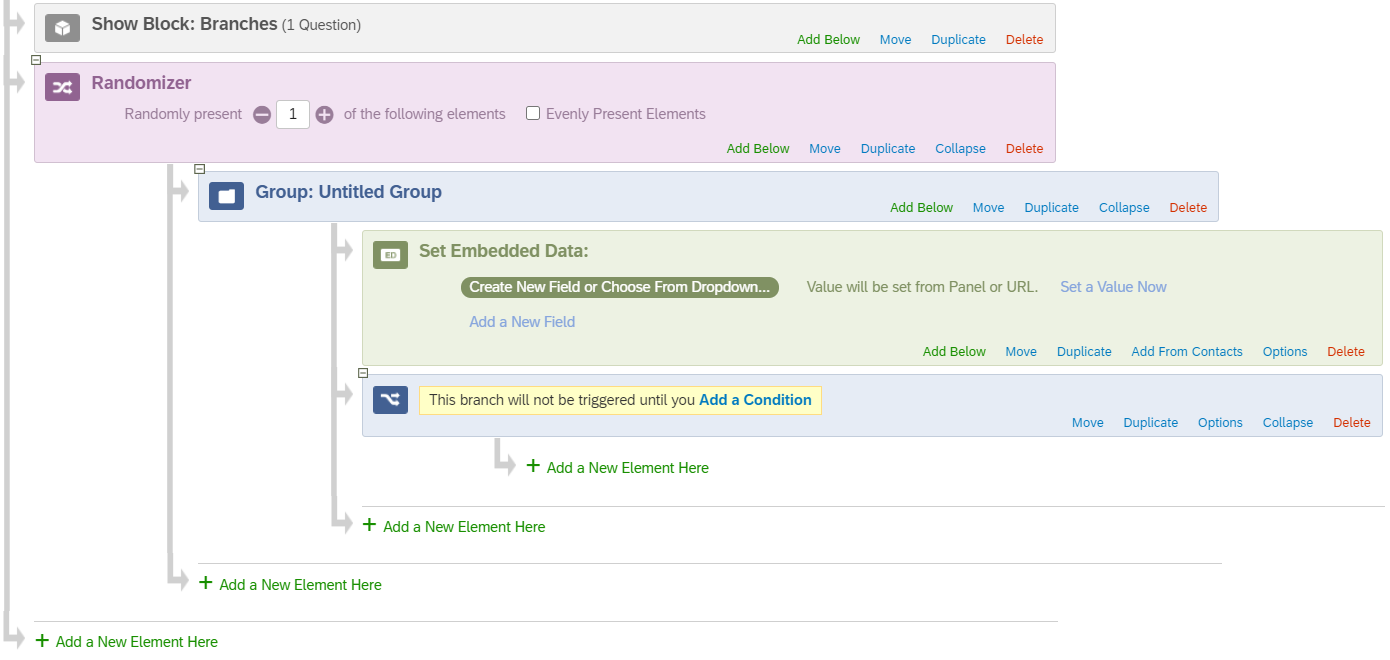
Sign up
Already have an account? Login

Welcome! To join the Qualtrics Experience Community, log in with your existing Qualtrics credentials below.
Confirm your username, share a bit about yourself, then you're ready to explore and connect .
Free trial account? No problem. Log in with your trial credentials to join.
No free trial account? No problem! Register here
Already a member? Hi and welcome back! We're glad you're here 🙂
You will see the Qualtrics login page briefly before being taken to the Experience Community.
Login with Qualtrics
Welcome! To join the Qualtrics Experience Community, log in with your existing Qualtrics credentials below.
Confirm your username, share a bit about yourself, then you're ready to explore and connect .
Free trial account? No problem. Log in with your trial credentials to join. No free trial account? No problem! Register here
Already a member? Hi and welcome back! We're glad you're here 🙂
You will see the Qualtrics login page briefly before being taken to the Experience Community.
Login to the Community
No account yet? Create an account
Welcome! To join the Qualtrics Experience Community, log in with your existing Qualtrics credentials below.
Confirm your username, share a bit about yourself, then you're ready to explore and connect .
Free trial account? No problem. Log in with your trial credentials to join.
No free trial account? No problem! Register here
Already a member? Hi and welcome back! We're glad you're here 🙂
You will see the Qualtrics login page briefly before being taken to the Experience Community.
Login with Qualtrics
Welcome! To join the Qualtrics Experience Community, log in with your existing Qualtrics credentials below.
Confirm your username, share a bit about yourself, then you're ready to explore and connect .
Free trial account? No problem. Log in with your trial credentials to join. No free trial account? No problem! Register here
Already a member? Hi and welcome back! We're glad you're here 🙂
You will see the Qualtrics login page briefly before being taken to the Experience Community.
Enter your E-mail address. We'll send you an e-mail with instructions to reset your password.