Hello everyone,
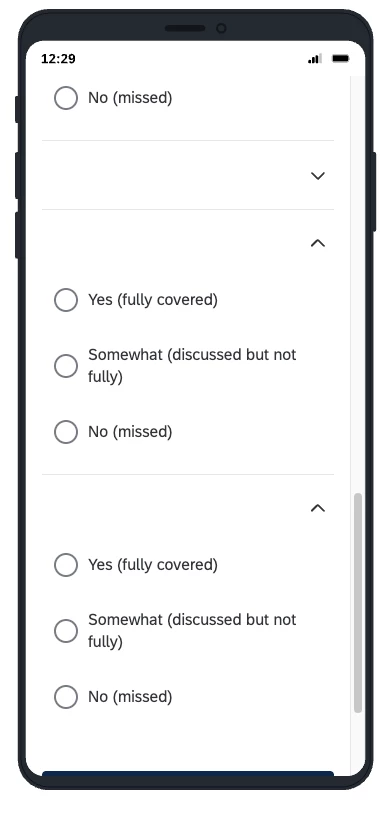
I am struggling to dynamically hide empty rows in a Matrix Table that lives inside a Loop & Merge block.
Different loops have a different number of items (e.g., Loop 1 has 7 items, Loop 2 has 3 items). I am piping the item names from my Loop & Merge fields (${lm://Field/1} through ${lm://Field/7}) straight into the matrix statements.
When a loop has fewer than 7 items, the empty fields pass a blank string. I am trying to use JavaScript to hide the entire row structure (the blank statement label AND its corresponding radio buttons) so the matrix collapses neatly.
I tried iterating through my fields array and using the classic .replace(/~/g, "\\\\~") target string method to hide cell wrappers, as well as finding components matching data-statement-index. None of these have successfully forced the Simple Layout engine to remove the orphaned radio button groups.
Any guidance or specific CSS selector overrides would be hugely appreciated!