

Hi everyone,
This question is slightly redundant with regard to a few others here (sorry), but the earlier questions don't seem to have the information I need:
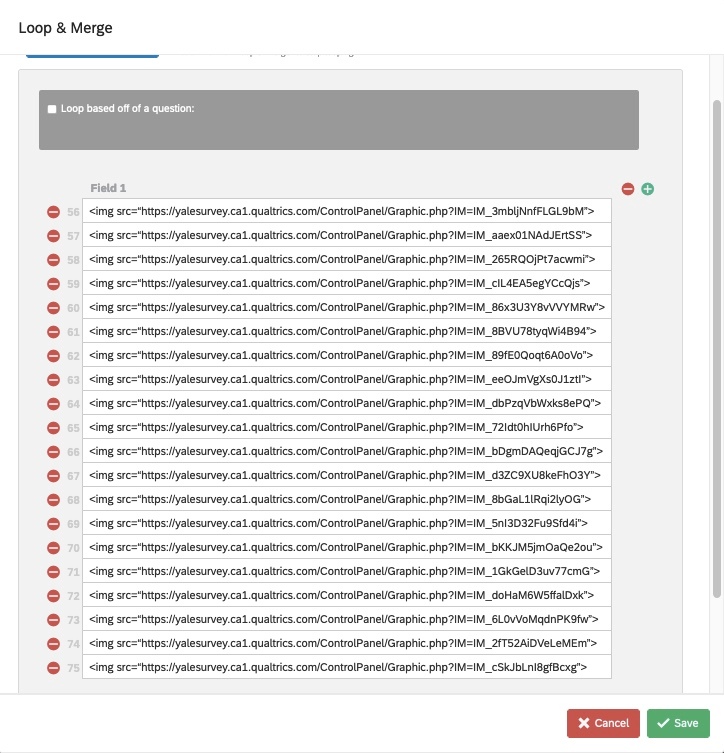
I am trying to show a single question many times with different images above the question. I used loop & merge function for the images (this is something I have done successfully in the past--using the same code I am using now). Below are a photograph of the "preview" screen, as well as the Field1 entry for Loop & Merge.
The image URLs in the photos below are all good. I checked them. Also, I tried adding in a "/" before each ">"--it didn't change anything.
Any thoughts would be super appreciated. I've been stuck on this for ages and feel totally crazy. Thanks so much in advance!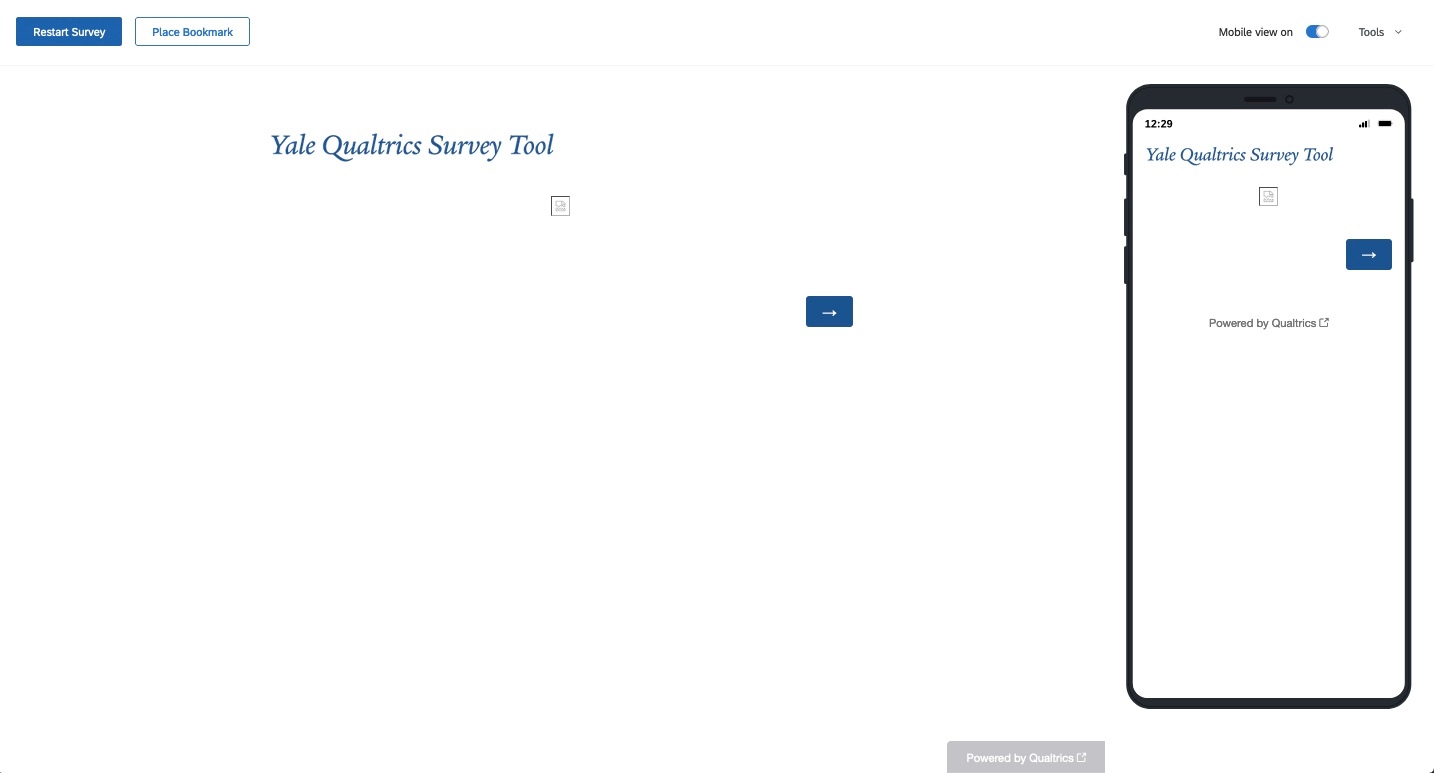

Solved
Images in Loop & Merge
Best answer by ahmedA
There is an issue with how you've formatted your L&M entries: See the extra quotation mark there. This usually happens when you are using excel or word. However, don't go about debugging that.
Change you L&M field to only contain the links. Make sure you paste them from a plain text editor without quotes. So each field will be just:
https://....
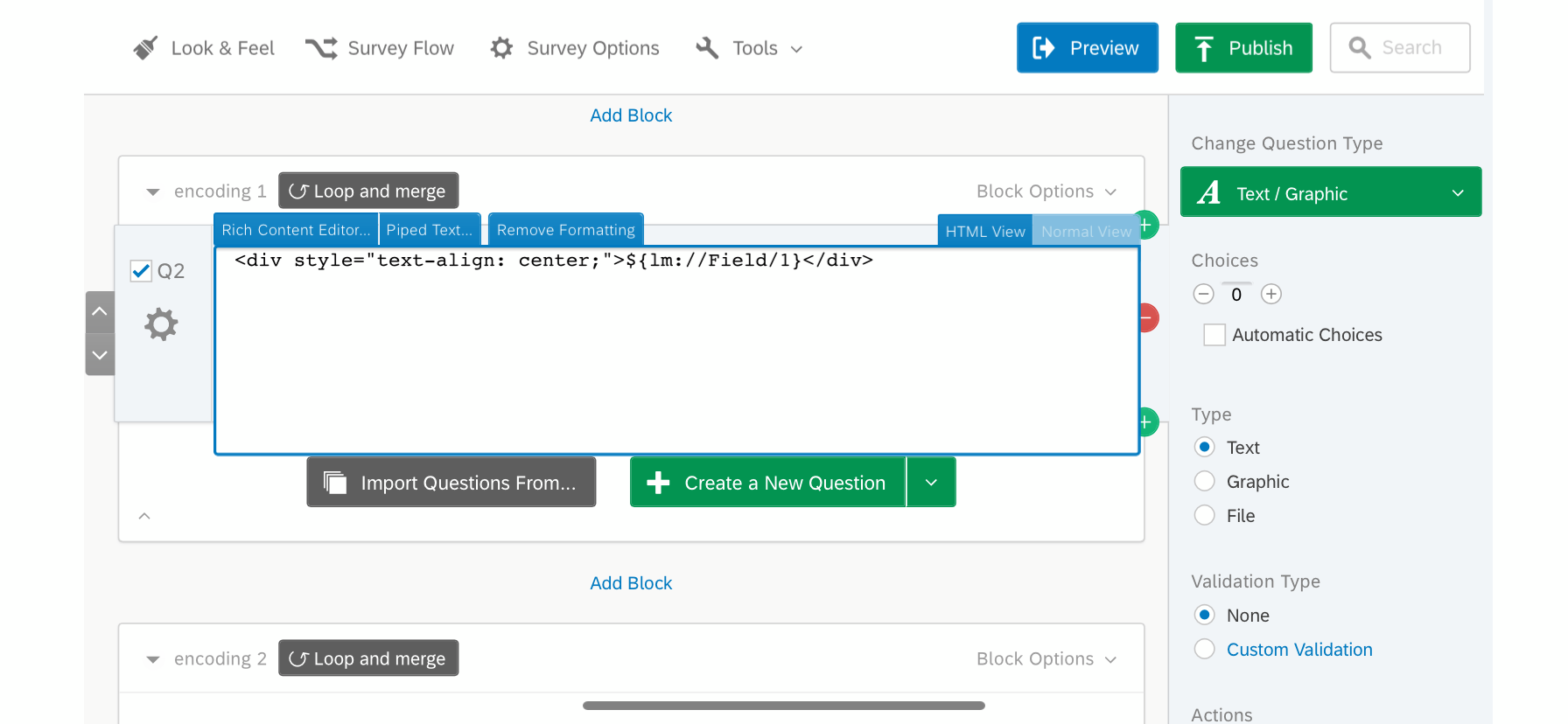
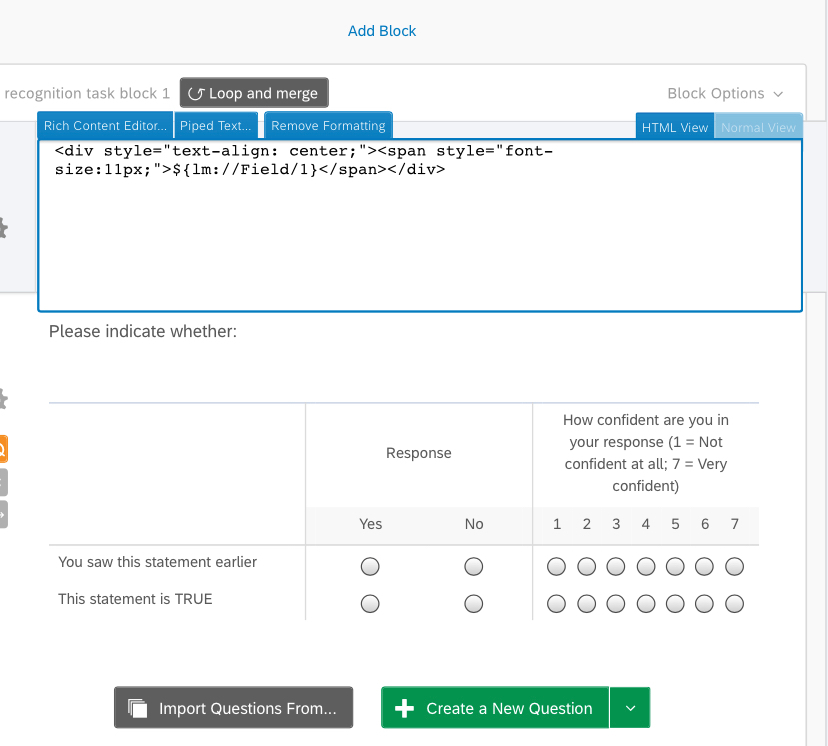
Change your question HTML to:
See if this works.
PS: Please don't make people go through the consent form. You could have just moved the L&M block to the top.


Sign up
Already have an account? Login

Welcome! To join the Qualtrics Experience Community, log in with your existing Qualtrics credentials below.
Confirm your username, share a bit about yourself, then you're ready to explore and connect .
Free trial account? No problem. Log in with your trial credentials to join.
No free trial account? No problem! Register here
Already a member? Hi and welcome back! We're glad you're here 🙂
You will see the Qualtrics login page briefly before being taken to the Experience Community.
Login with Qualtrics
Welcome! To join the Qualtrics Experience Community, log in with your existing Qualtrics credentials below.
Confirm your username, share a bit about yourself, then you're ready to explore and connect .
Free trial account? No problem. Log in with your trial credentials to join. No free trial account? No problem! Register here
Already a member? Hi and welcome back! We're glad you're here 🙂
You will see the Qualtrics login page briefly before being taken to the Experience Community.
Login to the Community
No account yet? Create an account
Welcome! To join the Qualtrics Experience Community, log in with your existing Qualtrics credentials below.
Confirm your username, share a bit about yourself, then you're ready to explore and connect .
Free trial account? No problem. Log in with your trial credentials to join.
No free trial account? No problem! Register here
Already a member? Hi and welcome back! We're glad you're here 🙂
You will see the Qualtrics login page briefly before being taken to the Experience Community.
Login with Qualtrics
Welcome! To join the Qualtrics Experience Community, log in with your existing Qualtrics credentials below.
Confirm your username, share a bit about yourself, then you're ready to explore and connect .
Free trial account? No problem. Log in with your trial credentials to join. No free trial account? No problem! Register here
Already a member? Hi and welcome back! We're glad you're here 🙂
You will see the Qualtrics login page briefly before being taken to the Experience Community.
Enter your E-mail address. We'll send you an e-mail with instructions to reset your password.