

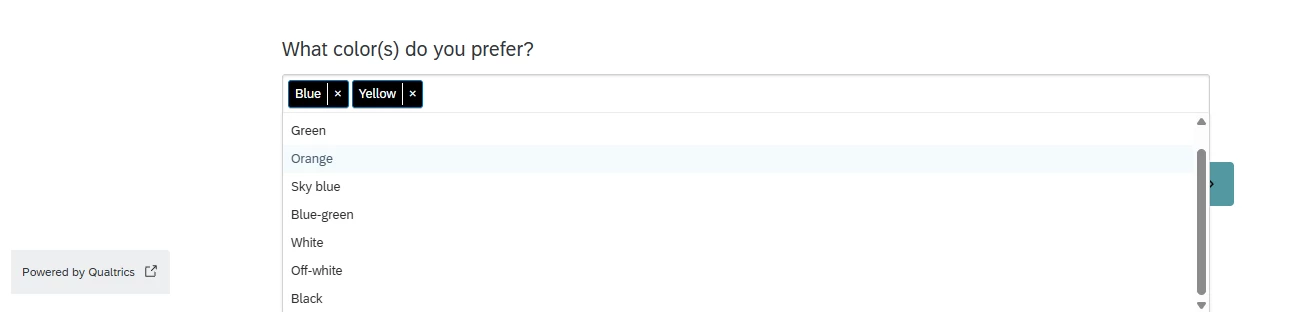
How can we create a multi select option in drop down list ? I have a question where user have to select 3 answers from the dropdown list. As the list is big, I can not display all answers after question text.

Solved
Multi select question with dropdown


 +52
+52Best answer by TomG
Use select2.
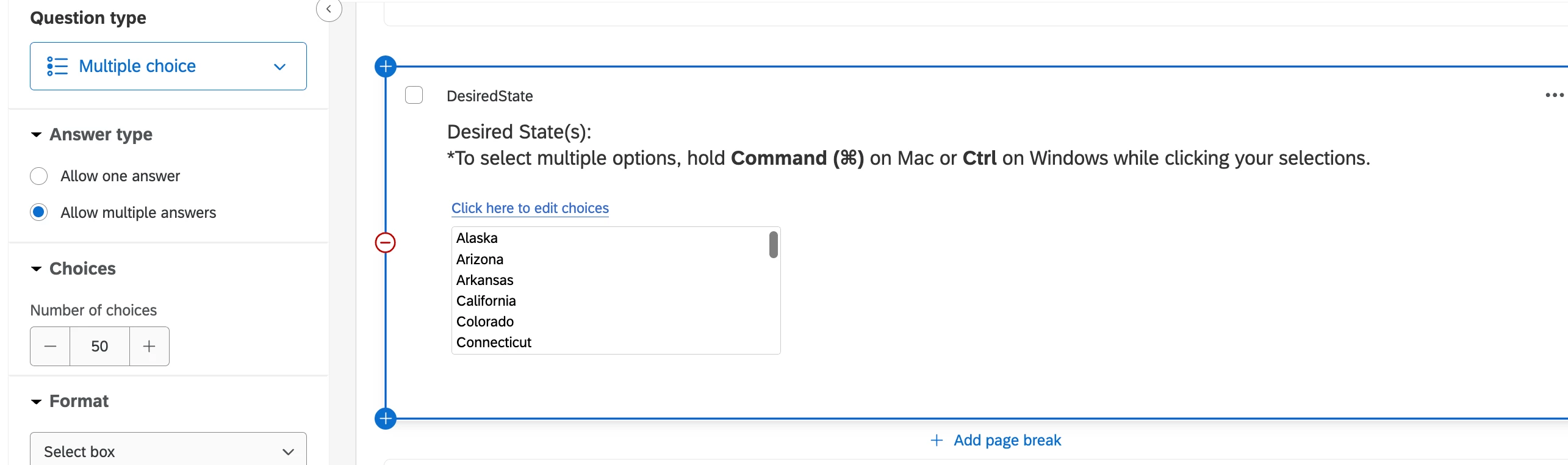
- Create a multi-select, multiple choice question in Select Box format.
- Add select2 to the survey header:
<link href="https://cdn.jsdelivr.net/npm/select2@4.0.13/dist/css/select2.min.css" rel="stylesheet" /><script src="https://cdn.jsdelivr.net/npm/select2@4.0.13/dist/js/select2.min.js"></script> - Add CSS to custom CSS (adjust font to match your theme):
.select2-container, .select2-selection, .select2-search__field {
	font-family: "Helvetica Neue",Arial,sans-serif;
 	font-size:18px;
} - Add JS to question created in (1) above.
Qualtrics.SurveyEngine.addOnload(function() {
	jQuery("#"+this.questionId).find('select:first').select2({
		allowClear: true
		, placeholder:  'Pick three...'
		, width: '100%'
		, maximumSelectionLength: 3
	});
});








Sign up
Already have an account? Login

Welcome! To join the Qualtrics Experience Community, log in with your existing Qualtrics credentials below.
Confirm your username, share a bit about yourself, then you're ready to explore and connect .
Free trial account? No problem. Log in with your trial credentials to join.
No free trial account? No problem! Register here
Already a member? Hi and welcome back! We're glad you're here 🙂
You will see the Qualtrics login page briefly before being taken to the Experience Community.
Login with Qualtrics
Welcome! To join the Qualtrics Experience Community, log in with your existing Qualtrics credentials below.
Confirm your username, share a bit about yourself, then you're ready to explore and connect .
Free trial account? No problem. Log in with your trial credentials to join. No free trial account? No problem! Register here
Already a member? Hi and welcome back! We're glad you're here 🙂
You will see the Qualtrics login page briefly before being taken to the Experience Community.
Login to the Community
No account yet? Create an account
Welcome! To join the Qualtrics Experience Community, log in with your existing Qualtrics credentials below.
Confirm your username, share a bit about yourself, then you're ready to explore and connect .
Free trial account? No problem. Log in with your trial credentials to join.
No free trial account? No problem! Register here
Already a member? Hi and welcome back! We're glad you're here 🙂
You will see the Qualtrics login page briefly before being taken to the Experience Community.
Login with Qualtrics
Welcome! To join the Qualtrics Experience Community, log in with your existing Qualtrics credentials below.
Confirm your username, share a bit about yourself, then you're ready to explore and connect .
Free trial account? No problem. Log in with your trial credentials to join. No free trial account? No problem! Register here
Already a member? Hi and welcome back! We're glad you're here 🙂
You will see the Qualtrics login page briefly before being taken to the Experience Community.
Enter your E-mail address. We'll send you an e-mail with instructions to reset your password.