



Code.pdfI have been trying to work out how to use the answer from a previous question to inform values in a table I created in the rich content editor. I have no coding experience, whatsoever, and I've no idea if what I have suggested is even possible in the way I've suggested. So, any tips are greatly appreciated.
The essentials are that respondents will enter a numeric value into a box. They then click a button on the same page which should pull through the numeric value. The table is also on the same page which, I am told, is why I cannot use embedded data to solve the problem. The numeric value from the previous question is then transformed by some if statements which I define (see pdf). The pdf shows the if statements which are required but I'm not sure if I am able to create variables like this. Is there a replace function which could replace the string "y1" with a numeric value based on the previous question answer and if statement mentioned?
Any help much appreciated
Thanks in advance
Russell

Using javascript to enter data into a table created using the rich content editor



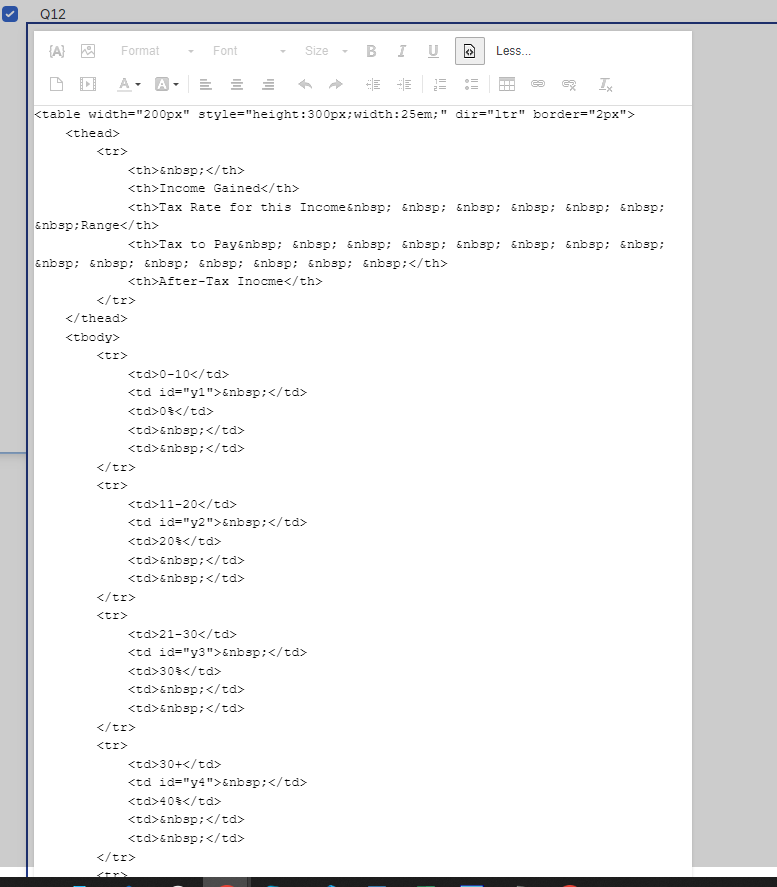
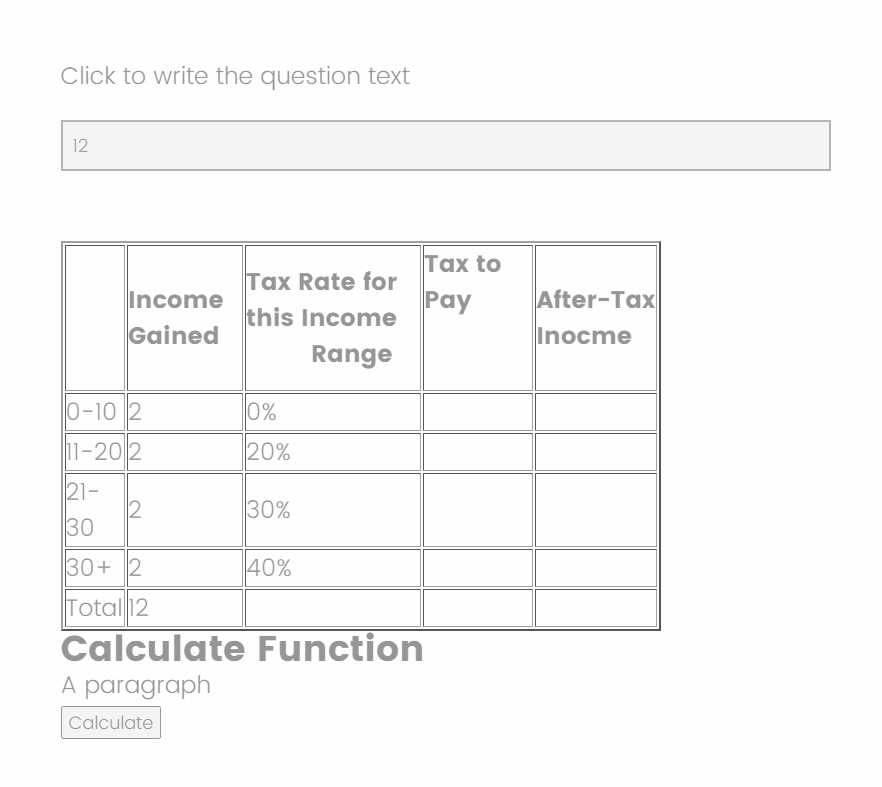 Add Below code in Html in Text/Graphic question in Qualtrics in Rich content editor HTML tab:
 Now add below JS in Qualtrics API of above question only(Text/Graphic) :
 Sign up
Already have an account? Login

Welcome! To join the Qualtrics Experience Community, log in with your existing Qualtrics credentials below.
Confirm your username, share a bit about yourself, then you're ready to explore and connect .
Free trial account? No problem. Log in with your trial credentials to join.
No free trial account? No problem! Register here
Already a member? Hi and welcome back! We're glad you're here 🙂
You will see the Qualtrics login page briefly before being taken to the Experience Community.
Login with Qualtrics
Welcome! To join the Qualtrics Experience Community, log in with your existing Qualtrics credentials below.
Confirm your username, share a bit about yourself, then you're ready to explore and connect .
Free trial account? No problem. Log in with your trial credentials to join. No free trial account? No problem! Register here
Already a member? Hi and welcome back! We're glad you're here 🙂
You will see the Qualtrics login page briefly before being taken to the Experience Community.
Login to the Community
No account yet? Create an account
Welcome! To join the Qualtrics Experience Community, log in with your existing Qualtrics credentials below.
Confirm your username, share a bit about yourself, then you're ready to explore and connect .
Free trial account? No problem. Log in with your trial credentials to join.
No free trial account? No problem! Register here
Already a member? Hi and welcome back! We're glad you're here 🙂
You will see the Qualtrics login page briefly before being taken to the Experience Community.
Login with Qualtrics
Welcome! To join the Qualtrics Experience Community, log in with your existing Qualtrics credentials below.
Confirm your username, share a bit about yourself, then you're ready to explore and connect .
Free trial account? No problem. Log in with your trial credentials to join. No free trial account? No problem! Register here
Already a member? Hi and welcome back! We're glad you're here 🙂
You will see the Qualtrics login page briefly before being taken to the Experience Community.
Enter your E-mail address. We'll send you an e-mail with instructions to reset your password.