I am just taking over a new program and have been asked to try and hide the filter labels from certain filters?
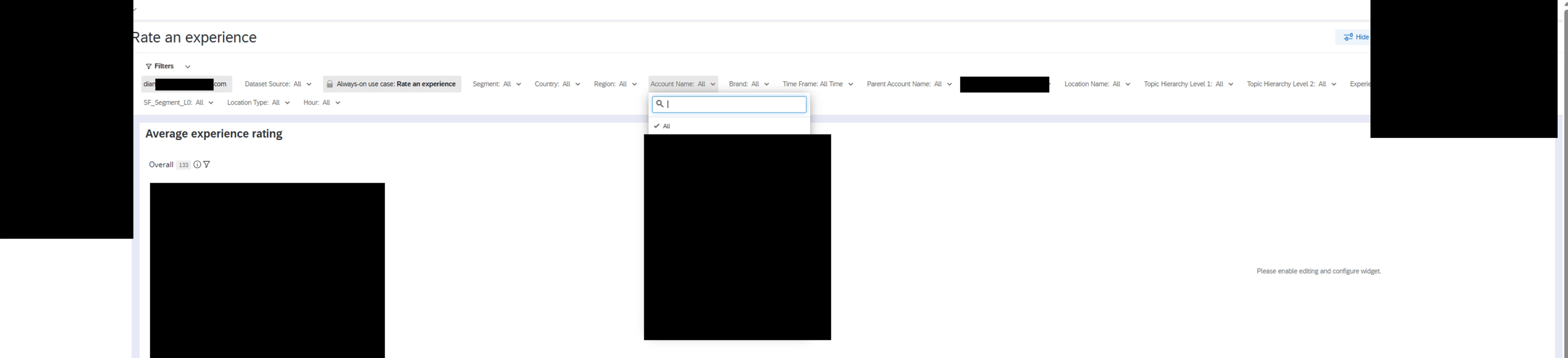
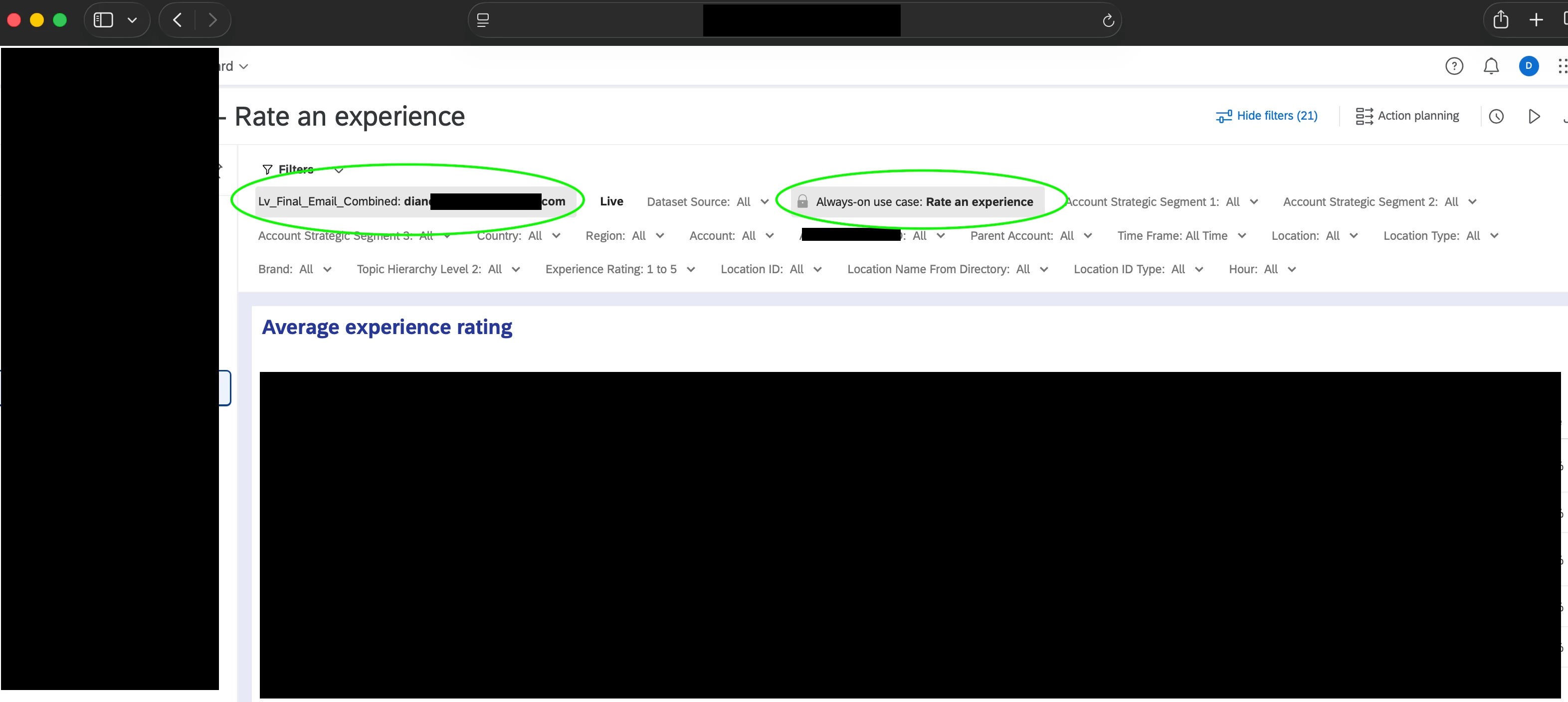
If you look at my screenshots there is one where a filter is set to a user’s email address (the very first filter) and it does not display the field name. But now when I view the dashboards the filter does show the field name (Lv_final_ ...). We don’t mind the “locked” filter and other filters showing the name label.
This field is the added to the role set up as a field restriction, i.e. filter the dashboard on this field to match the user’s attribute.
How can I fix it to go back to the old view where we hide the actual field name? I tried a workaround of entering a space as the field name in the data settings but that still shows the colon and always means we wouldn’t be able to find this field when creating new filters.