

Hey colleagues and Qualtrics experts!
Hope all of you are good!
We have created several dashboards to be shared with users. In one of these dashboards some 'tabs' have been created but not all of them should be shared with all users. For that reason, we have created different 'User roles' to select which tabs of each dashboard can be shared with these 'roles'. We use the 'Restrict page permissions' option for that where it is possible to select which tabs can be shown or not:
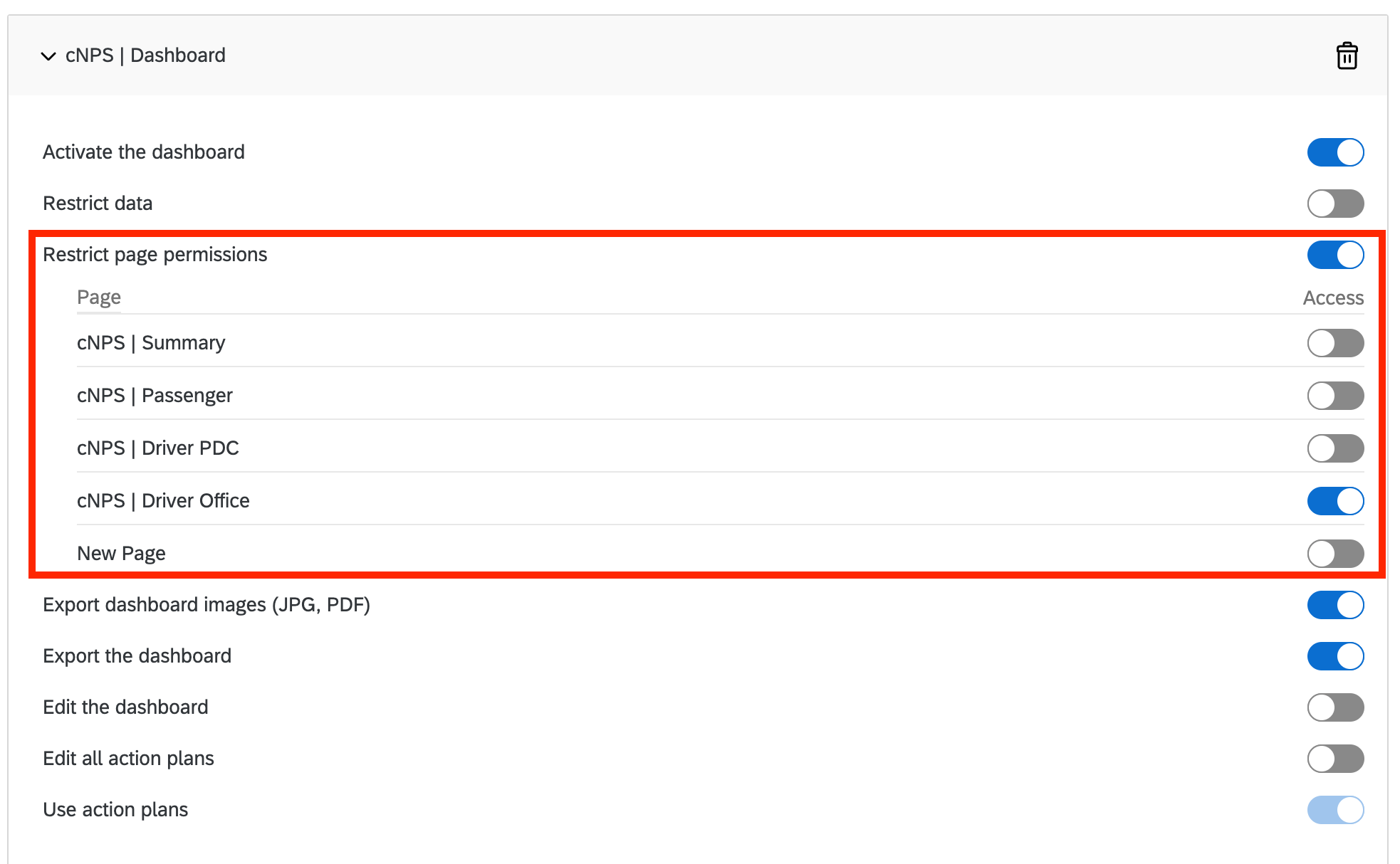 The issue we have is that this option is working properly for all dashbaords except for one of them where the different tabs do not appear:
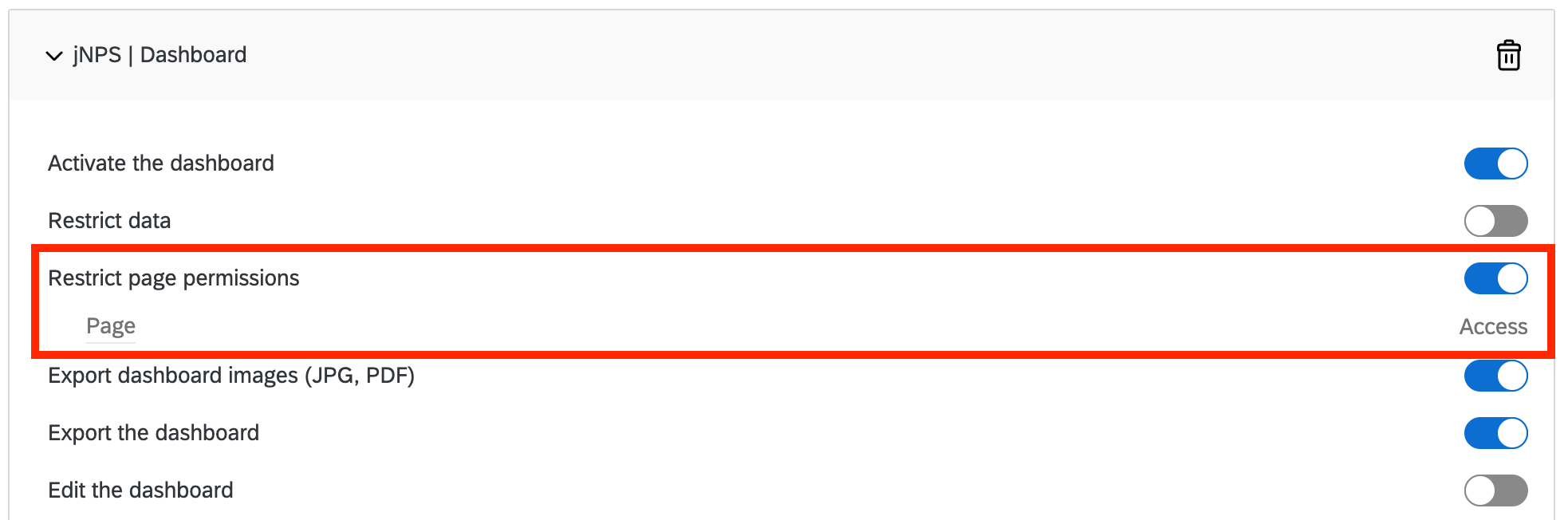 As you can see for this 'jNPS | Dashboard' the different tabs do not appear to be selected as for the rest of the dashboards. That's the only case when it is happening althought we have 5 dashbaords in total.
Do you know what could be the reason behind that?
Thanks!

Restrict page permission using an 'User Role': dashboards tabs do not appear


 +6
+6
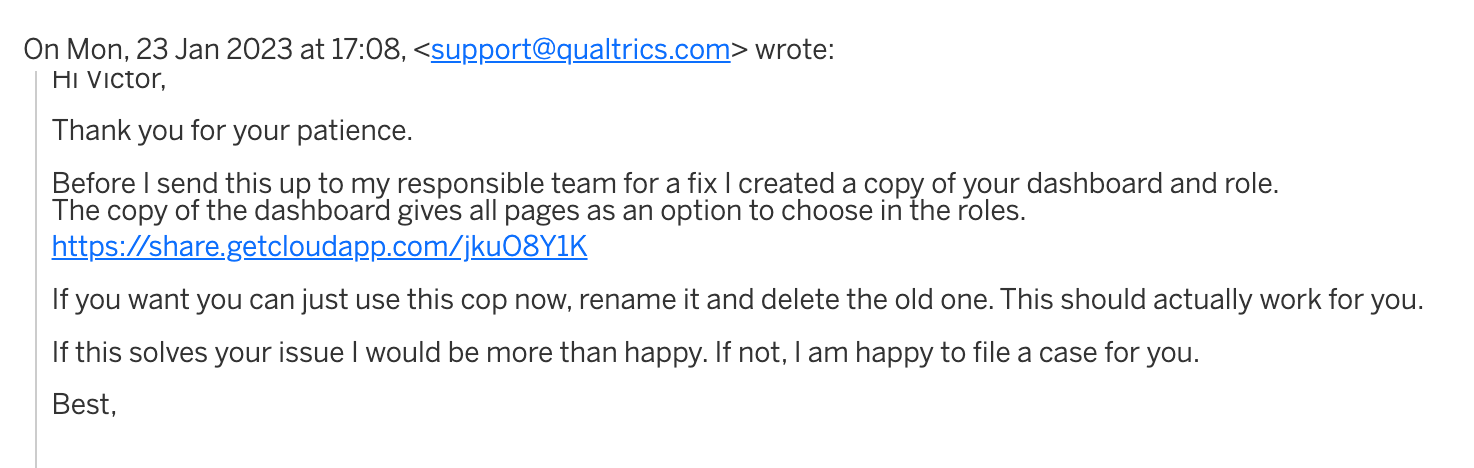
 Also I've tried to delete all cookies and create again the roles but problem remains the same. I've tried also to create a new one but when adding this dashboard the issue continues: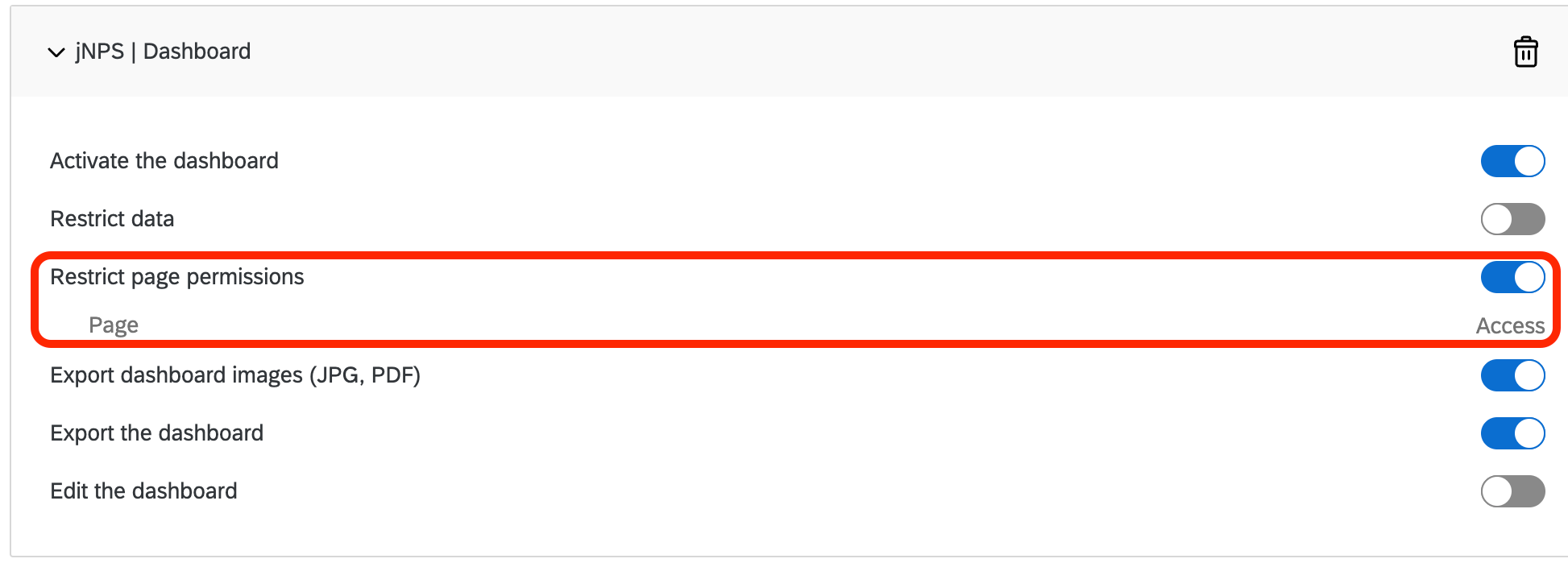

Sign up
Already have an account? Login

Welcome! To join the Qualtrics Experience Community, log in with your existing Qualtrics credentials below.
Confirm your username, share a bit about yourself, then you're ready to explore and connect .
Free trial account? No problem. Log in with your trial credentials to join.
No free trial account? No problem! Register here
Already a member? Hi and welcome back! We're glad you're here 🙂
You will see the Qualtrics login page briefly before being taken to the Experience Community.
Login with Qualtrics
Welcome! To join the Qualtrics Experience Community, log in with your existing Qualtrics credentials below.
Confirm your username, share a bit about yourself, then you're ready to explore and connect .
Free trial account? No problem. Log in with your trial credentials to join. No free trial account? No problem! Register here
Already a member? Hi and welcome back! We're glad you're here 🙂
You will see the Qualtrics login page briefly before being taken to the Experience Community.
Login to the Community
No account yet? Create an account
Welcome! To join the Qualtrics Experience Community, log in with your existing Qualtrics credentials below.
Confirm your username, share a bit about yourself, then you're ready to explore and connect .
Free trial account? No problem. Log in with your trial credentials to join.
No free trial account? No problem! Register here
Already a member? Hi and welcome back! We're glad you're here 🙂
You will see the Qualtrics login page briefly before being taken to the Experience Community.
Login with Qualtrics
Welcome! To join the Qualtrics Experience Community, log in with your existing Qualtrics credentials below.
Confirm your username, share a bit about yourself, then you're ready to explore and connect .
Free trial account? No problem. Log in with your trial credentials to join. No free trial account? No problem! Register here
Already a member? Hi and welcome back! We're glad you're here 🙂
You will see the Qualtrics login page briefly before being taken to the Experience Community.
Enter your E-mail address. We'll send you an e-mail with instructions to reset your password.