Good morning! My manager has taken the training and would like to search around in the tool but he keeps getting the error response below. Does anyone know who he can contact to see why this is happening only to him? Thank you!
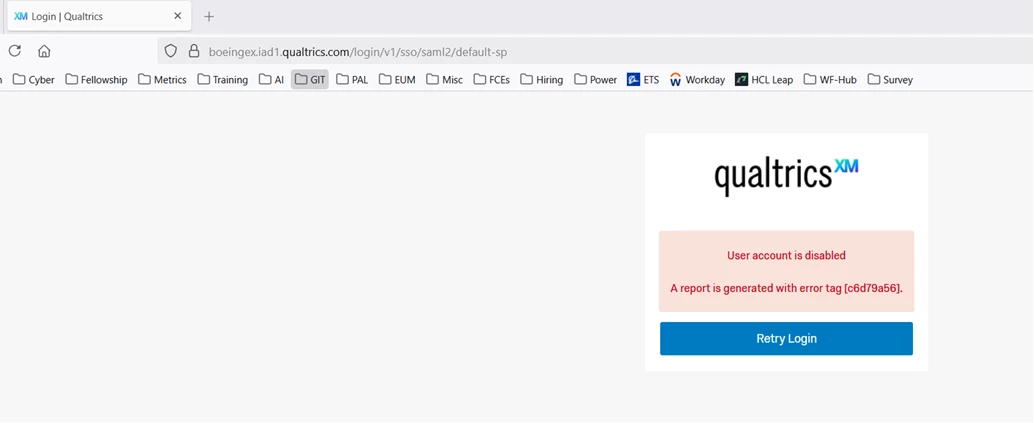

Good morning! My manager has taken the training and would like to search around in the tool but he keeps getting the error response below. Does anyone know who he can contact to see why this is happening only to him? Thank you!
Best answer by Seray
I have seen that message in the past when I try to log on without using my organisation’s SSO option.
Already have an account? Login

Welcome! To join the Qualtrics Experience Community, log in with your existing Qualtrics credentials below.
Confirm your username, share a bit about yourself, then you're ready to explore and connect .
Free trial account? No problem. Log in with your trial credentials to join. No free trial account? No problem! Register here
Already a member? Hi and welcome back! We're glad you're here 🙂
You will see the Qualtrics login page briefly before being taken to the Experience Community.
Welcome! To join the Qualtrics Experience Community, log in with your existing Qualtrics credentials below.
Confirm your username, share a bit about yourself, then you're ready to explore and connect .
Free trial account? No problem. Log in with your trial credentials to join. No free trial account? No problem! Register here
Already a member? Hi and welcome back! We're glad you're here 🙂
You will see the Qualtrics login page briefly before being taken to the Experience Community.
Enter your E-mail address. We'll send you an e-mail with instructions to reset your password.