




Share Preview | Experience Community
Skip to main content
Solved

Share Preview

  • July 24, 2026
  • 4 replies
  • 39 views

Forum|alt.badge.img+2

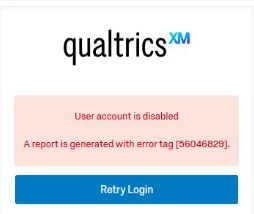
Hi all! I have 2 surveys still in draft and was attempting to test with coworkers. However, coworkers are having issues accessing the “preview” that I am attempting to share. Below is the error response once they try to login. I am not an admin but I created both surveys.

 

Best answer by Chee Heng_SZ

Alternatively, you can go to preview and change the visibility to public before sharing the preview link to your coworkers so that they can preview the survey without logging in.

4 replies

gPandey_715
Level 4 ●●●●
Forum|alt.badge.img+10
  • Level 4 ●●●●
  • July 24, 2026

Hi ​@jduncan ,

It seems the user account has been disabled for some reason. Please ask your Brand Administrator to enable the account by navigating to Admin → Users, locating the affected user, and changing the Account Status to Enabled. For more information, please refer to the following support article:

https://www.qualtrics.com/support/survey-platform/sp-administration/managing-users/creating-and-managing-users/


Forum|alt.badge.img+28

Alternatively, you can go to preview and change the visibility to public before sharing the preview link to your coworkers so that they can preview the survey without logging in.


TusharDalwani
QPN Level 6 ●●●●●●

Hi, you can either enable the user account of your colleagues or change the preview link to public.


Forum|alt.badge.img+2
  • Author
  • Level 2 ●●
  • July 30, 2026

thanks, that worked