



Hi everybody!
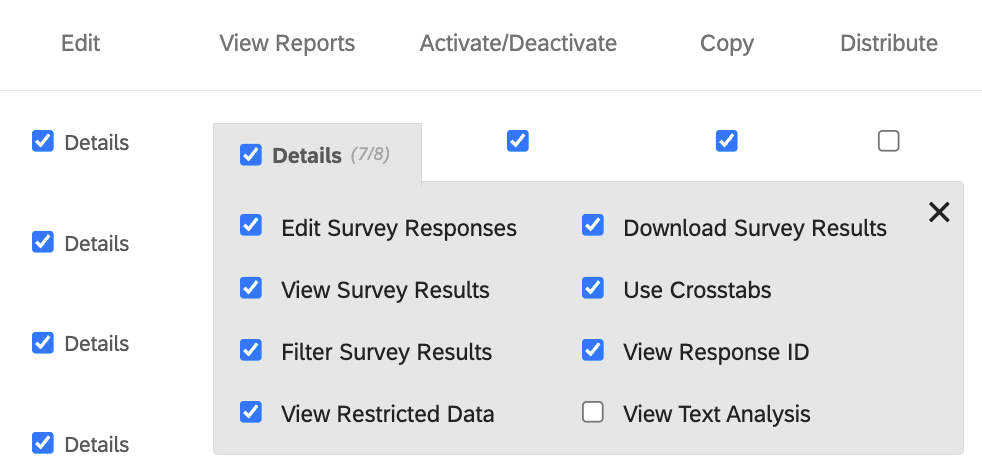
I am new to using the Qualtrics API and already managed to duplicate surveys and activate them. Now I want to share them with a user group. With the information given in the API documentation, I was able to do so in principle, but all of the individual permissions (Edit Survey, Translate Survey, Copy Survey Questions, Set Survey Options, ...) are unchecked. How do I check them using the API? More specifically, what do I have to include in the body/payload of the API call?
As a side question: Is the API documentation really working correctly? I looked up the "[POST] Share Survey" documentation but only found a very generic "permissions" line under [Docs | Body] and a couple of lines that look like placeholders ("property1", "property2") under [Try It | Body | Raw]. How can I find the correct names for all permissions? I even tried the placeholders as well as some stuff I took from inspecting the UI ([Survey Editor | Tools | Collaborate], leading to some "PP_..." items plus items like ".editSurvey"), but nothing has worked so far.

How do I find the body parameters for collaboration/survey-sharing permissions of the API?
Best answer by TomG
I think the following is what you are looking for. After going to the link, click on the 'example' tab.
https://api.qualtrics.com/guides/reference/surveys.json/components/schemas/ShareSurveyBody





Sign up
Already have an account? Login

Welcome! To join the Qualtrics Experience Community, log in with your existing Qualtrics credentials below.
Confirm your username, share a bit about yourself, then you're ready to explore and connect .
Free trial account? No problem. Log in with your trial credentials to join.
No free trial account? No problem! Register here
Already a member? Hi and welcome back! We're glad you're here 🙂
You will see the Qualtrics login page briefly before being taken to the Experience Community.
Login with Qualtrics
Welcome! To join the Qualtrics Experience Community, log in with your existing Qualtrics credentials below.
Confirm your username, share a bit about yourself, then you're ready to explore and connect .
Free trial account? No problem. Log in with your trial credentials to join. No free trial account? No problem! Register here
Already a member? Hi and welcome back! We're glad you're here 🙂
You will see the Qualtrics login page briefly before being taken to the Experience Community.
Login to the Community
No account yet? Create an account
Welcome! To join the Qualtrics Experience Community, log in with your existing Qualtrics credentials below.
Confirm your username, share a bit about yourself, then you're ready to explore and connect .
Free trial account? No problem. Log in with your trial credentials to join.
No free trial account? No problem! Register here
Already a member? Hi and welcome back! We're glad you're here 🙂
You will see the Qualtrics login page briefly before being taken to the Experience Community.
Login with Qualtrics
Welcome! To join the Qualtrics Experience Community, log in with your existing Qualtrics credentials below.
Confirm your username, share a bit about yourself, then you're ready to explore and connect .
Free trial account? No problem. Log in with your trial credentials to join. No free trial account? No problem! Register here
Already a member? Hi and welcome back! We're glad you're here 🙂
You will see the Qualtrics login page briefly before being taken to the Experience Community.
Enter your E-mail address. We'll send you an e-mail with instructions to reset your password.