


Hi,
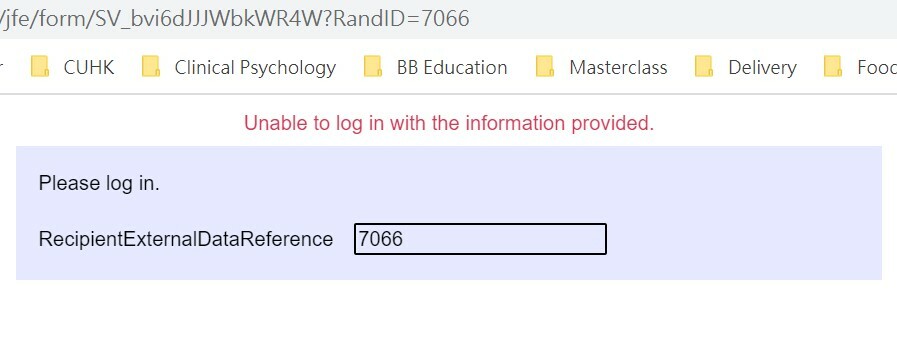
I am trying to pull some data from Survey 1 into Survey 2. I followed the instructions provided by Qualtrics support carefully (https://www.qualtrics.com/support/survey-platform/common-use-cases-rc/pulling-data-into-a-second-survey-longitudinal-surveys/). The "key" I'm using is also Login ID. I can see that the correct login ID values are being pulled, but I somehow can't enter the second survey. The error that I see says "Unable to log in with the information provided". (but the Login ID that is shown is a match with the one from Survey 1). I've tried everything, re-checked my set-up, re-shuffled the order, but I can't get it to work.
Anyone knows how to solve this? Thanks!

Solved
Authenticator error "Unable to log in with the information provided"
Best answer by TSAcc
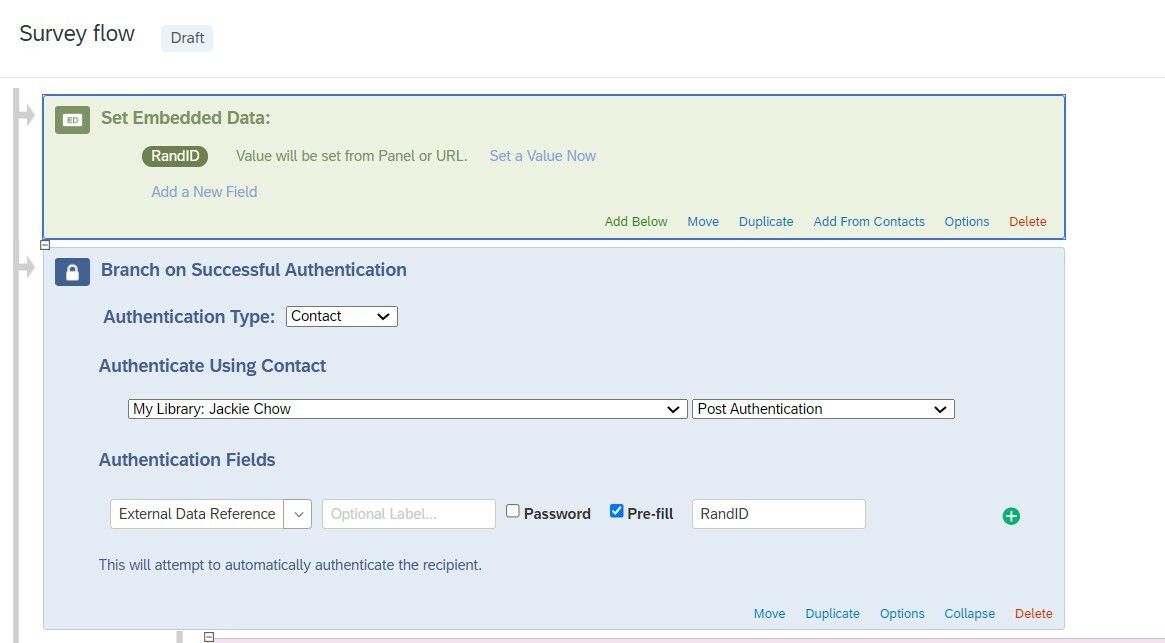
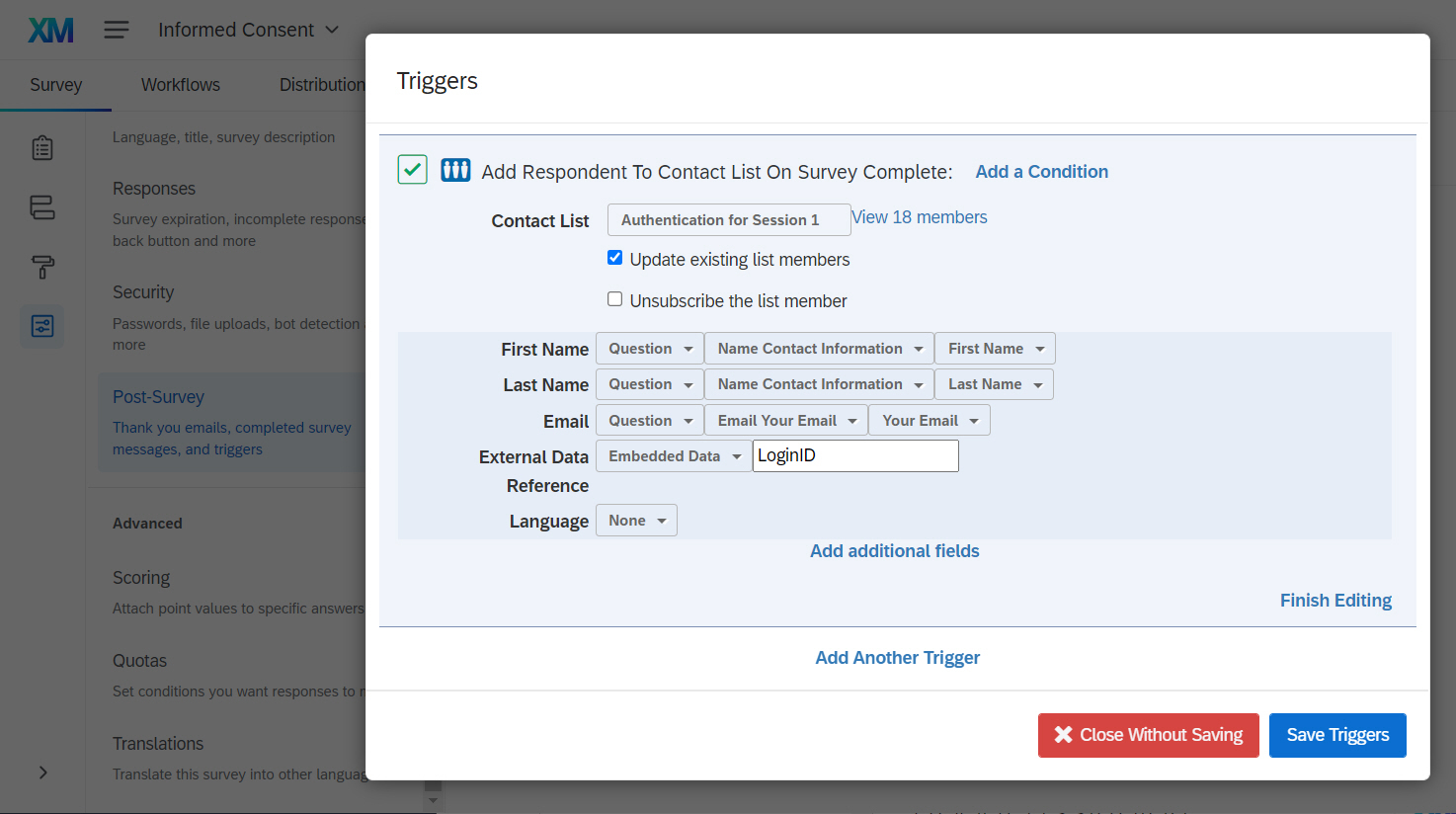
It looks like you have RandID as an embedded field in your contacts. I think you should be adding the RandID from your pre-survey to the panel's Reference ID. Authenticator is trying to match RandID in the survey with External Data Reference in the panel.


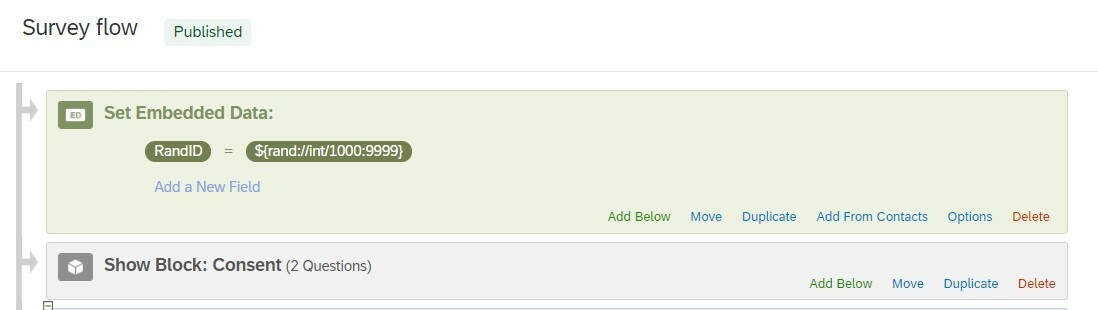 Post-Survey
 Error:
 I don't know what is going wrong....

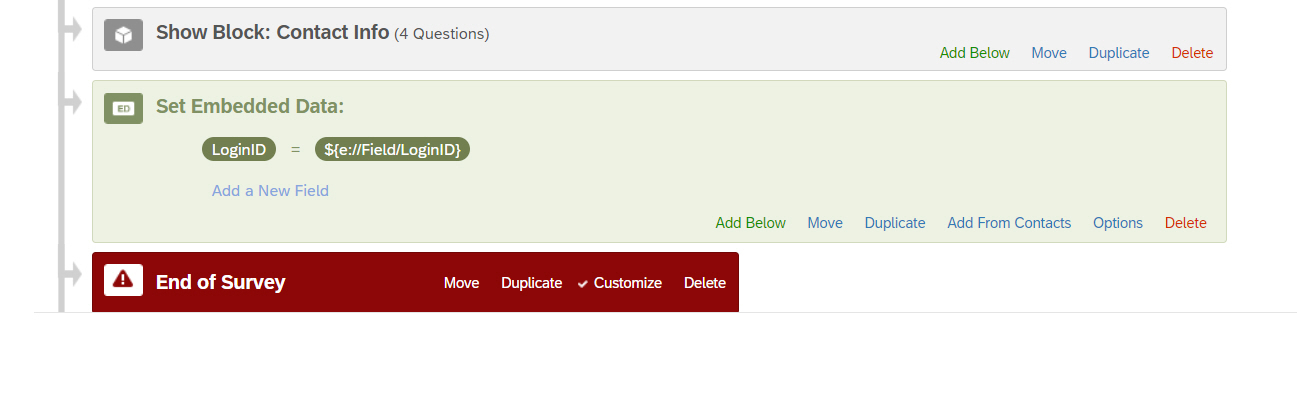 ... and by making sure to add a respondent ID (LoginID in my case) to the contact list trigger.
Sign up
Already have an account? Login

Welcome! To join the Qualtrics Experience Community, log in with your existing Qualtrics credentials below.
Confirm your username, share a bit about yourself, then you're ready to explore and connect .
Free trial account? No problem. Log in with your trial credentials to join.
No free trial account? No problem! Register here
Already a member? Hi and welcome back! We're glad you're here 🙂
You will see the Qualtrics login page briefly before being taken to the Experience Community.
Login with Qualtrics
Welcome! To join the Qualtrics Experience Community, log in with your existing Qualtrics credentials below.
Confirm your username, share a bit about yourself, then you're ready to explore and connect .
Free trial account? No problem. Log in with your trial credentials to join. No free trial account? No problem! Register here
Already a member? Hi and welcome back! We're glad you're here 🙂
You will see the Qualtrics login page briefly before being taken to the Experience Community.
Login to the Community
Welcome! To join the Qualtrics Experience Community, log in with your existing Qualtrics credentials below.
Confirm your username, share a bit about yourself, then you're ready to explore and connect .
Free trial account? No problem. Log in with your trial credentials to join.
No free trial account? No problem! Register here
Already a member? Hi and welcome back! We're glad you're here 🙂
You will see the Qualtrics login page briefly before being taken to the Experience Community.
Login with Qualtrics
Welcome! To join the Qualtrics Experience Community, log in with your existing Qualtrics credentials below.
Confirm your username, share a bit about yourself, then you're ready to explore and connect .
Free trial account? No problem. Log in with your trial credentials to join. No free trial account? No problem! Register here
Already a member? Hi and welcome back! We're glad you're here 🙂
You will see the Qualtrics login page briefly before being taken to the Experience Community.
Enter your E-mail address. We'll send you an e-mail with instructions to reset your password.