



Capturing URL for Intercept Survey | Experience Community
Skip to main content
Solved

Capturing URL for Intercept Survey

  • April 29, 2026
  • 2 replies
  • 11 views

Forum|alt.badge.img

Hello, 

I apologise in advance if I use the wrong terms for some things - I’m a new user to Qualtrics and fumbling my way around. 

I am working to launch an intercept on our website that will lead to a basic satisfaction survey (‘did you find what you needed?’). As our website is a catalogue, I want to be able to know which specific page users had open when the intercept launched and where they started taking the survey. 

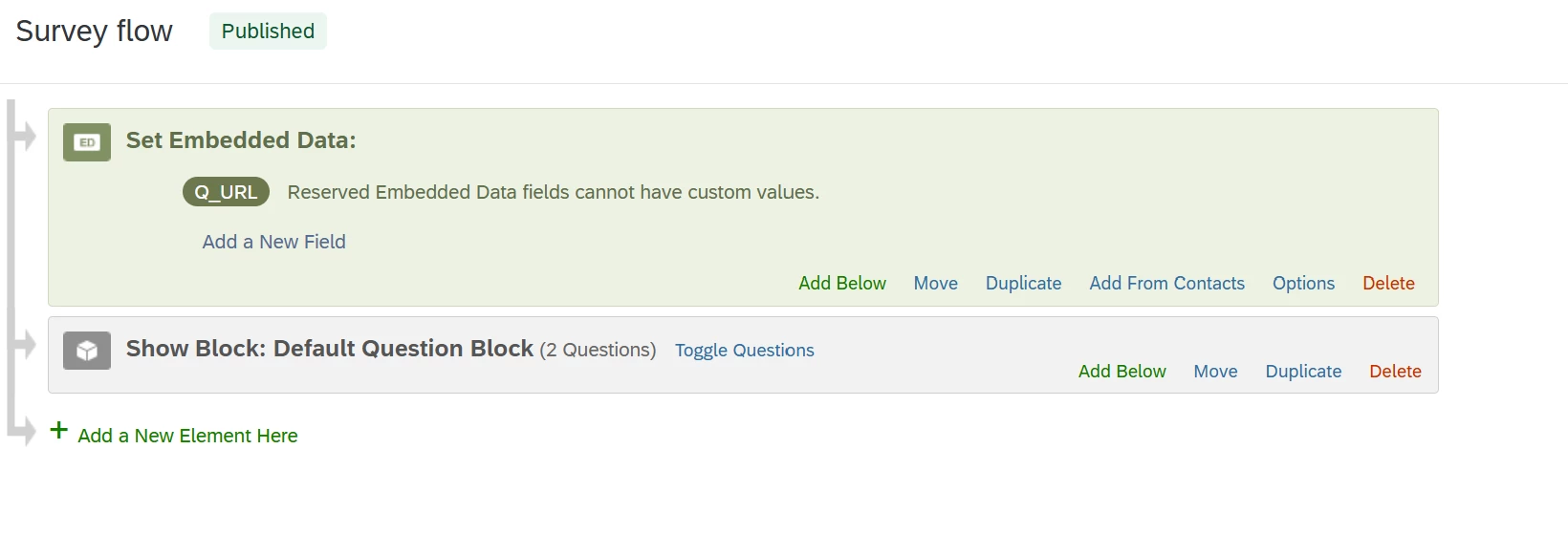
I’ve scoured the other questions and followed the instructions for adding Q_URL within the survey flow, like so: 
As well as adding Q_URL in the ‘Embedded Data’ section for the intercept
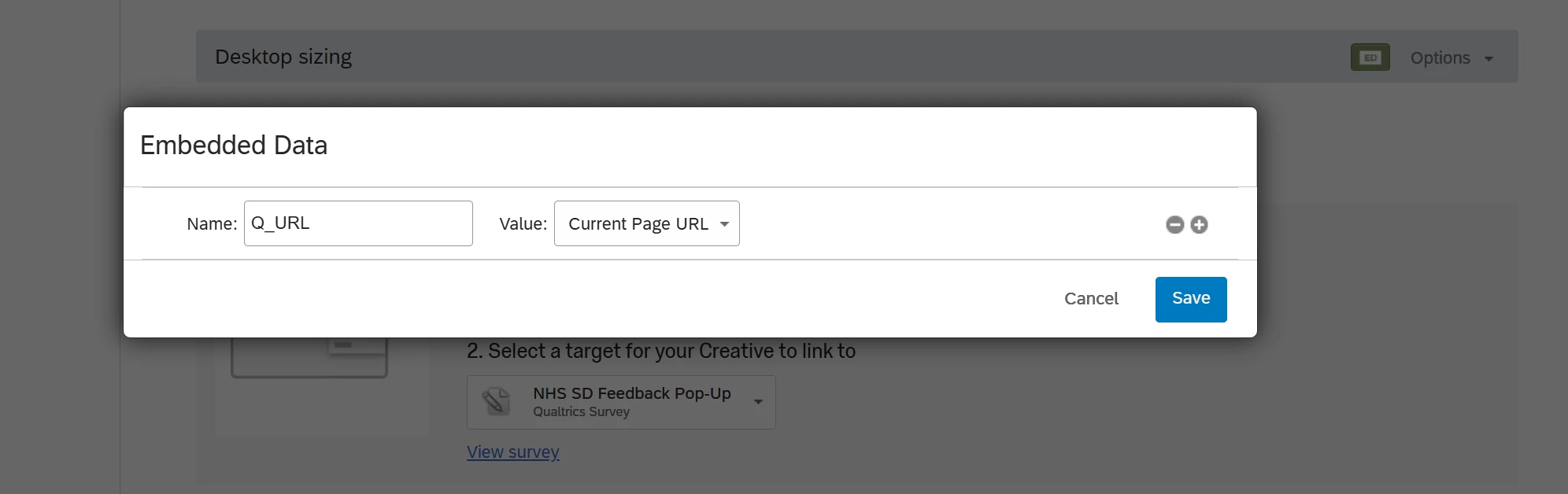
But the result is that it just stores the URL of the survey itself, rather than the page where the intercept launched. 

We have figured out how to launch the intercept specifically just on the pages that are discrete entries for our catalogue. Is there something obvious I’m missing, in how to capture where the intercept launched, and therefore where the user filled out the survey? 

With desperation, 

Claire 

Best answer by jake_dufinetz

Hi Claire, for non-intercept surveys, that Q_URL field is what you are looking for. That field unfortunately doesn’t work for intercept surveys.


Instead, within your intercept embedded data setup for Current Page URL use a different field name such as “current_page”. Then also enter that field name into the survey flow instead of Q_URL.

2 replies

Forum|alt.badge.img+8
  • QPN Level 4 ●●●●
  • Answer
  • April 29, 2026

Hi Claire, for non-intercept surveys, that Q_URL field is what you are looking for. That field unfortunately doesn’t work for intercept surveys.


Instead, within your intercept embedded data setup for Current Page URL use a different field name such as “current_page”. Then also enter that field name into the survey flow instead of Q_URL.


Forum|alt.badge.img

Hi Claire, for non-intercept surveys, that Q_URL field is what you are looking for. That field unfortunately doesn’t work for intercept surveys.


Instead, within your intercept embedded data setup for Current Page URL use a different field name such as “current_page”. Then also enter that field name into the survey flow instead of Q_URL.


I think this has worked - thank you so much!! Godsend!

