Combining data from two matrix questions utilizing carry forward | Experience Community
Skip to main content
Question

Combining data from two matrix questions utilizing carry forward

  • June 4, 2026
  • 2 replies
  • 26 views

Forum|alt.badge.img+2

I have a matrix question with 12 items. To break it across two screens, I set Advanced Randomization so that only a random subset of 6 statements is shown and then have Carry Forward logic for a 2nd matrix question where only those not displayed in the 1st question are shown.

These two questions (Q1a and Q1b) show separately in the Qualtrics crosstabs as well as on export to my data analysis tool (DisplayR). Is there anything I can do to merge the data back together as if it is a single question for data analysis?


2 replies

Forum|alt.badge.img+28

Perhaps you can consider using the field editor in Data & Analysis tab to bucket the 2 questions and use the bucket field for data analysis.


Forum|alt.badge.img+2
  • Author
  • Level 2 ●●
  • June 5, 2026

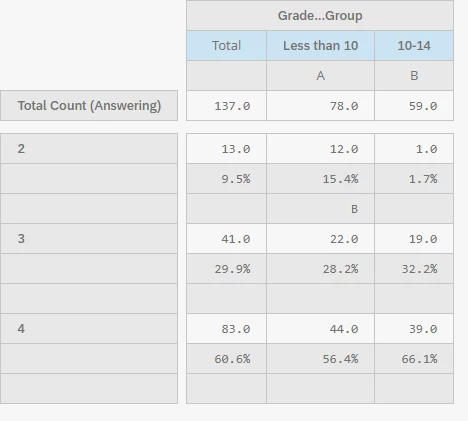
Thank you, I was able to create a custom Formula Field that adds the responses from the 2 questions. However, since it comes through as Numeric I lose the text labels for each response. While I can adjust this manually later, it would be great to change this within Qualtrics. Is there a way to do this?