/* ========================================================= HIDE SIDEBAR & EXPAND CONTENT ONLY ON BOM PAGES ========================================================= */ body:has(.gs-bom-wrap) aside, body:has(.gs-bom-wrap) .qa-sidebar, body:has(.gs-bom-wrap) .layout__sidebar, body:has(.gs-bom-wrap) .custom-sidebar { display: none !important; } body:has(.gs-bom-wrap) main, body:has(.gs-bom-wrap) .qa-main, body:has(.gs-bom-wrap) .layout__main, body:has(.gs-bom-wrap) .layout__content { width: 100% !important; max-width: 100% !important; flex: 0 0 100% !important; } How do you close a Max Diff project? | Experience Community
Skip to main content
Question

How do you close a Max Diff project?

  • July 30, 2024
  • 3 replies
  • 104 views

Forum|alt.badge.img+1

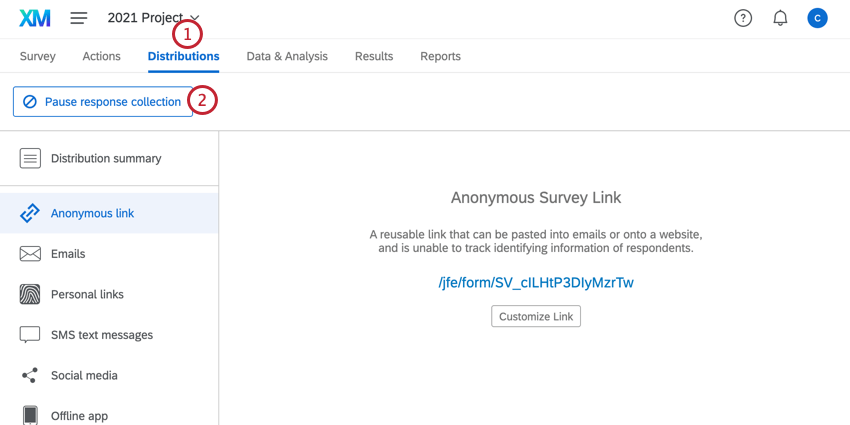
Unlike a regular survey, a Max DIff study created using the pre-built project template does not have an option to close the project:
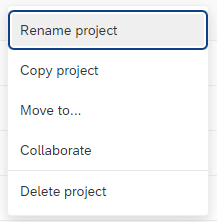


Any ideas how to do it? My particular study shows as being “Active” even though the survey is no longer available to accept new responses. 

Thanks!

3 replies

ArunDubey
QPN Level 8 ●●●●●●●●
Forum|alt.badge.img+41
  • QPN Level 8 ●●●●●●●●
  • July 31, 2024

Forum|alt.badge.img+1
  • Author
  • July 31, 2024

Thanks @ArunDubey That has done the job!


ArunDubey
QPN Level 8 ●●●●●●●●
Forum|alt.badge.img+41
  • QPN Level 8 ●●●●●●●●
  • August 2, 2024

Great, good luck @CFG_Andrew !