how to edit a drop down list of options in side by side question | Experience Community
Skip to main content
Solved

how to edit a drop down list of options in side by side question

  • Feb 5, 2024 9:29 PM UTC
  • 3 replies
  • 1673 views

Forum|alt.badge.img+3

Hi, 

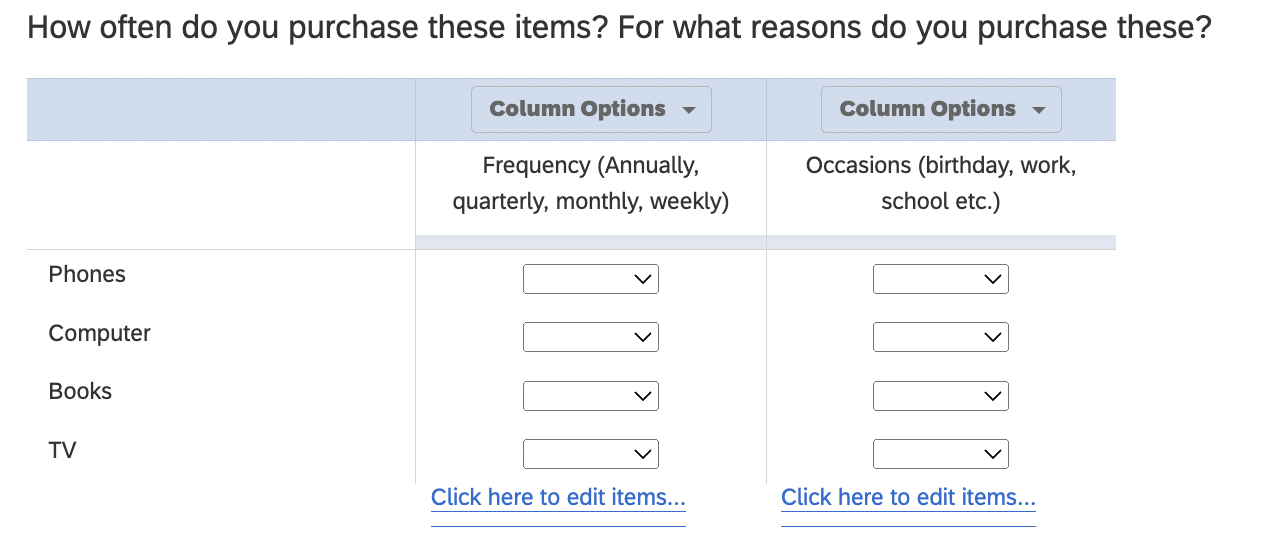
I am trying to add response options to a side-by-side question of statements and drop down selections. I want to add for Column 1 drop down - Annually, quarterly, monthly etc. and for Column 2 - Birthday, Work, School, etc. 


How do I edit the drop down lists for Columns 1 and 2? 


Best answer by MatthewM

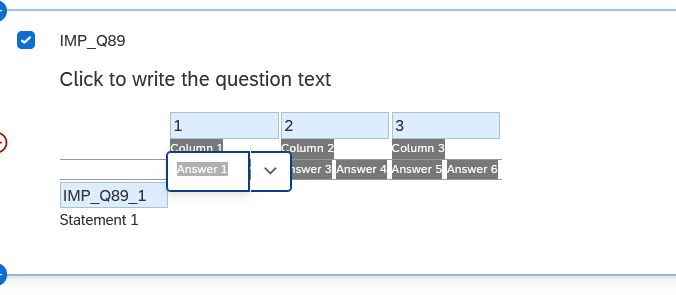
You should be able to click the “Click here to edit items...” link at the bottom of each column. From there you can edit the Choices, which should appear as “Answer #”. The interface here is not the most user-friendly, but if you aren’t working with an endless list of choices it should be OK.


 

View original

3 replies

MatthewM
Level 6 ●●●●●●
Forum|alt.badge.img+30
  • Level 6 ●●●●●●
  • Answer
  • Feb 5, 2024 9:44 PM UTC

You should be able to click the “Click here to edit items...” link at the bottom of each column. From there you can edit the Choices, which should appear as “Answer #”. The interface here is not the most user-friendly, but if you aren’t working with an endless list of choices it should be OK.



Forum|alt.badge.img+3
  • Author
  • Level 3 ●●●
  • Feb 11, 2024 11:06 PM UTC

Thanks, can you clarify if there is more than 1 answer that can be added?


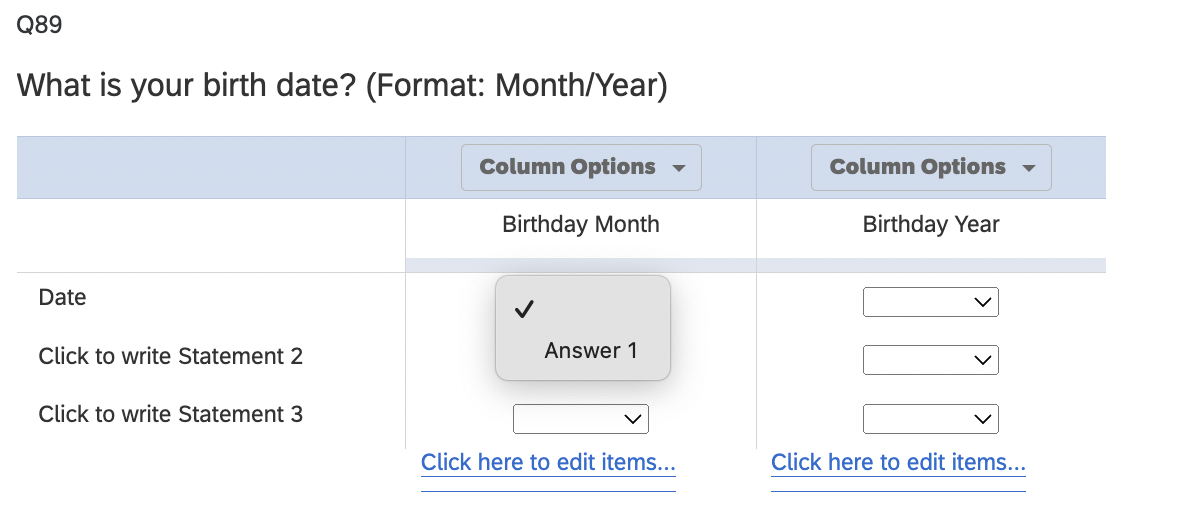
When I click “edit items...” it only shows Answer 1. How would I added more answer options to the drop down list?


MatthewM
Level 6 ●●●●●●
Forum|alt.badge.img+30
  • Level 6 ●●●●●●
  • Feb 12, 2024 4:01 PM UTC

Hi. You can add more answer options by clicking the Column Options dropdown and then select “Add Column Answer”.