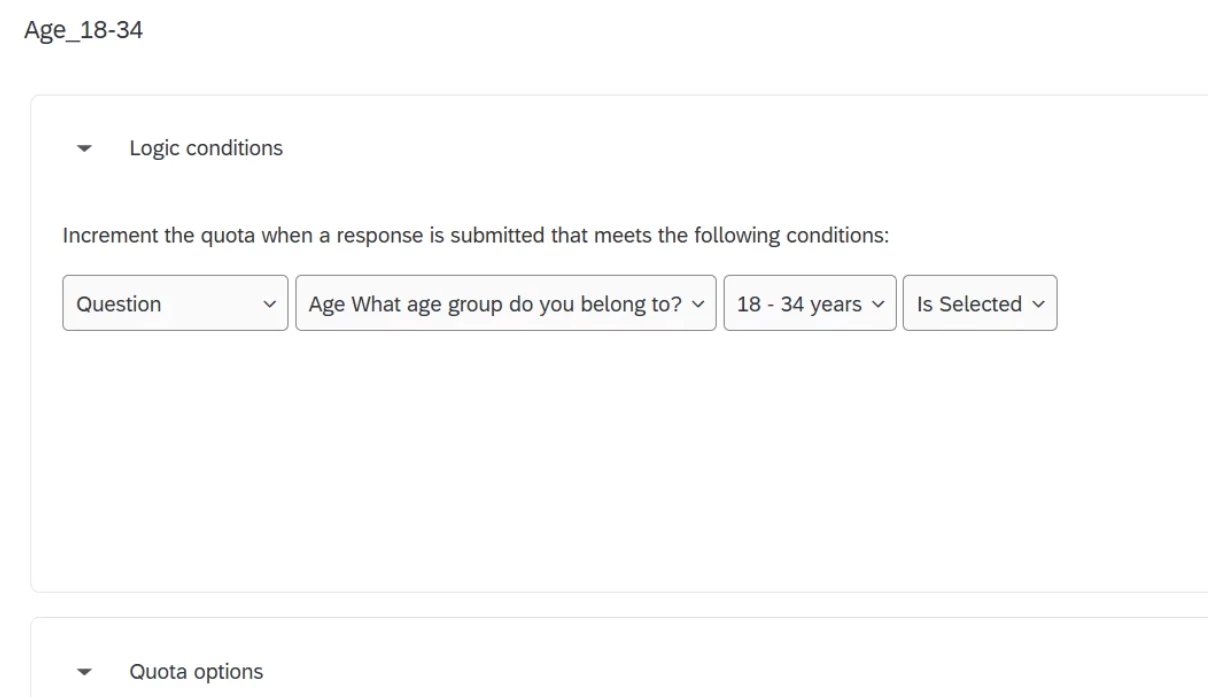
We are in the sub-optimal position of needing to soft launch a survey to a small sample on panel respondents while also having our partners review the survey (using the preview mode). The panel provider needs to use the quota dashboard to monitor completes from the soft launch to meet our requirements, but every preview is incrementing the quotas also.
The only online help guidance I can find says to manually filter the data tab for previews and then work row by row of preview completions to manually reset the quota counts (and then delete the preview data) but this is not only significant manual work but also significantly prone to error.
So how do I automatically stop previews incrementing quotas?
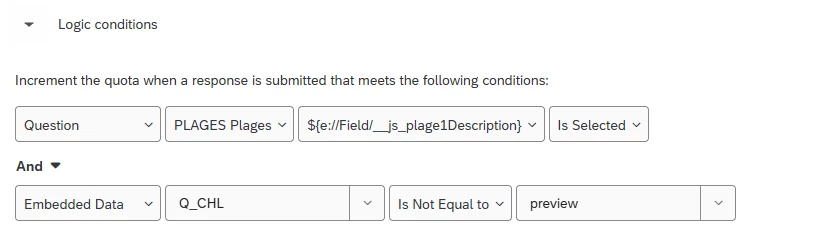
I note the preview link has Q_CHL=preview, so I wondered if there was a way to use logic in the quota, something like {criteria} AND If “survey mode does NOT equal preview” () but I dont know really know how quota logic works, and I don’t want to do a bunch of previews to test it if I then have to manually delete them also…
Example quota: