Not able to translate my survey | Experience Community
Skip to main content
Question

Not able to translate my survey

  • Sep 26, 2023 10:34 AM UTC
  • 7 replies
  • 1198 views

Forum|alt.badge.img+1

Hello! I am trying to translate my survey from English to Portuguese but there is no progress, it just stays in the 0%.


I have already tried to refresh the page, have also tried deleting the translation and adding it again, also tried waiting for some time and it is not moving.


Any suggestions on how to solve this?


Thank you!

7 replies

Naman_Savla
QPN Level 4 ●●●●
Forum|alt.badge.img+9
  • QPN Level 4 ●●●●
  • Sep 26, 2023 10:49 AM UTC

Hi @ritalguerra , Did you try the import translation method by first downloading the file and then adding the translation against the English questions?


Forum|alt.badge.img+1
  • Author
  • Sep 26, 2023 12:34 PM UTC

Hello! Haven’t tried that, how do I do that?


thank you!


Naman_Savla
QPN Level 4 ●●●●
Forum|alt.badge.img+9
  • QPN Level 4 ●●●●
  • Sep 26, 2023 1:02 PM UTC

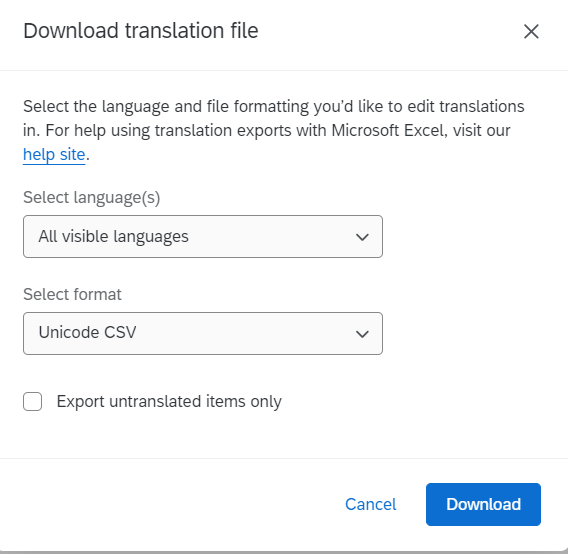
Hi @ritalguerra , there is a download sign on the extreme right side of the image shared by you. You will get options in the image below. Then in the file you would see the column header and the third column in you case would have Portuguese language code. You can add the translations below that using the English questions as reference. You can then save the file and upload the file from the option present next to the download option.


Forum|alt.badge.img+14
  • Level 5 ●●●●●
  • Sep 26, 2023 2:21 PM UTC

I have not used the translation tool before, but for Text IQ and a lot of other features in Qualtrics, I sometimes have to wait 24 hours or until the next day for things to load. 


Forum|alt.badge.img+1

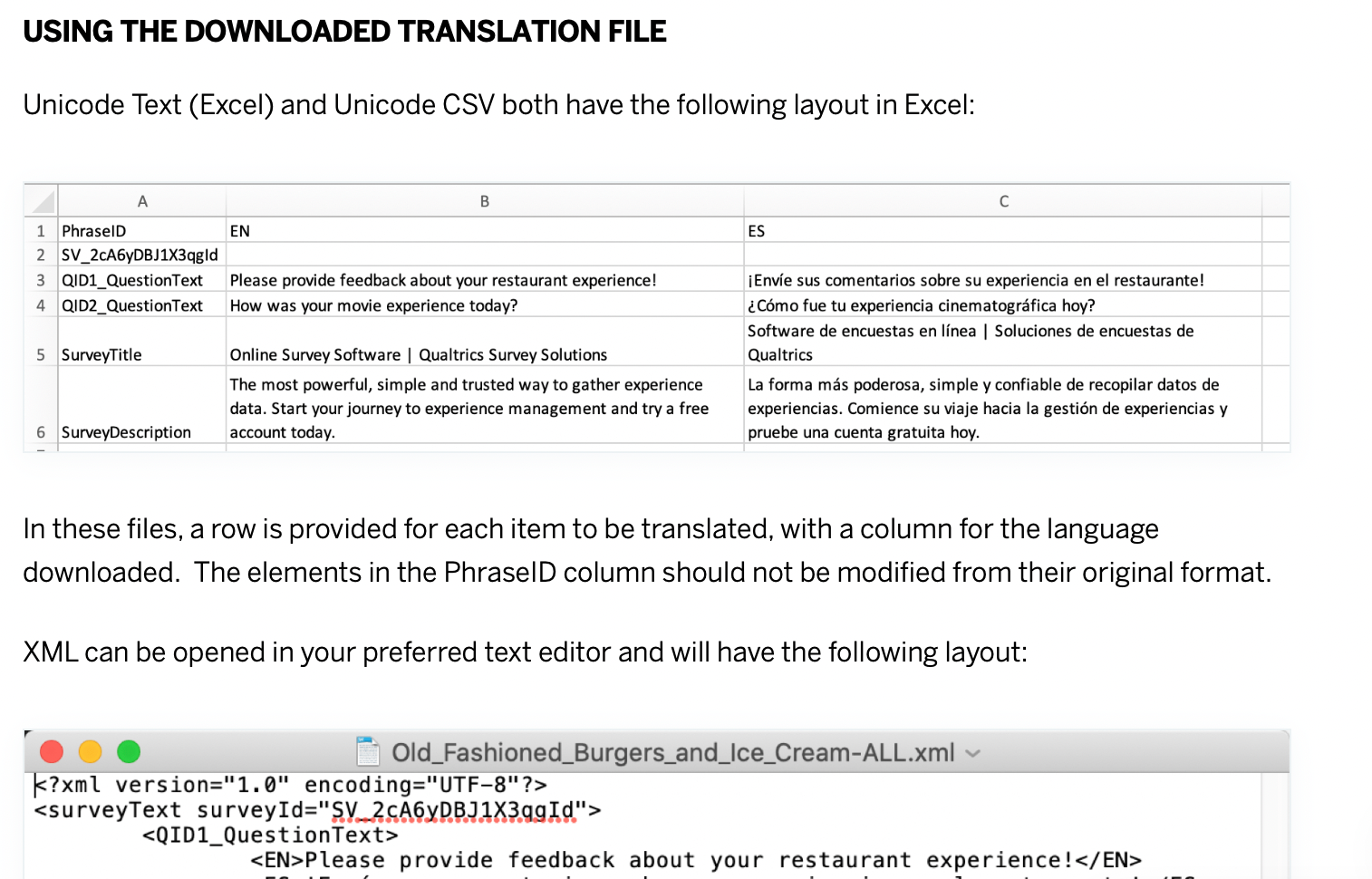
I was trying to follow the steps provided by Qualtrics, as per below, I have completed the excel part, however I do not understand what am I supposed to do with XML or how do I open this.


Are you able to help me with this?


Forum|alt.badge.img+1

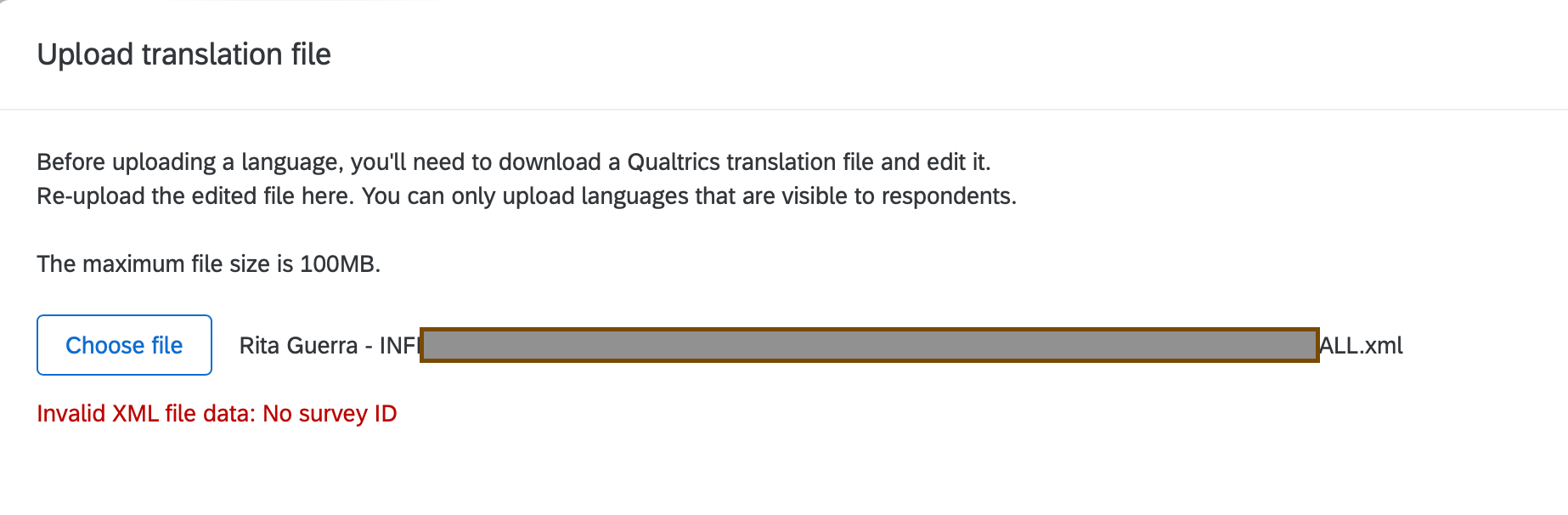
I have now saved the downloaded file in XML after following the steps before, and when I try to import the XML file back to my Qualtrics survey, the below error appears.


Do you know what might be causing this?


Thank you for all help!


Naman_Savla
QPN Level 4 ●●●●
Forum|alt.badge.img+9
  • QPN Level 4 ●●●●
  • Sep 27, 2023 10:58 AM UTC

Hi @ritalguerra , The easy approach is to have the file in CSV format and then upload it. The column of phrase ID in the CSV file should not be edited. 
The steps would be :-

  1. Download the template in CSV format
  2. Add the translations across the English text 
  3. Save the file and then upload it.