

Hello- I'm trying to set up a survey where one question is asked 20 times with a different name piped in each time, but the names come from two sources: List A has 10 names that should always be asked and List B has 50 names from which 10 should be chosen randomly for each survey taker. Additionally, the order that the final 20 names appear should be randomized.
How can this be set up? Thanks!

Solved
Piped Text from Two Sources
 +1
+1Best answer by TomG
gman08 ,
It can be done like this:
- Create a MC question with the 50 B names. Add advanced randomization to display 10 evenly presented. Use JS to either hide it or click next depending on if it is on the same page with another question.
- Create a second MC question on the next page. Carry forward the displayed names from the previous question and add the 10 A names to it. Randomized the choices. Use JS to click Next.
- The next block is a loop & merge based on the displayed choices in (2) above. It should contain the question you want to ask 20 times.



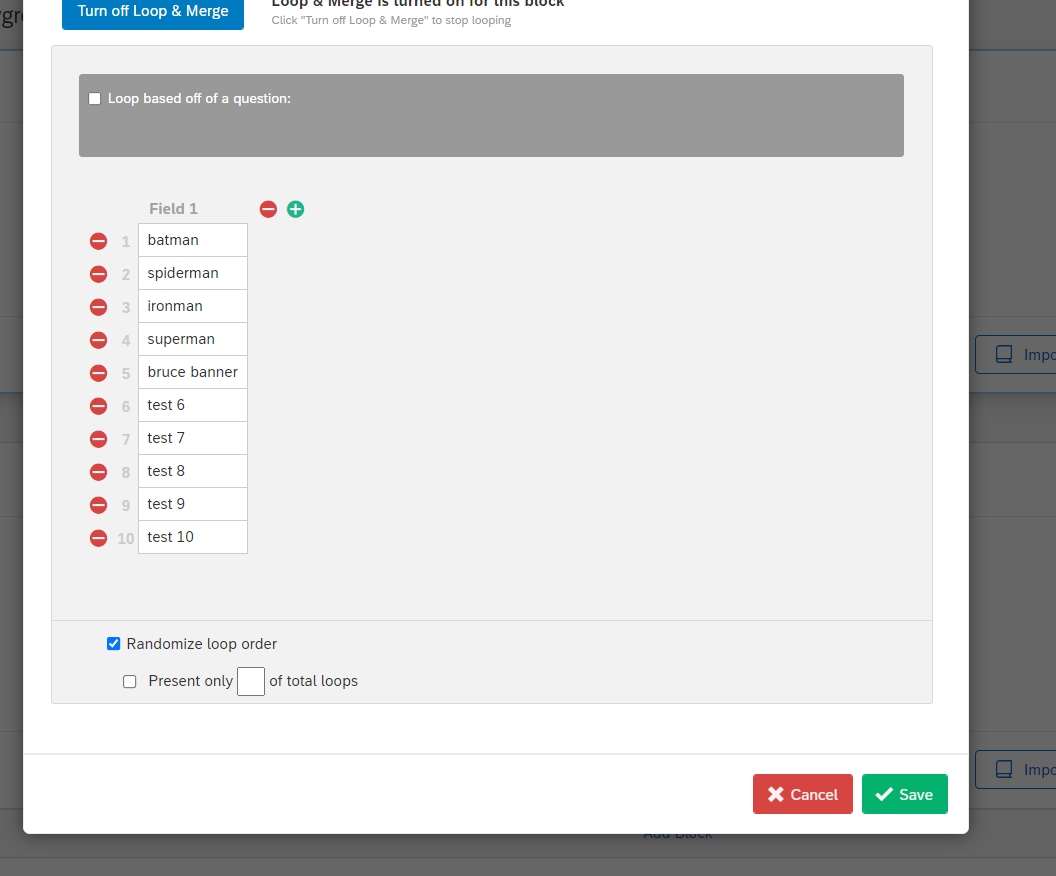 Then add a question into Block to the format you want (e.g., Likert) and select piped text in the format editor, loop and merge, Field 1. Type the remainder of your question text around the piped filed (see image below).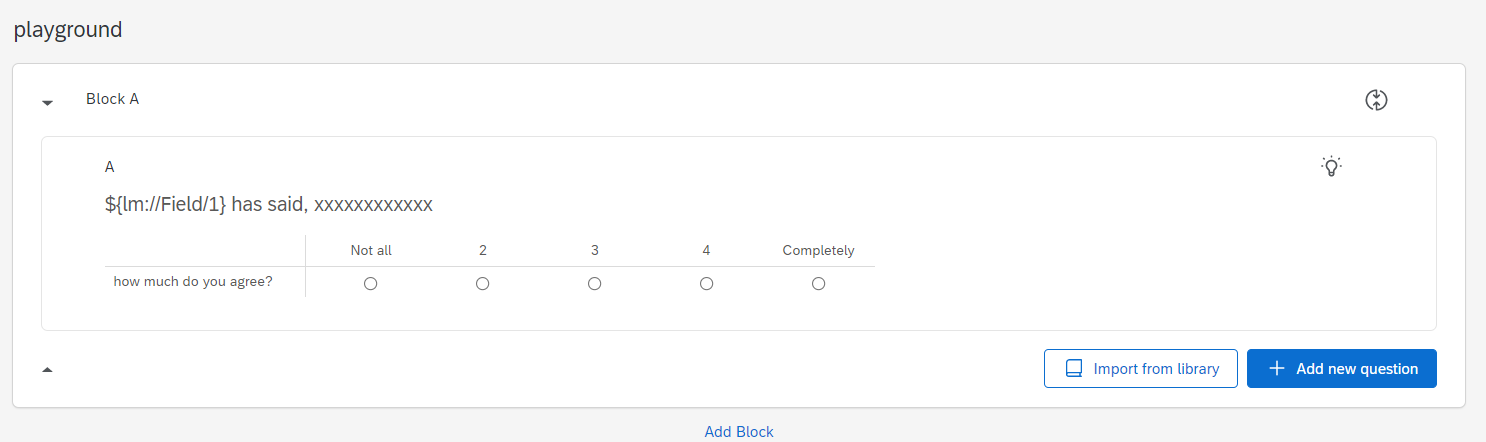
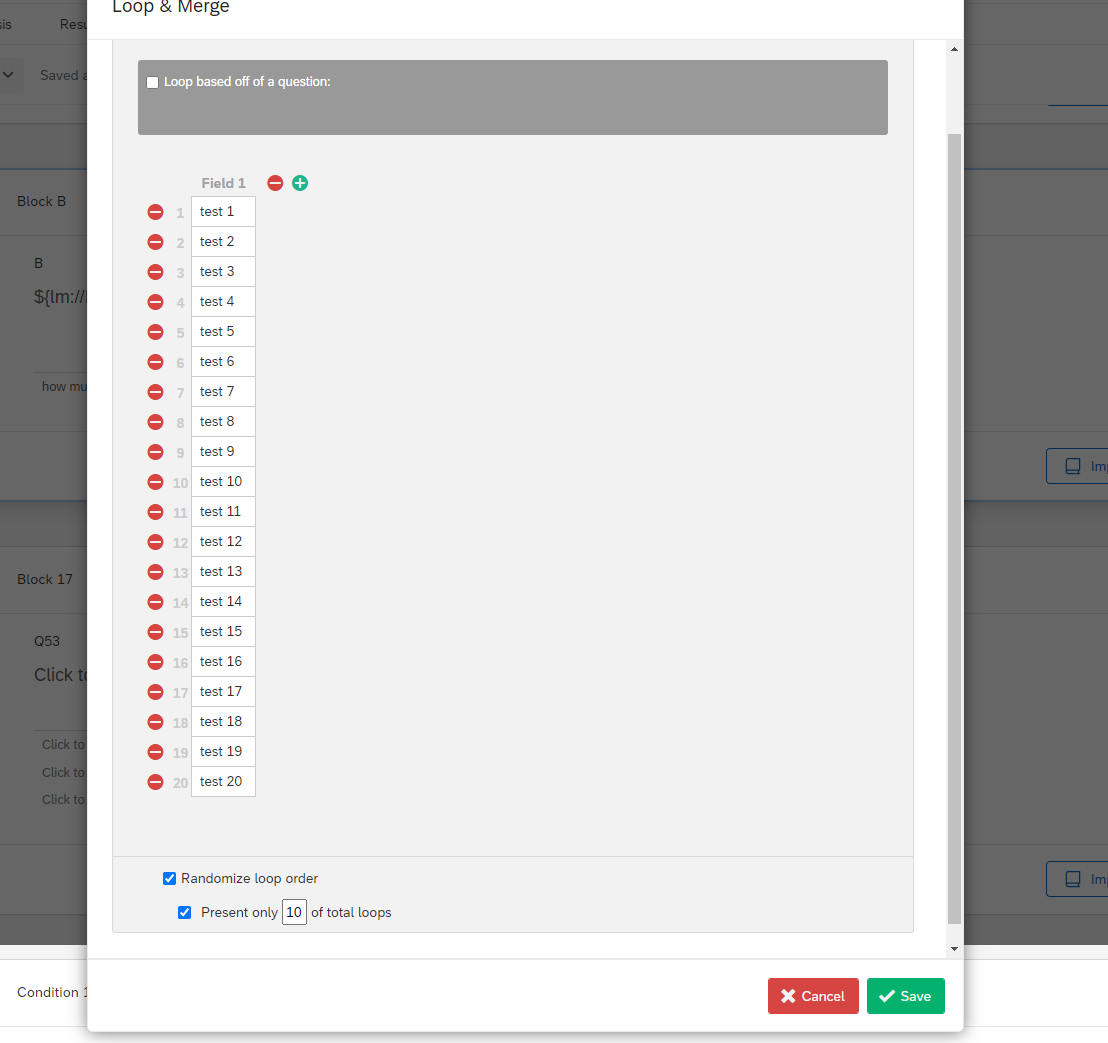 Then populate the question in the block for Set B, like you did A.
 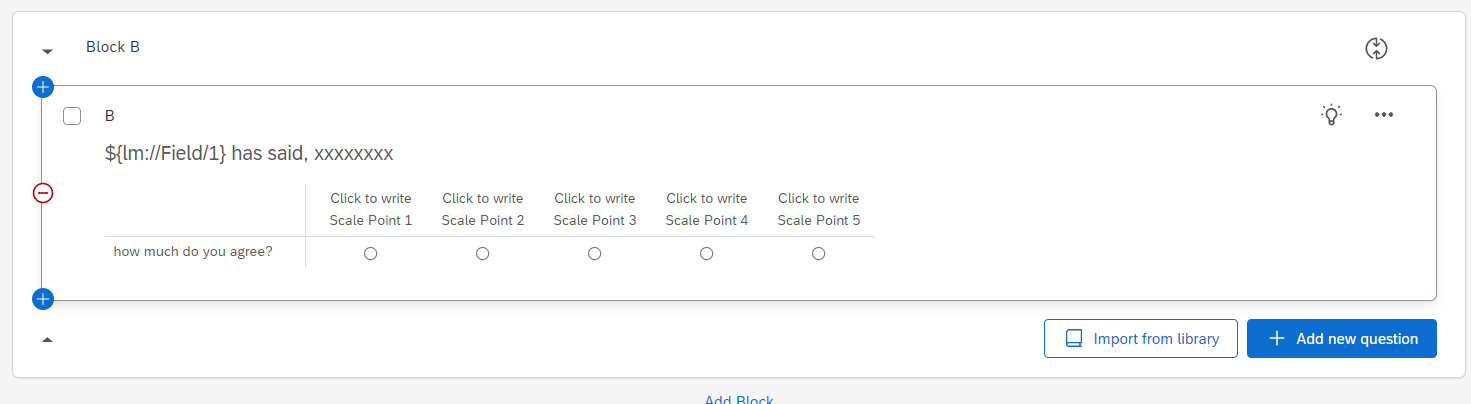 Then finally in your survey flow, place both blocks in a randomizer element. Then make sure you indicate you want 2 out of 2 elements to be shown in the randomizer.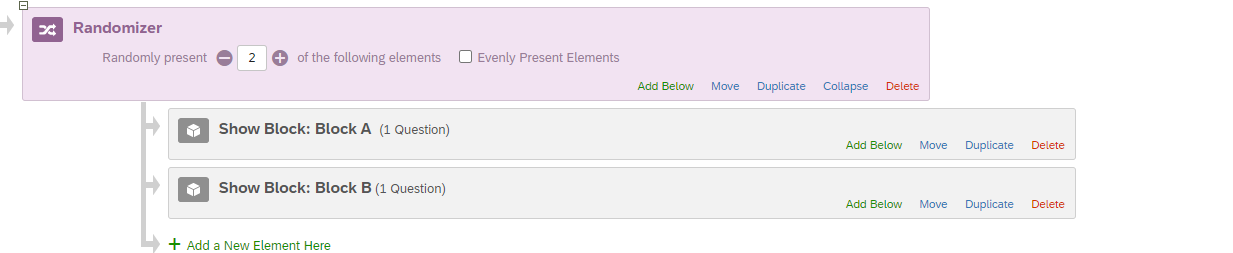



Sign up
Already have an account? Login

Welcome! To join the Qualtrics Experience Community, log in with your existing Qualtrics credentials below.
Confirm your username, share a bit about yourself, then you're ready to explore and connect .
Free trial account? No problem. Log in with your trial credentials to join.
No free trial account? No problem! Register here
Already a member? Hi and welcome back! We're glad you're here 🙂
You will see the Qualtrics login page briefly before being taken to the Experience Community.
Login with Qualtrics
Welcome! To join the Qualtrics Experience Community, log in with your existing Qualtrics credentials below.
Confirm your username, share a bit about yourself, then you're ready to explore and connect .
Free trial account? No problem. Log in with your trial credentials to join. No free trial account? No problem! Register here
Already a member? Hi and welcome back! We're glad you're here 🙂
You will see the Qualtrics login page briefly before being taken to the Experience Community.
Login to the Community
No account yet? Create an account
Welcome! To join the Qualtrics Experience Community, log in with your existing Qualtrics credentials below.
Confirm your username, share a bit about yourself, then you're ready to explore and connect .
Free trial account? No problem. Log in with your trial credentials to join.
No free trial account? No problem! Register here
Already a member? Hi and welcome back! We're glad you're here 🙂
You will see the Qualtrics login page briefly before being taken to the Experience Community.
Login with Qualtrics
Welcome! To join the Qualtrics Experience Community, log in with your existing Qualtrics credentials below.
Confirm your username, share a bit about yourself, then you're ready to explore and connect .
Free trial account? No problem. Log in with your trial credentials to join. No free trial account? No problem! Register here
Already a member? Hi and welcome back! We're glad you're here 🙂
You will see the Qualtrics login page briefly before being taken to the Experience Community.
Enter your E-mail address. We'll send you an e-mail with instructions to reset your password.