




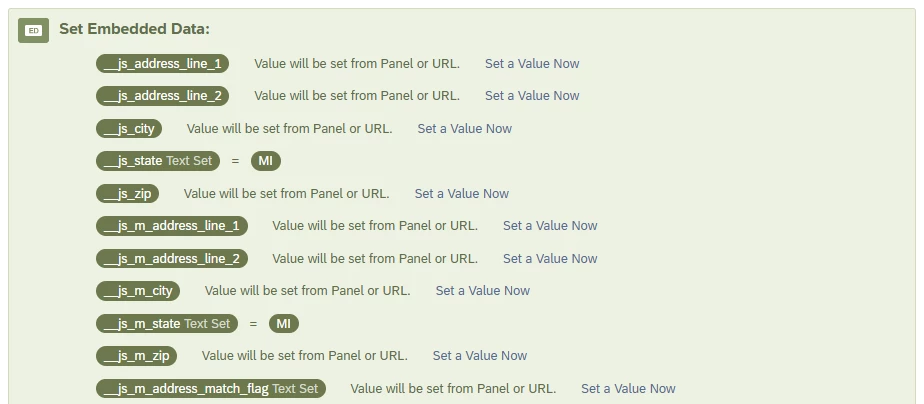
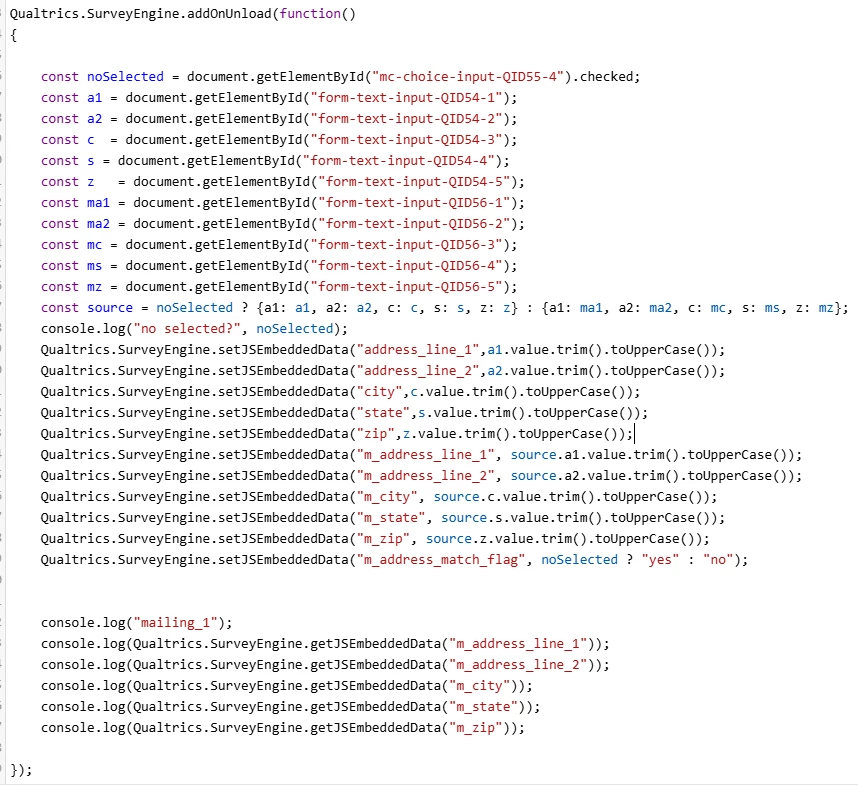
Hi, I am having an issue where I can’t access the embedded variables from a previous page. For context, I’m using JS to define embedded variables for address fields, and then displaying a confirmation:
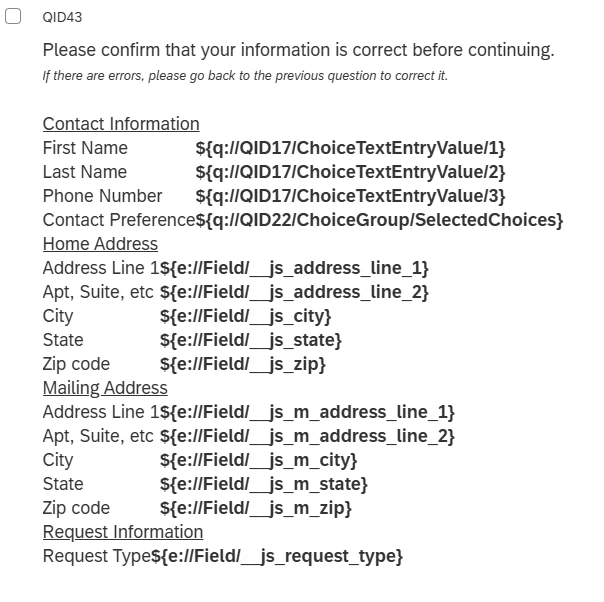
A user will enter their info in some inputs, and then click on the next page and get the confirmation. The issue is that the address fields do not show up.
Other info:
- QID43 and QID55 are separated by a page break and are in the same block.
- I was previously on the IAD1 servers, and this worked fine, but now I am on the GOV1 servers and it no longer works.
- I am using getJSEmbeddedData on the embedded data without the “__js” prefix because in the API docs it says that it automatically prefixes it. I have tried adding the prefix to it (eg getJSEmbeddedData(“__js_address_line_1)”) anyways, but that did not work.
- When I console.log the vars onUnload, the vars show up correctly, but trying to console.log it on the next page with onLoad doesn’t work. I understand on the API docs it says that you access these things on the page, but that’s why I have the embedded variables defined at the start of the survey flow (Fig. 1), which works for “request_type” but not for any of the address fields.
- I am using the new survey experience.
Would appreciate help on this, thanks!
