

In my survey 1, the user enter his credentials - First Name, Last Name and Email Address. Once he enters the information, I am triggering a Contact List trigger where the contact list gets updated.
Post that, I have added a task under Action where a personalised link to the Survey 2 will be sent to user on the email address.
My problem statement - I want to ensure that when the user fills in their email address in Survey 1 and if that already exists in the contact list, it should not add it to contact list and give some error message. How do I do this?
P.S. - I am using Customer Confidence pulse survey from COVID-19 solution. Its free and only offers basic features.

Solved
Avoid duplication in the contact list
Best answer by rondev
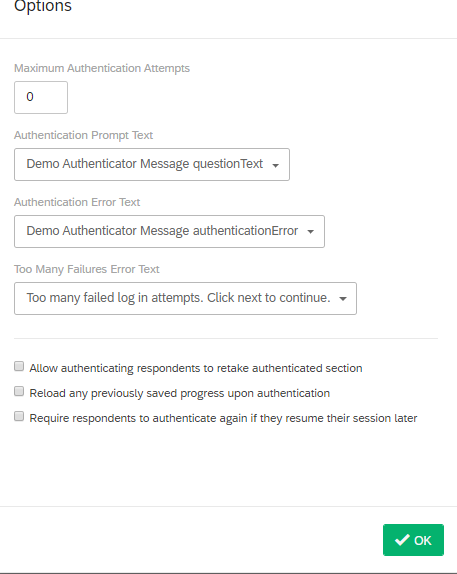
The prefill text box do not accept the any pipe text. Before authenticator add embedded data "RespEmail" and set its value as Q108 choice entry pipe text. In the prefill textbox just enter - RespEmail



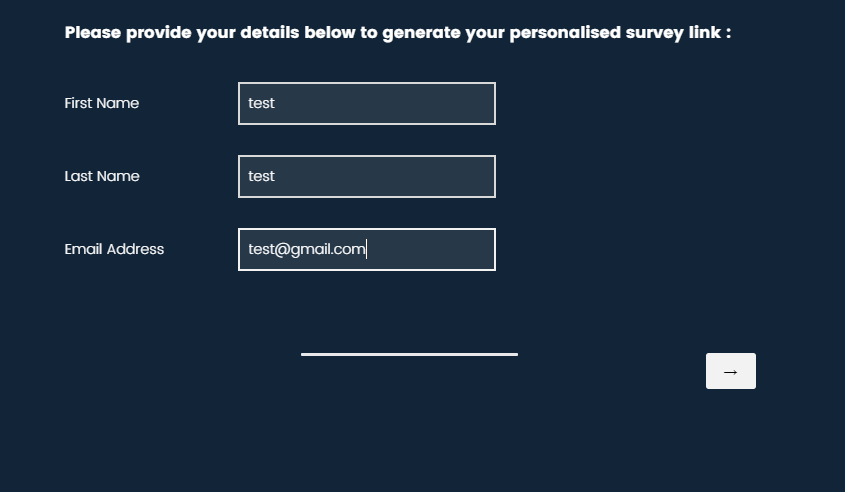 This is the start of my survey. - this particular question is of the type text entry with forms and it has three fields
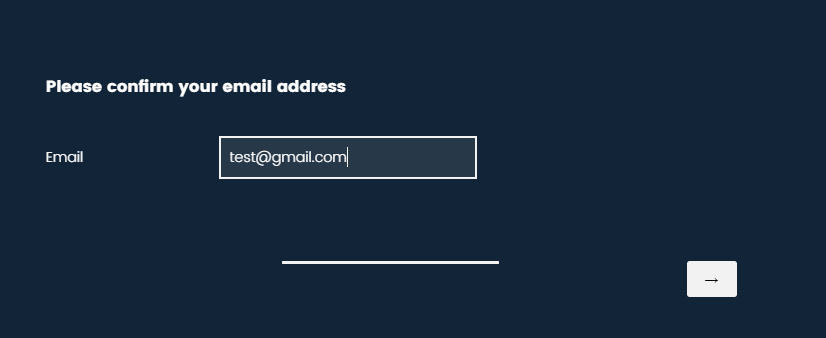 when entering for the first time, it worked fine.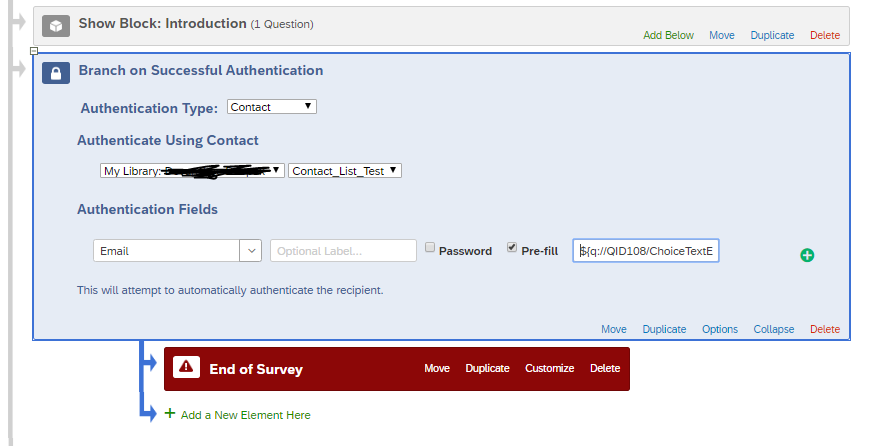
Sign up
Already have an account? Login

Welcome! To join the Qualtrics Experience Community, log in with your existing Qualtrics credentials below.
Confirm your username, share a bit about yourself, then you're ready to explore and connect .
Free trial account? No problem. Log in with your trial credentials to join.
No free trial account? No problem! Register here
Already a member? Hi and welcome back! We're glad you're here 🙂
You will see the Qualtrics login page briefly before being taken to the Experience Community.
Login with Qualtrics
Welcome! To join the Qualtrics Experience Community, log in with your existing Qualtrics credentials below.
Confirm your username, share a bit about yourself, then you're ready to explore and connect .
Free trial account? No problem. Log in with your trial credentials to join. No free trial account? No problem! Register here
Already a member? Hi and welcome back! We're glad you're here 🙂
You will see the Qualtrics login page briefly before being taken to the Experience Community.
Login to the Community
No account yet? Create an account
Welcome! To join the Qualtrics Experience Community, log in with your existing Qualtrics credentials below.
Confirm your username, share a bit about yourself, then you're ready to explore and connect .
Free trial account? No problem. Log in with your trial credentials to join.
No free trial account? No problem! Register here
Already a member? Hi and welcome back! We're glad you're here 🙂
You will see the Qualtrics login page briefly before being taken to the Experience Community.
Login with Qualtrics
Welcome! To join the Qualtrics Experience Community, log in with your existing Qualtrics credentials below.
Confirm your username, share a bit about yourself, then you're ready to explore and connect .
Free trial account? No problem. Log in with your trial credentials to join. No free trial account? No problem! Register here
Already a member? Hi and welcome back! We're glad you're here 🙂
You will see the Qualtrics login page briefly before being taken to the Experience Community.
Enter your E-mail address. We'll send you an e-mail with instructions to reset your password.