



Is there a way to use validation rules and change the text for the "Request Response" validation option?
I have a survey where we wish to capture name and email address to distribute survey incentives. However- I would like to give participants the option NOT provide their personal info, but still submit the survey.
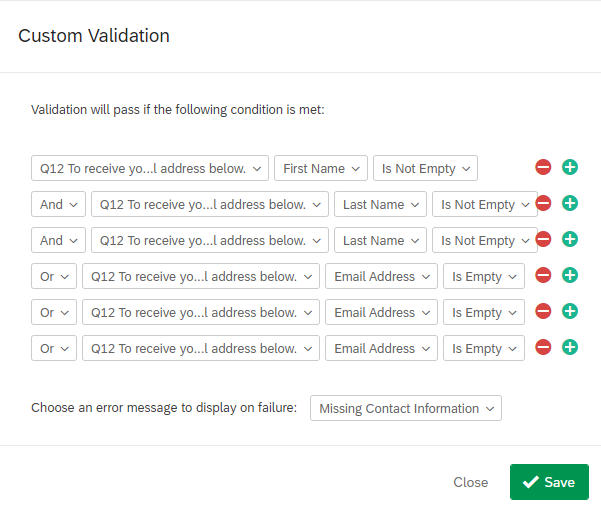
I can set up a custom validation so that if the fields are left blank they get the standard request response: 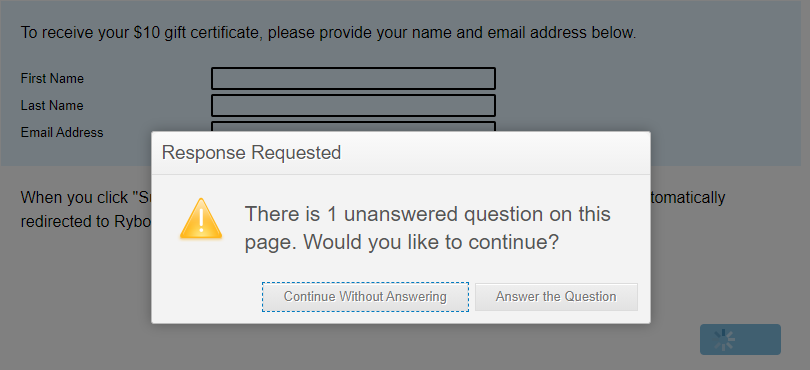
And if I use custom validation, I get the right message: 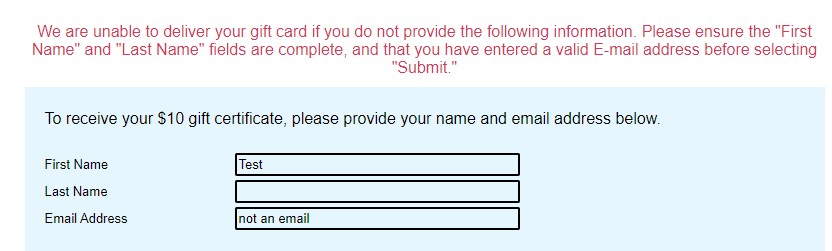
However, I can't manage to both 1) Check information for accuracy (valid email) AND 2) Allow the user to not send anything. Any suggestions on how to do both?

Solved
Change the Request Response Langauge
Best answer by MatthewM
Hi @Kate ,
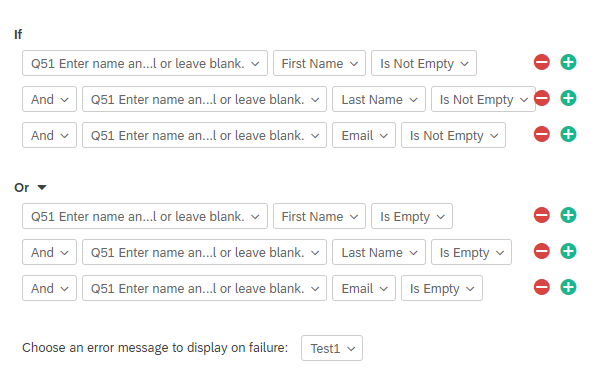
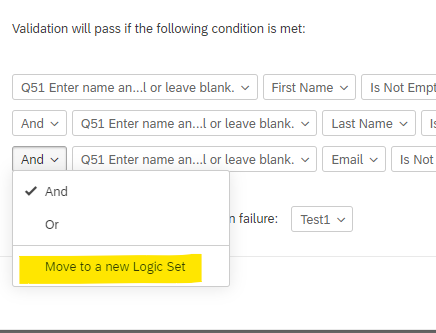
If you're not doing so already, make this a Text Entry-Form question type, and apply "Valid Email Address" validation to the Email Address field. This will satisfy requirement #1. Remove the the Request Response validation, and instead, set up Custom Validation that will accept only two conditions: if all fields are left blank, or all fields are filled in. This will satisfy requirement #2.
Hope this helps.




Sign up
Already have an account? Login

Welcome! To join the Qualtrics Experience Community, log in with your existing Qualtrics credentials below.
Confirm your username, share a bit about yourself, then you're ready to explore and connect .
Free trial account? No problem. Log in with your trial credentials to join.
No free trial account? No problem! Register here
Already a member? Hi and welcome back! We're glad you're here 🙂
You will see the Qualtrics login page briefly before being taken to the Experience Community.
Login with Qualtrics
Welcome! To join the Qualtrics Experience Community, log in with your existing Qualtrics credentials below.
Confirm your username, share a bit about yourself, then you're ready to explore and connect .
Free trial account? No problem. Log in with your trial credentials to join. No free trial account? No problem! Register here
Already a member? Hi and welcome back! We're glad you're here 🙂
You will see the Qualtrics login page briefly before being taken to the Experience Community.
Login to the Community
No account yet? Create an account
Welcome! To join the Qualtrics Experience Community, log in with your existing Qualtrics credentials below.
Confirm your username, share a bit about yourself, then you're ready to explore and connect .
Free trial account? No problem. Log in with your trial credentials to join.
No free trial account? No problem! Register here
Already a member? Hi and welcome back! We're glad you're here 🙂
You will see the Qualtrics login page briefly before being taken to the Experience Community.
Login with Qualtrics
Welcome! To join the Qualtrics Experience Community, log in with your existing Qualtrics credentials below.
Confirm your username, share a bit about yourself, then you're ready to explore and connect .
Free trial account? No problem. Log in with your trial credentials to join. No free trial account? No problem! Register here
Already a member? Hi and welcome back! We're glad you're here 🙂
You will see the Qualtrics login page briefly before being taken to the Experience Community.
Enter your E-mail address. We'll send you an e-mail with instructions to reset your password.