



 Thought 1:
In Data & Analysis, you can export each response individually as a PDF. I see in the docs that you can't do a mass export. But for individually - is there a way to change what's in that PDF? The default map, for example, doesn't matter, and it would be really nice to only show the questions the user answered (there are going to be ~20 questions and people might only answer 4 or 5 of them, and it'd be nice to see nothing instead of the grayed out "respondent did not answer this").
Thought 2:
When you export the overall data from Data & Analysis, you get an excel, which adds in the metadata, which isn't wanted. (I know you can customize to only export the columns shown, but this survey is going to be like 20 questions long...) As well, it's more difficult to read going sideways as each user will only answer a handful of the questions.
Thought 3:
The entire reports tab seems useless for this, as that puts all the different answers to a single question together. It's not helpful if Q1 has text responses, "Chemistry, Physics, Chemistry, Math" and for Q2 to have "some text about chemistry", "some text about physics", etc. The goal is to have "Respondent 1 said, Q1: Chemistry, Q2: Some text about chemistry." "Respondent 2 said, Q1: Physics, Q2: Some text about physics." "Respondent 3 said, Q1: Chemistry, Q2: Some other text about chemistry."
Those were all of my thoughts.
If you have any input, I'd greatly appreciate it. Thanks!
Thought 1:
In Data & Analysis, you can export each response individually as a PDF. I see in the docs that you can't do a mass export. But for individually - is there a way to change what's in that PDF? The default map, for example, doesn't matter, and it would be really nice to only show the questions the user answered (there are going to be ~20 questions and people might only answer 4 or 5 of them, and it'd be nice to see nothing instead of the grayed out "respondent did not answer this").
Thought 2:
When you export the overall data from Data & Analysis, you get an excel, which adds in the metadata, which isn't wanted. (I know you can customize to only export the columns shown, but this survey is going to be like 20 questions long...) As well, it's more difficult to read going sideways as each user will only answer a handful of the questions.
Thought 3:
The entire reports tab seems useless for this, as that puts all the different answers to a single question together. It's not helpful if Q1 has text responses, "Chemistry, Physics, Chemistry, Math" and for Q2 to have "some text about chemistry", "some text about physics", etc. The goal is to have "Respondent 1 said, Q1: Chemistry, Q2: Some text about chemistry." "Respondent 2 said, Q1: Physics, Q2: Some text about physics." "Respondent 3 said, Q1: Chemistry, Q2: Some other text about chemistry."
Those were all of my thoughts.
If you have any input, I'd greatly appreciate it. Thanks!
Question
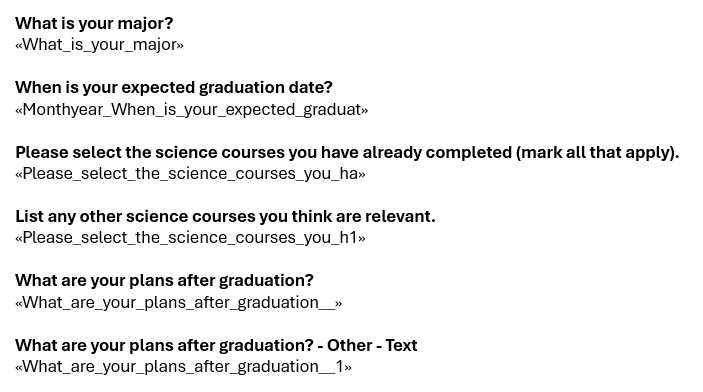
Exporting all responses in a PDF or Word Doc, keeping each response together?
Sample survey attached.
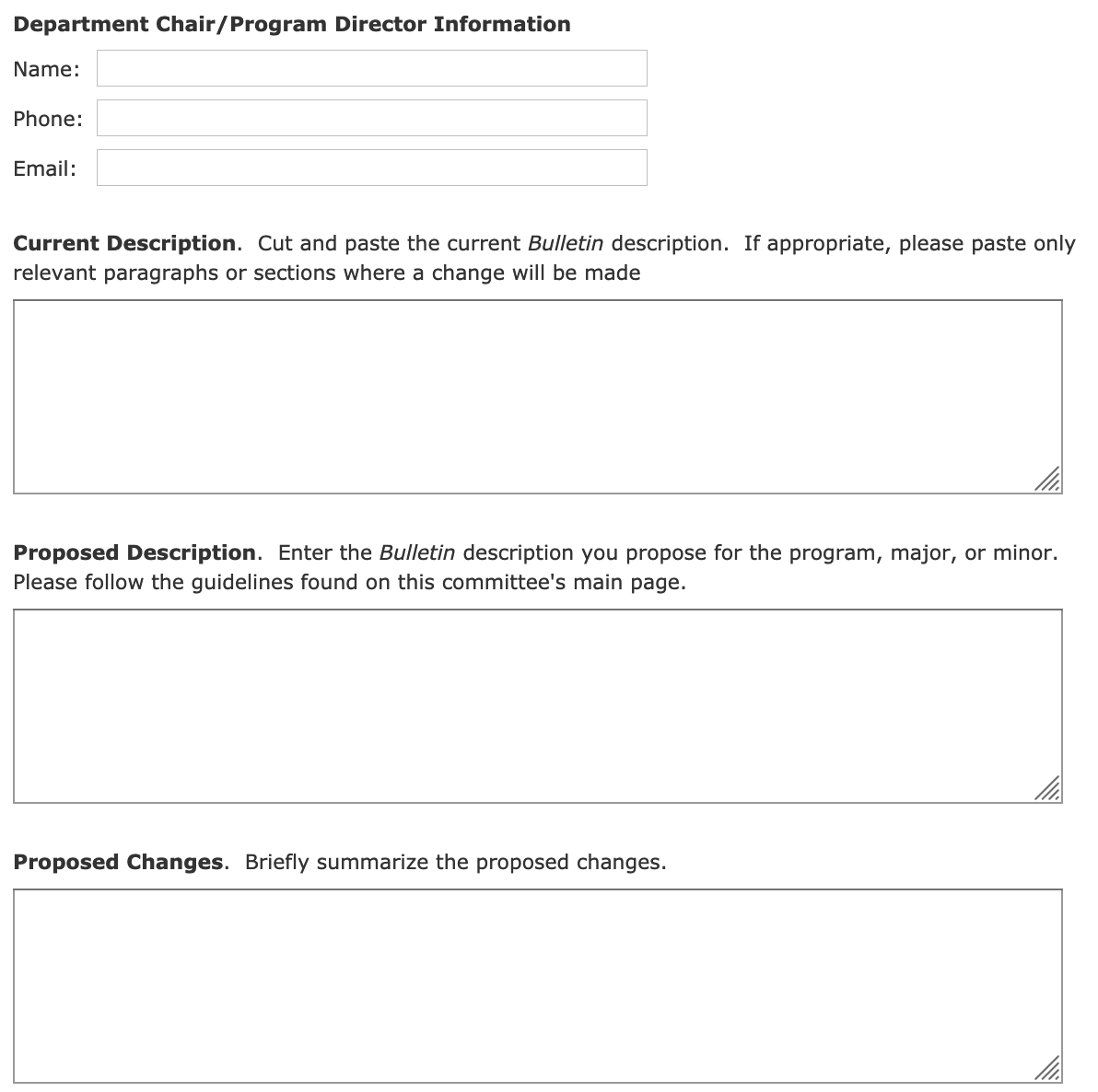
I have a form in a Qualtrics survey with text questions about what changes the user proposes to a course. My goal is to export and see each response in something easily formatted like a Word Document or a PDF - but keeping each response together. _Sub-goal: To not show unanswered questions (vs gray "Respondent did not answer this_
Here is a sample from the survey:
!
Thought 1:
In Data & Analysis, you can export each response individually as a PDF. I see in the docs that you can't do a mass export. But for individually - is there a way to change what's in that PDF? The default map, for example, doesn't matter, and it would be really nice to only show the questions the user answered (there are going to be ~20 questions and people might only answer 4 or 5 of them, and it'd be nice to see nothing instead of the grayed out "respondent did not answer this").
Thought 2:
When you export the overall data from Data & Analysis, you get an excel, which adds in the metadata, which isn't wanted. (I know you can customize to only export the columns shown, but this survey is going to be like 20 questions long...) As well, it's more difficult to read going sideways as each user will only answer a handful of the questions.
Thought 3:
The entire reports tab seems useless for this, as that puts all the different answers to a single question together. It's not helpful if Q1 has text responses, "Chemistry, Physics, Chemistry, Math" and for Q2 to have "some text about chemistry", "some text about physics", etc. The goal is to have "Respondent 1 said, Q1: Chemistry, Q2: Some text about chemistry." "Respondent 2 said, Q1: Physics, Q2: Some text about physics." "Respondent 3 said, Q1: Chemistry, Q2: Some other text about chemistry."
Those were all of my thoughts.
If you have any input, I'd greatly appreciate it. Thanks!
Thought 1:
In Data & Analysis, you can export each response individually as a PDF. I see in the docs that you can't do a mass export. But for individually - is there a way to change what's in that PDF? The default map, for example, doesn't matter, and it would be really nice to only show the questions the user answered (there are going to be ~20 questions and people might only answer 4 or 5 of them, and it'd be nice to see nothing instead of the grayed out "respondent did not answer this").
Thought 2:
When you export the overall data from Data & Analysis, you get an excel, which adds in the metadata, which isn't wanted. (I know you can customize to only export the columns shown, but this survey is going to be like 20 questions long...) As well, it's more difficult to read going sideways as each user will only answer a handful of the questions.
Thought 3:
The entire reports tab seems useless for this, as that puts all the different answers to a single question together. It's not helpful if Q1 has text responses, "Chemistry, Physics, Chemistry, Math" and for Q2 to have "some text about chemistry", "some text about physics", etc. The goal is to have "Respondent 1 said, Q1: Chemistry, Q2: Some text about chemistry." "Respondent 2 said, Q1: Physics, Q2: Some text about physics." "Respondent 3 said, Q1: Chemistry, Q2: Some other text about chemistry."
Those were all of my thoughts.
If you have any input, I'd greatly appreciate it. Thanks!



Sign up
Already have an account? Login

Welcome! To join the Qualtrics Experience Community, log in with your existing Qualtrics credentials below.
Confirm your username, share a bit about yourself, then you're ready to explore and connect .
Free trial account? No problem. Log in with your trial credentials to join.
No free trial account? No problem! Register here
Already a member? Hi and welcome back! We're glad you're here 🙂
You will see the Qualtrics login page briefly before being taken to the Experience Community.
Login with Qualtrics
Welcome! To join the Qualtrics Experience Community, log in with your existing Qualtrics credentials below.
Confirm your username, share a bit about yourself, then you're ready to explore and connect .
Free trial account? No problem. Log in with your trial credentials to join. No free trial account? No problem! Register here
Already a member? Hi and welcome back! We're glad you're here 🙂
You will see the Qualtrics login page briefly before being taken to the Experience Community.
Login to the Community
Welcome! To join the Qualtrics Experience Community, log in with your existing Qualtrics credentials below.
Confirm your username, share a bit about yourself, then you're ready to explore and connect .
Free trial account? No problem. Log in with your trial credentials to join.
No free trial account? No problem! Register here
Already a member? Hi and welcome back! We're glad you're here 🙂
You will see the Qualtrics login page briefly before being taken to the Experience Community.
Login with Qualtrics
Welcome! To join the Qualtrics Experience Community, log in with your existing Qualtrics credentials below.
Confirm your username, share a bit about yourself, then you're ready to explore and connect .
Free trial account? No problem. Log in with your trial credentials to join. No free trial account? No problem! Register here
Already a member? Hi and welcome back! We're glad you're here 🙂
You will see the Qualtrics login page briefly before being taken to the Experience Community.
Enter your E-mail address. We'll send you an e-mail with instructions to reset your password.