

Hi i am having a problem with comma separated number input and use as a embedded data. For example a respondent inputs 1,352 in a text entry and i want to pipe it and display 1352/2 somewhere in the survey. How can i do that because if some one inputs 1,352 it will be string and the value will be zero. The text entry type is single choice with text entry and custom validation is should be greater than zero.

Solved
How to pipe the number which is input as comma separated?
Best answer by rondev
https://www.qualtrics.com/community/discussion/comment/30231#Comment_30231Sorry for not implementing it and directly posting it, I too observed the same and it is expected to behave it like that as mentioned on support: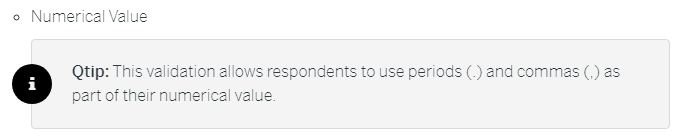 So the only option I see is to use custom JS present here.



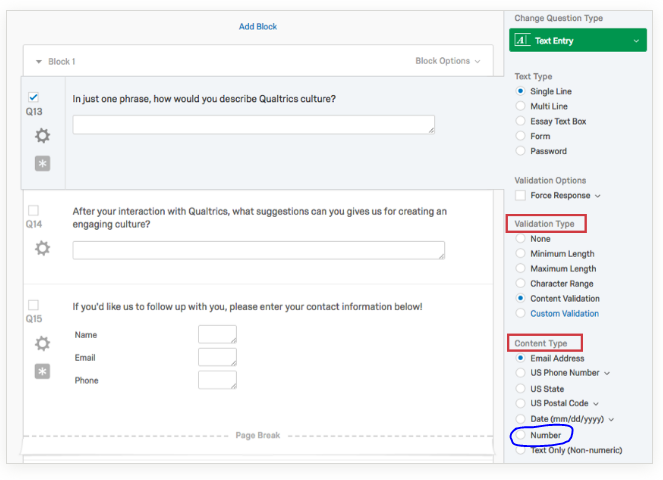
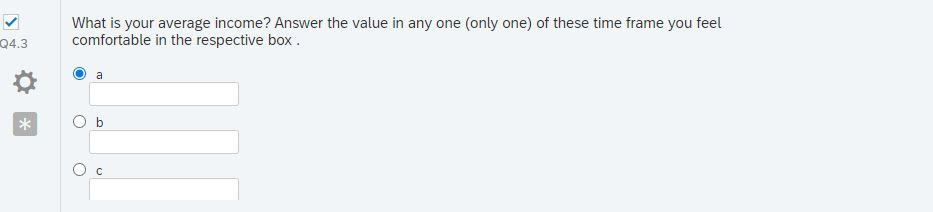 I am sorry if i did not make myself clear.. The question is more like above with Multiple choice (single answer) with text entry in the selected choice. Then the above mentioned answer will not work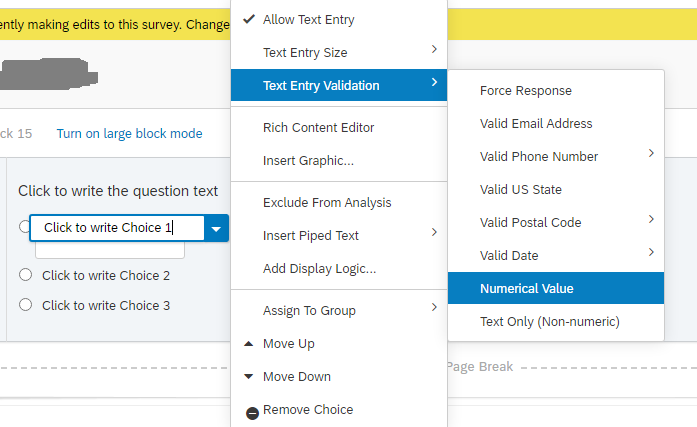
Sign up
Already have an account? Login

Welcome! To join the Qualtrics Experience Community, log in with your existing Qualtrics credentials below.
Confirm your username, share a bit about yourself, then you're ready to explore and connect .
Free trial account? No problem. Log in with your trial credentials to join.
No free trial account? No problem! Register here
Already a member? Hi and welcome back! We're glad you're here 🙂
You will see the Qualtrics login page briefly before being taken to the Experience Community.
Login with Qualtrics
Welcome! To join the Qualtrics Experience Community, log in with your existing Qualtrics credentials below.
Confirm your username, share a bit about yourself, then you're ready to explore and connect .
Free trial account? No problem. Log in with your trial credentials to join. No free trial account? No problem! Register here
Already a member? Hi and welcome back! We're glad you're here 🙂
You will see the Qualtrics login page briefly before being taken to the Experience Community.
Login to the Community
No account yet? Create an account
Welcome! To join the Qualtrics Experience Community, log in with your existing Qualtrics credentials below.
Confirm your username, share a bit about yourself, then you're ready to explore and connect .
Free trial account? No problem. Log in with your trial credentials to join.
No free trial account? No problem! Register here
Already a member? Hi and welcome back! We're glad you're here 🙂
You will see the Qualtrics login page briefly before being taken to the Experience Community.
Login with Qualtrics
Welcome! To join the Qualtrics Experience Community, log in with your existing Qualtrics credentials below.
Confirm your username, share a bit about yourself, then you're ready to explore and connect .
Free trial account? No problem. Log in with your trial credentials to join. No free trial account? No problem! Register here
Already a member? Hi and welcome back! We're glad you're here 🙂
You will see the Qualtrics login page briefly before being taken to the Experience Community.
Enter your E-mail address. We'll send you an e-mail with instructions to reset your password.