

Hello all,
I am designing a matrix question with text boxes for my participants to complete in a grid format. I've attached a picture so that you can see what I mean. The problem is, the default is for text boxes in a matrix question to be single-line. I would like to change the text boxes to be multi-line/ essay format - however, I can't see a way to do this. It's easy to make standalone textboxes multi-line/ essay format, but there doesn't seem to be a way to do this in the context of a matrix question. Does anyone have any ideas? Thanks in advance!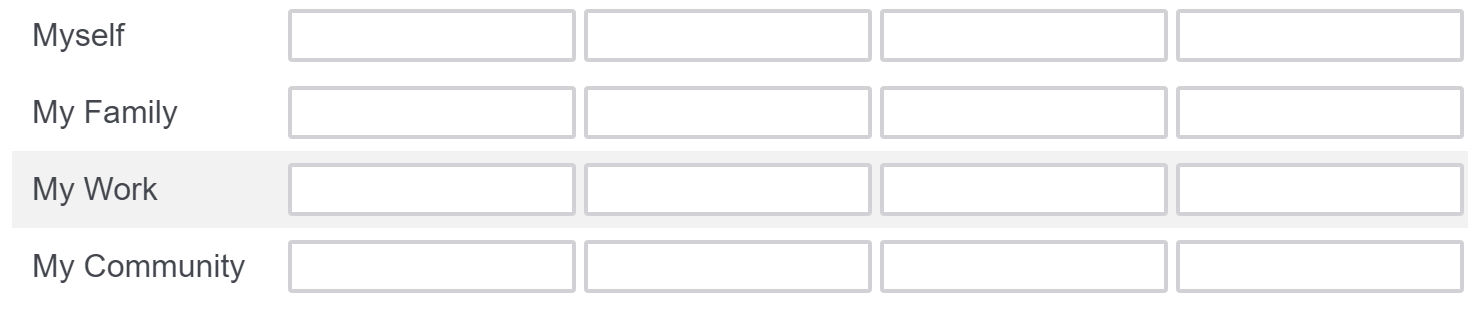

Solved
Making text boxes multi-line/ essay format in a matrix question
Best answer by SaurabhPujare_Ugam
Hi kbarnicot
Alternative to the matrix question setup that you have, you can choose side by side question type and enable the text entry option by clicking on 'Column Option' header followed by 'essay' from the same drop down.
Please refer below screenshots for more details.
Screenshot #1: Enabling the essay box in side by side question.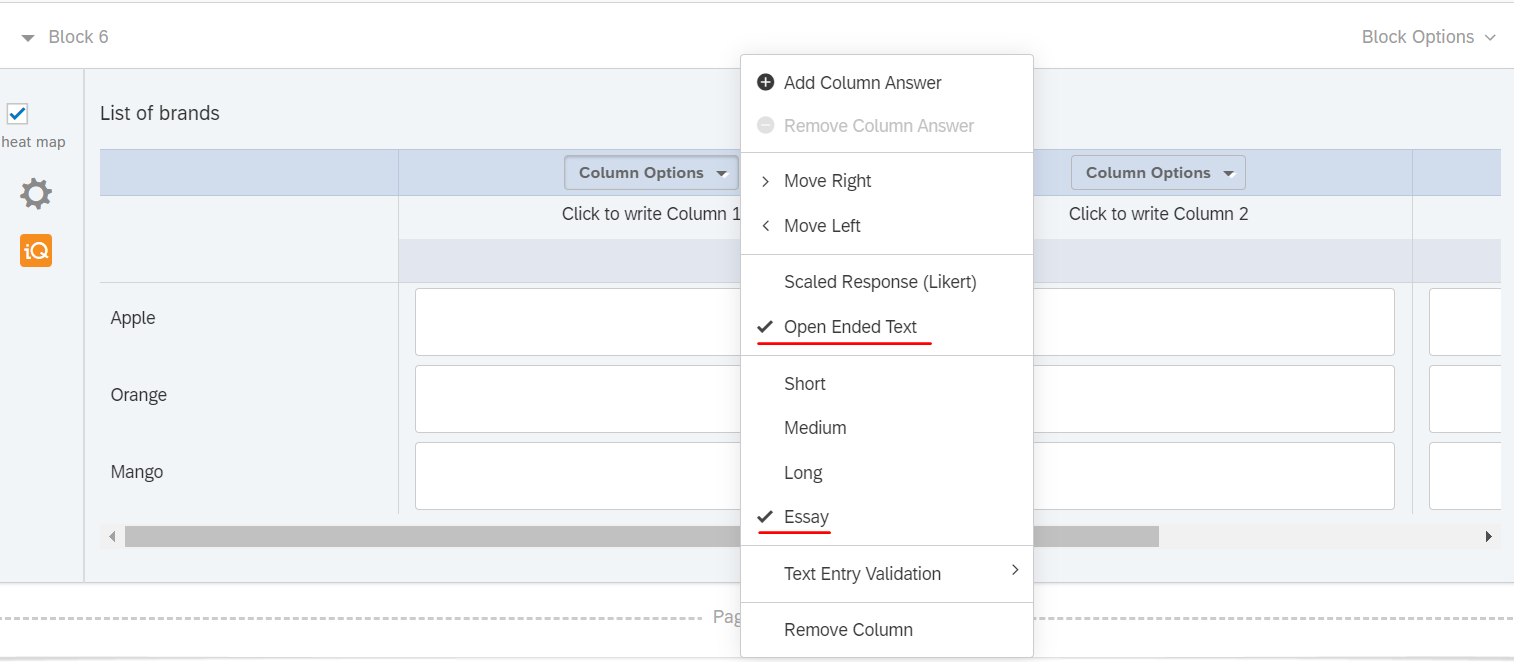 Screenshot #2: Output: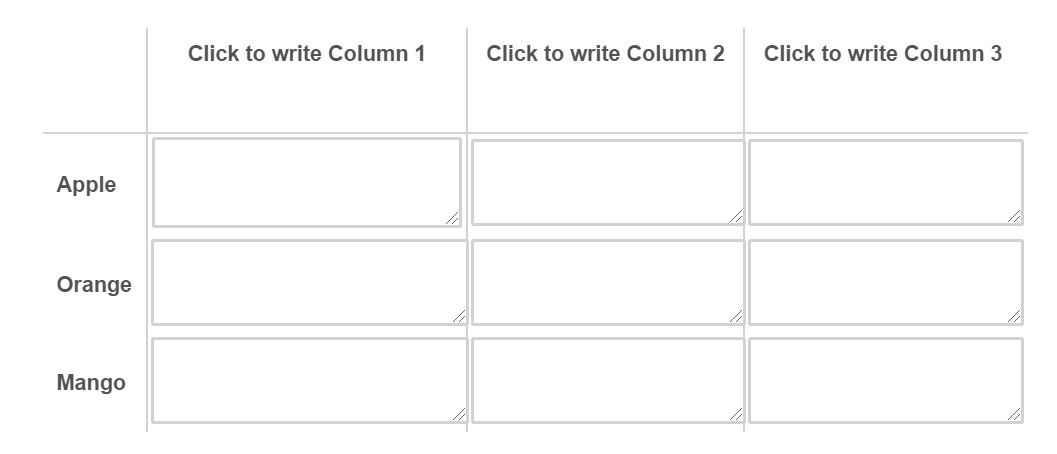



Sign up
Already have an account? Login

Welcome! To join the Qualtrics Experience Community, log in with your existing Qualtrics credentials below.
Confirm your username, share a bit about yourself, then you're ready to explore and connect .
Free trial account? No problem. Log in with your trial credentials to join.
No free trial account? No problem! Register here
Already a member? Hi and welcome back! We're glad you're here 🙂
You will see the Qualtrics login page briefly before being taken to the Experience Community.
Login with Qualtrics
Welcome! To join the Qualtrics Experience Community, log in with your existing Qualtrics credentials below.
Confirm your username, share a bit about yourself, then you're ready to explore and connect .
Free trial account? No problem. Log in with your trial credentials to join. No free trial account? No problem! Register here
Already a member? Hi and welcome back! We're glad you're here 🙂
You will see the Qualtrics login page briefly before being taken to the Experience Community.
Login to the Community
No account yet? Create an account
Welcome! To join the Qualtrics Experience Community, log in with your existing Qualtrics credentials below.
Confirm your username, share a bit about yourself, then you're ready to explore and connect .
Free trial account? No problem. Log in with your trial credentials to join.
No free trial account? No problem! Register here
Already a member? Hi and welcome back! We're glad you're here 🙂
You will see the Qualtrics login page briefly before being taken to the Experience Community.
Login with Qualtrics
Welcome! To join the Qualtrics Experience Community, log in with your existing Qualtrics credentials below.
Confirm your username, share a bit about yourself, then you're ready to explore and connect .
Free trial account? No problem. Log in with your trial credentials to join. No free trial account? No problem! Register here
Already a member? Hi and welcome back! We're glad you're here 🙂
You will see the Qualtrics login page briefly before being taken to the Experience Community.
Enter your E-mail address. We'll send you an e-mail with instructions to reset your password.