

Hi all,
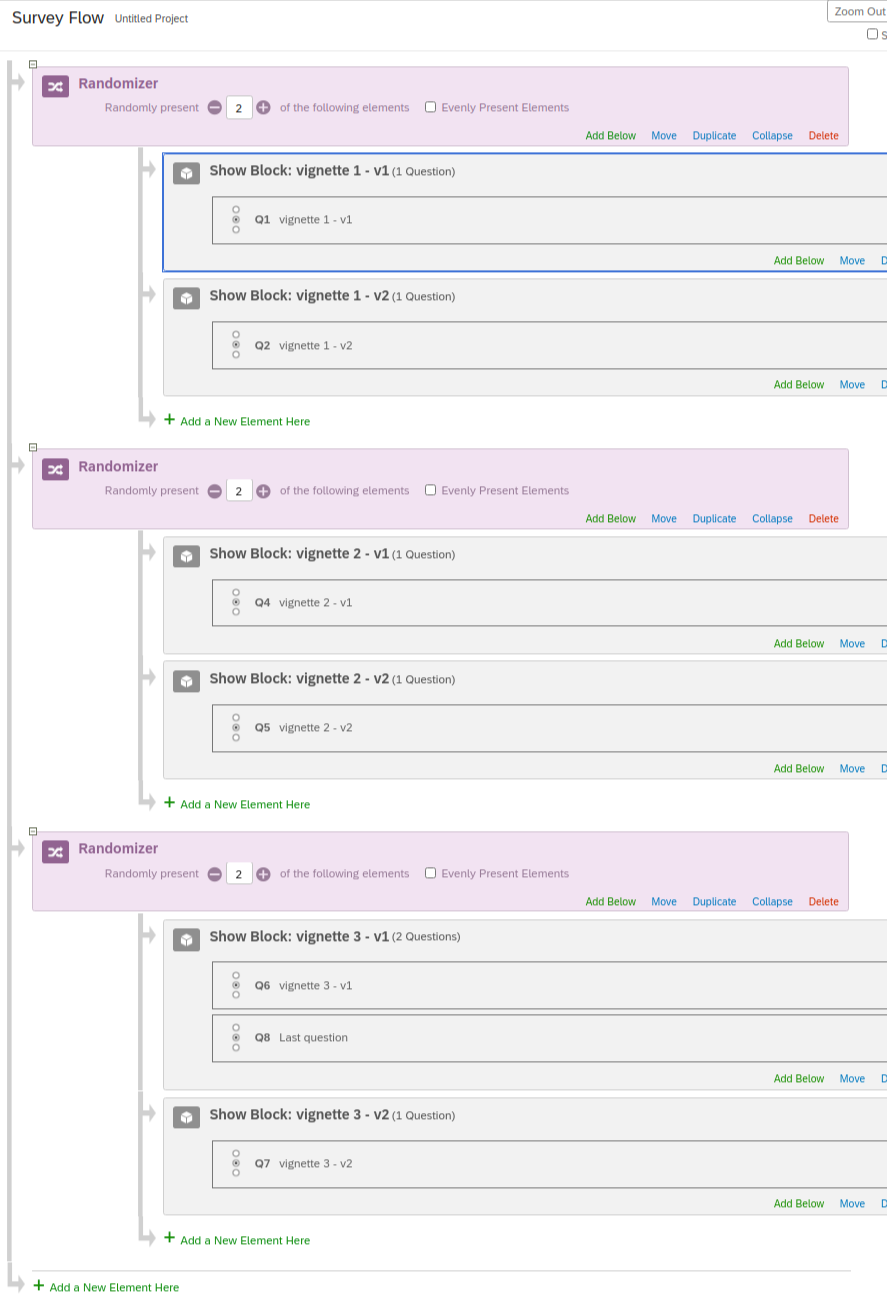
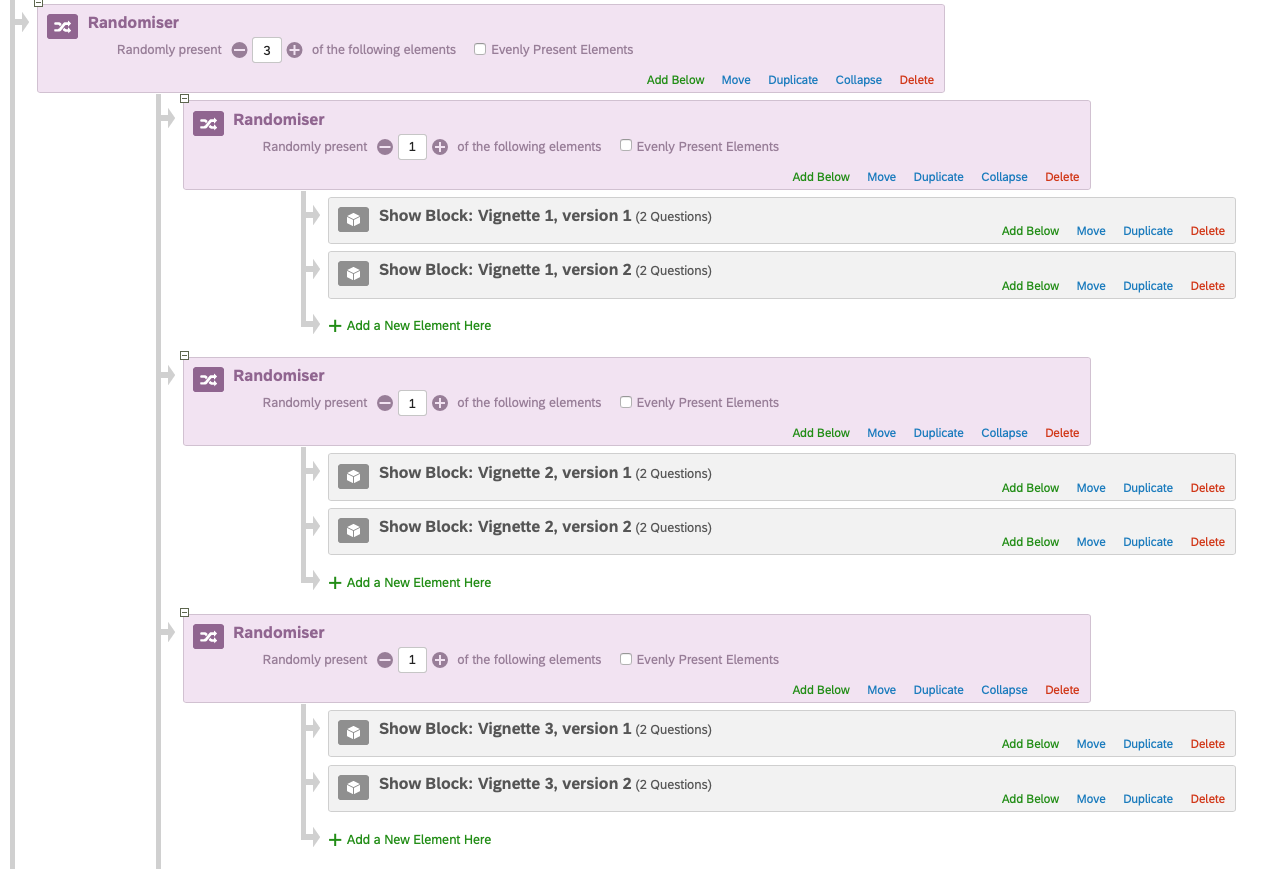
I have a question I couldn't find an answer to on the forum. I am working on survey where we have tre different vignettes that are shown to respondents in random order. Each vignette comes in two different versions and each respondent sees one of these versions (lets call them version 1 and 2).
So it looks something like this:
Vignette 1 (version 1 and 2)
Vignette 2 (version 1 and 2)
Vignette 3 (version 1 and 2)
So, one respondent may get: Vignette 3 (version 1), vignette 1 (version 2) and vignette 2 (version 1), while another gets vignette 1 (v2), vignette 3 (v2) and v2 (v2).
After seen the last vignette, I want to show a question to the respondent only if she got version 1 of this vignette. It dosen't matter if vignette 1, 2 or 3 is the last one - the question should appear no matter what. It also dosen't matter which versions of the vignette the respondent has seen prior to the last one - but I only what the question to appear after the last one.
I know my description is a bit confusion, but I hope you understand my problem.

Question after randomization
Best answer by ahmedA
Okay. So your question is actually related to tracking the last item displayed, rather than the versions.
Place all your blocks in different groups, in each group set a value of some embedded data. Then use this to display the question. Something like this: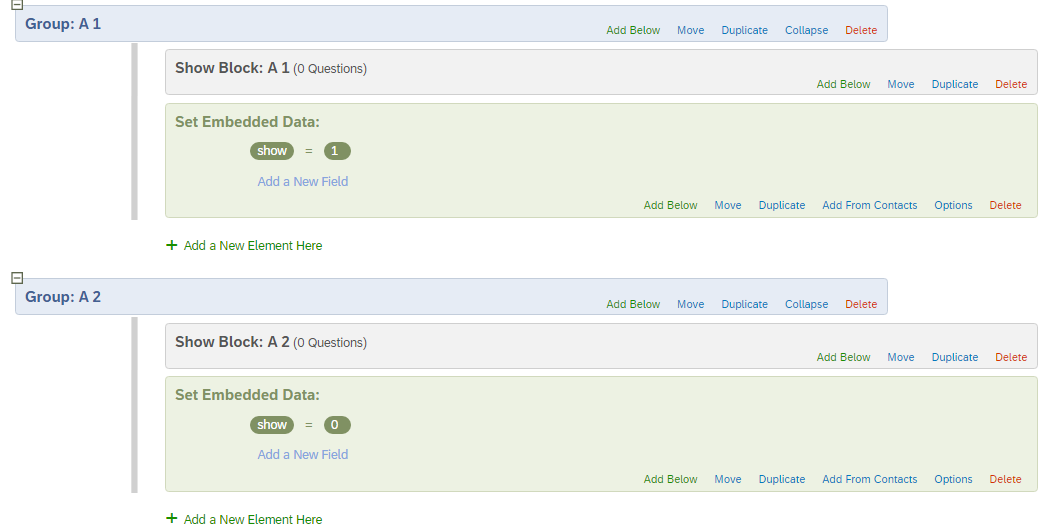 If the last vignette is version 1, show will have a value of 1, else 0.





Sign up
Already have an account? Login

Welcome! To join the Qualtrics Experience Community, log in with your existing Qualtrics credentials below.
Confirm your username, share a bit about yourself, then you're ready to explore and connect .
Free trial account? No problem. Log in with your trial credentials to join.
No free trial account? No problem! Register here
Already a member? Hi and welcome back! We're glad you're here 🙂
You will see the Qualtrics login page briefly before being taken to the Experience Community.
Login with Qualtrics
Welcome! To join the Qualtrics Experience Community, log in with your existing Qualtrics credentials below.
Confirm your username, share a bit about yourself, then you're ready to explore and connect .
Free trial account? No problem. Log in with your trial credentials to join. No free trial account? No problem! Register here
Already a member? Hi and welcome back! We're glad you're here 🙂
You will see the Qualtrics login page briefly before being taken to the Experience Community.
Login to the Community
No account yet? Create an account
Welcome! To join the Qualtrics Experience Community, log in with your existing Qualtrics credentials below.
Confirm your username, share a bit about yourself, then you're ready to explore and connect .
Free trial account? No problem. Log in with your trial credentials to join.
No free trial account? No problem! Register here
Already a member? Hi and welcome back! We're glad you're here 🙂
You will see the Qualtrics login page briefly before being taken to the Experience Community.
Login with Qualtrics
Welcome! To join the Qualtrics Experience Community, log in with your existing Qualtrics credentials below.
Confirm your username, share a bit about yourself, then you're ready to explore and connect .
Free trial account? No problem. Log in with your trial credentials to join. No free trial account? No problem! Register here
Already a member? Hi and welcome back! We're glad you're here 🙂
You will see the Qualtrics login page briefly before being taken to the Experience Community.
Enter your E-mail address. We'll send you an e-mail with instructions to reset your password.