How to fire custom JavaScript on Guided Intercept display and accept events? | Experience Community
Skip to main content
Solved

How to fire custom JavaScript on Guided Intercept display and accept events?

  • February 20, 2026
  • 3 replies
  • 30 views

Forum|alt.badge.img+1

Hi Everyone,
                                                                                                                                                                                   
We're planning to use a Guided Intercept with an invitation screen ("Display survey directly in the dialog" disabled). We need to fire custom JavaScript when:                                     

  1. The invitation screen is displayed to the user     
  2.  The user clicks accept to start the survey                                                                                                                                                

This is for sending tracking events to Adobe Analytics via our tag manager (Tealium). Specifically, we want to track "survey seen" and "survey started" as separate AA events when the invitation is shown and accepted respectively.
 

We looked for Action Sets or JavaScript hooks in the Guided Intercept editor but couldn't find any options to attach custom JavaScript to these intercept events.

 
So wanted to check — does Qualtrics expose any JavaScript events or callbacks on the host page when a Guided Intercept is displayed or accepted? (e.g., QSI API events or DOM events we can listen for)

 
We'd like to avoid switching to a Code-Based Intercept since we'd have to rebuild the entire invitation UI and dismiss behavior.

 
Thank you for helping with this.
Best answer by jake_dufinetz

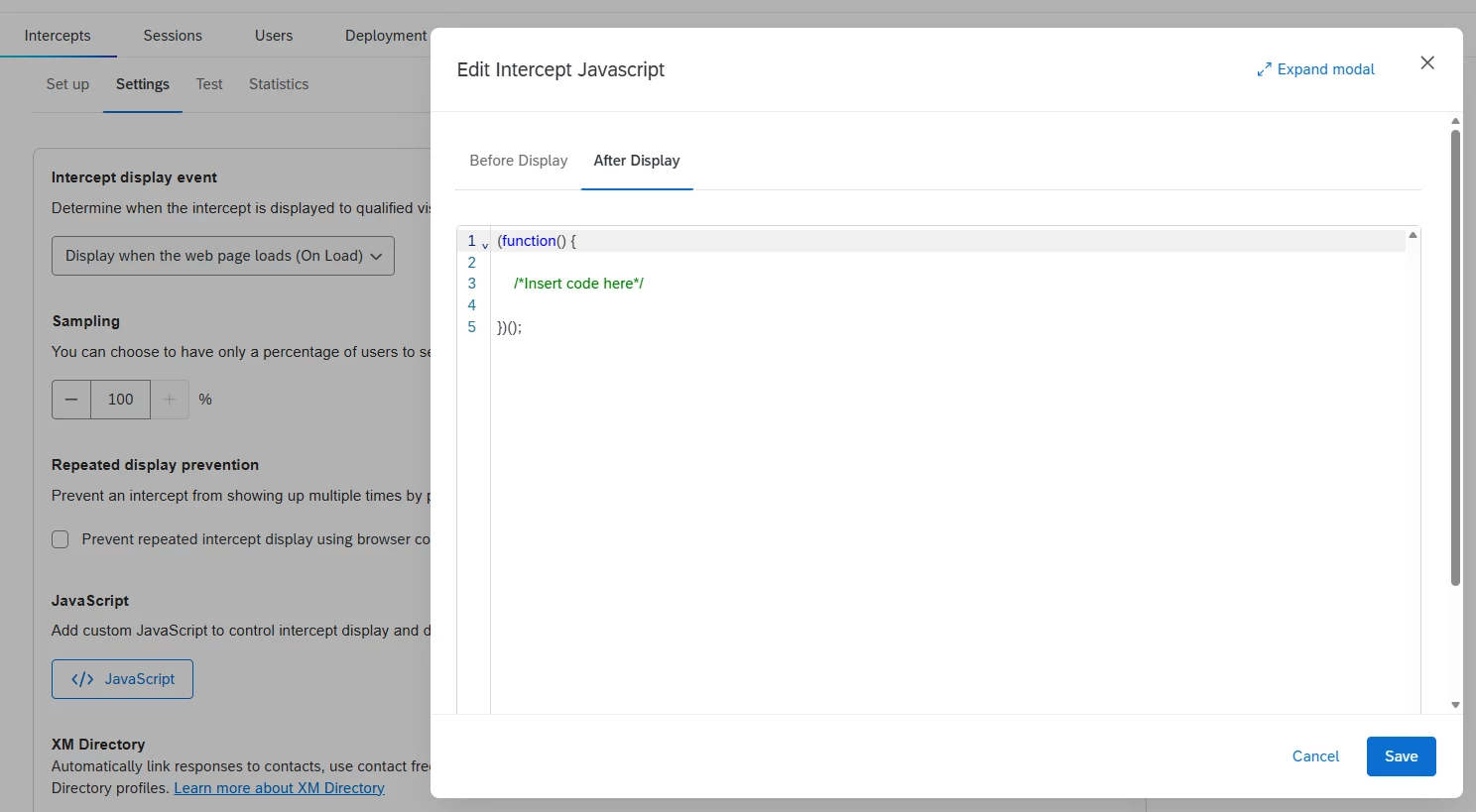
Hi ​@Vinay Kumar - You can add custom JavaScript to fire upon the intercept being displayed to the user with guided intercepts. See the option below under Intercepts > Settings > JavaScript > After Display.


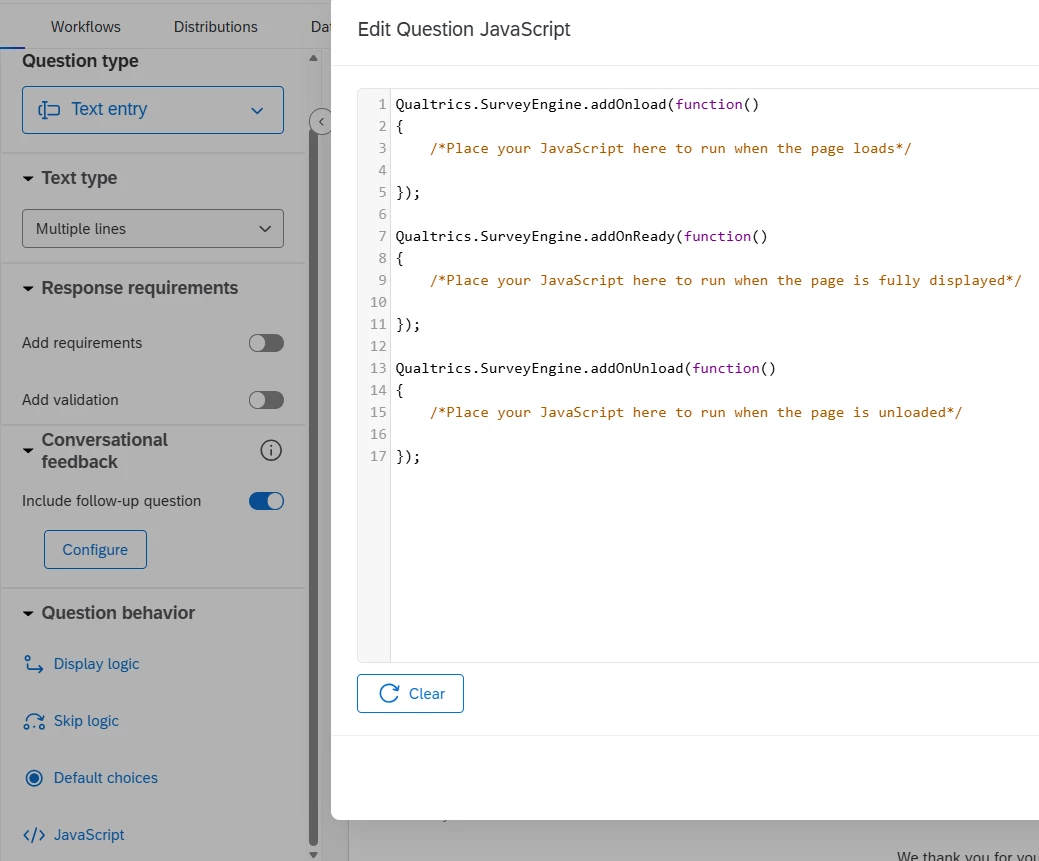
For JavaScript to run upon the survey being displayed, you can insert this JavaScript in the first displayed question of your survey, or the header of your survey.


3 replies

Forum|alt.badge.img+8
  • QPN Level 4 ●●●●
  • Answer
  • February 23, 2026

Hi ​@Vinay Kumar - You can add custom JavaScript to fire upon the intercept being displayed to the user with guided intercepts. See the option below under Intercepts > Settings > JavaScript > After Display.


For JavaScript to run upon the survey being displayed, you can insert this JavaScript in the first displayed question of your survey, or the header of your survey.


Forum|alt.badge.img+1
  • Author
  • Level 1 ●
  • February 25, 2026

Thanks ​@jake_dufinetz , looks like the JavaScript > After Display is disabled for our qualtrics instance. So was confused about this.

I got the idea now. Thanks for helping with this. 


Forum|alt.badge.img+8
  • QPN Level 4 ●●●●
  • February 25, 2026

Great, glad that works ​@Vinay Kumar! You should be able to request the feature be enabled with Q Support or your Qualtrics account team. If you could mark my reply as the thread answer that would be appreciated.