



Dear Qualtrics community,
I am running a longitudinal study for my PhD where participants need to complete questionnaires at three different timepoints and it is important that I am able to link responses from the same participant. If possible, I would like to pseudonymise the data from the start, without storing any responses related to the research-related questions in the same survey as the email addresses. The set-up that I have in mind is the following:
- Potential participants receive a general, non-personalised link to a sign-up form for the study (only questions on informed consent and email address). This is sent to them by their healthcare institution.
- If participants complete the sign-up form, a unique study identifier is created for them, they are added to a dedicated contact list for the study, and they immediately receive a personalised link to survey 1 of the study via email.
- If participants complete survey 1, they automatically receive an email invitation with a personalised link to survey 2, 16 weeks after they completed survey 1.
- If participants complete survey 2, they automatically receive an email invitation with a personalised link to survey 3, 52 weeks after they completed survey 2.
All responses to surveys 1, 2 and 3 should only be stored with the ParticipantID and not with the email address. Our Ethics Committee also asked us not to collect any IP addresses or location data, so I am using the “anonymise responses” setting in all surveys.
Steps 1 and 2 are working well for me - I have created an embedded data field for the ParticipantID in the sign-up form and created a workflow with an “XM Directory” task to add a contact with the ParticipantID and the email address to my contact list and a Send a survey via email task where I am using the previous XM Directory task as the source for the Send to field. I have added the ParticipantID as an embedded data field in survey 1 and when I test it, I can see the same ParticipantID in the sign-up form, contact list and survey 1 response, and the survey 1 response does not contain the email address.
However, I am struggling with steps 3 and 4. I have tried creating workflows for surveys 1 and 2, but since the sending of the subsequent surveys is supposed to be triggered by the previous surveys and not by completing the sign-up form, I cannot use the XM Directory task from the sign-up form as a source for the “Send to” field of the “Send a survey via email” task. I have tried using piped text and “Single contact from a list” as a source, but I did not find a way to locate the contact based on my ParticipantID. I have also tried adding an “Update XM Directory Contacts” task first, so that I can use it as a source, but it only creates a duplicate contact with the same ParticipantID. It shows this notification:
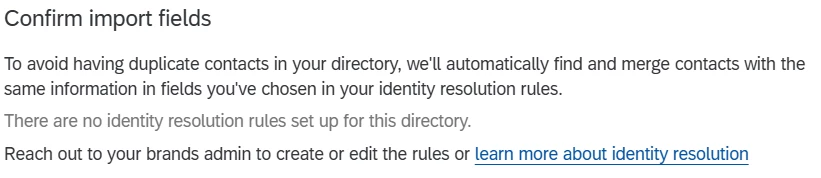
which links to this page: Merging Duplicate Contacts in XM Directory - Qualtrics, but my Directories page does not show the “Directory settings” tab and my brand admin told me that they are also not able to access this setting.
I would be very grateful for any advice you can give on how to achieve what I am trying to do! Maybe there is also a completely different approach that I just did not think of yet - it is my first time using Qualtrics.
Best wishes and thank you in advance!
Johanna
