


Hi all,
I need your help to understand if it is possible to customize "single response report" attached to an email task, especially the graphic appearance. Indeed, the graphic of the automatically generated report is not so clear and pleasant.
Moreover, the report shows only the answer selected by the respondent, instead of all the possible answer option along with the selected one. A user who receives the email alert, may not remember all the possible answer options and the selected one is not totally informative about the respondent's opinion.
In short, I'm asking if there is a way to obtain a look-like report of the legacy feature, that it is exactly what we need. Since this feature will be deprecated by February 18, I'm searching for any solution, even extremly custom.
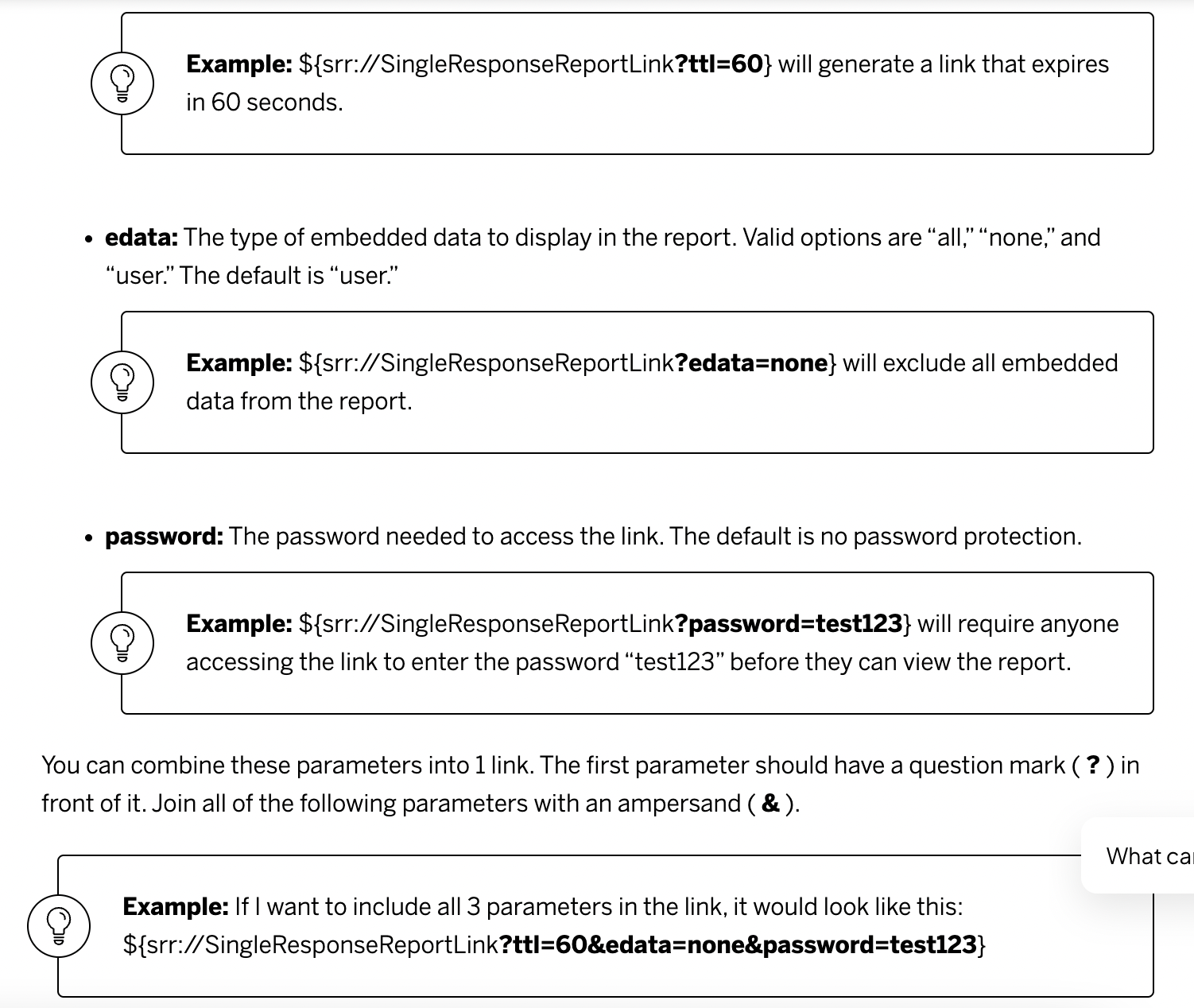
I evaluated the possibility to do something similar with "paginated report / advanced report" or through a dashboard. I perfectly know that these features were born to aggregate results, but I'm trying to explore all the possibilities. Anyway, I can't figure out how to set reports to show dynamically only one response, generate an url and insert it in the email task.
Thanks for your help

Email Task - Custom Single Response Report
 +5
+5


Sign up
Already have an account? Login

Welcome! To join the Qualtrics Experience Community, log in with your existing Qualtrics credentials below.
Confirm your username, share a bit about yourself, then you're ready to explore and connect .
Free trial account? No problem. Log in with your trial credentials to join.
No free trial account? No problem! Register here
Already a member? Hi and welcome back! We're glad you're here 🙂
You will see the Qualtrics login page briefly before being taken to the Experience Community.
Login with Qualtrics
Welcome! To join the Qualtrics Experience Community, log in with your existing Qualtrics credentials below.
Confirm your username, share a bit about yourself, then you're ready to explore and connect .
Free trial account? No problem. Log in with your trial credentials to join. No free trial account? No problem! Register here
Already a member? Hi and welcome back! We're glad you're here 🙂
You will see the Qualtrics login page briefly before being taken to the Experience Community.
Login to the Community
Welcome! To join the Qualtrics Experience Community, log in with your existing Qualtrics credentials below.
Confirm your username, share a bit about yourself, then you're ready to explore and connect .
Free trial account? No problem. Log in with your trial credentials to join.
No free trial account? No problem! Register here
Already a member? Hi and welcome back! We're glad you're here 🙂
You will see the Qualtrics login page briefly before being taken to the Experience Community.
Login with Qualtrics
Welcome! To join the Qualtrics Experience Community, log in with your existing Qualtrics credentials below.
Confirm your username, share a bit about yourself, then you're ready to explore and connect .
Free trial account? No problem. Log in with your trial credentials to join. No free trial account? No problem! Register here
Already a member? Hi and welcome back! We're glad you're here 🙂
You will see the Qualtrics login page briefly before being taken to the Experience Community.
Enter your E-mail address. We'll send you an e-mail with instructions to reset your password.