

I am attempting to pull data from a first survey (T1) into a second survey (T2) using the Qualtrics XM Support tutorial https://www.qualtrics.com/support/survey-platform/common-use-cases-rc/pulling-data-into-a-second-survey-longitudinal-surveys/
According to the above tutorial, this can be accomplished by creating a new contact list, and adding an external embedded data field containing a Login ID (created with Survey Flow). Thereafter, one can add or remove embedded data fields using the survey responses for the first survey (T1).
Following step 31 in the tutorial, I should be able to save the changes made to the XM Directory. Instead, the save button is disabled. If hovered over, a gray symbol appears that indicates I am not able to save the changes. 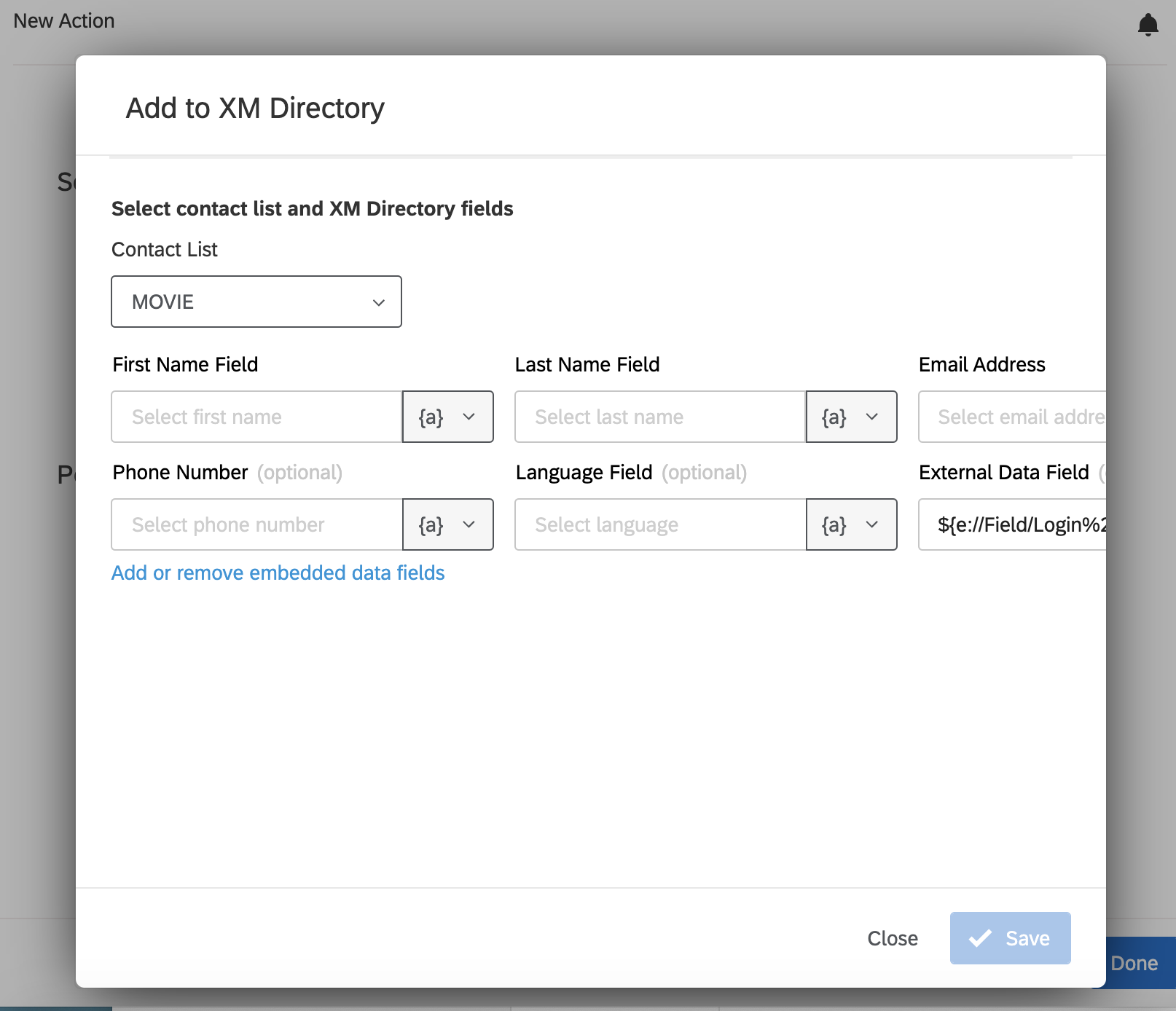 How can I solve this problem?

Why am I unable to save items added to XM Directory?
Best answer by TomG
First name, Last name, and Email address are required.



Sign up
Already have an account? Login

Welcome! To join the Qualtrics Experience Community, log in with your existing Qualtrics credentials below.
Confirm your username, share a bit about yourself, then you're ready to explore and connect .
Free trial account? No problem. Log in with your trial credentials to join.
No free trial account? No problem! Register here
Already a member? Hi and welcome back! We're glad you're here 🙂
You will see the Qualtrics login page briefly before being taken to the Experience Community.
Login with Qualtrics
Welcome! To join the Qualtrics Experience Community, log in with your existing Qualtrics credentials below.
Confirm your username, share a bit about yourself, then you're ready to explore and connect .
Free trial account? No problem. Log in with your trial credentials to join. No free trial account? No problem! Register here
Already a member? Hi and welcome back! We're glad you're here 🙂
You will see the Qualtrics login page briefly before being taken to the Experience Community.
Login to the Community
No account yet? Create an account
Welcome! To join the Qualtrics Experience Community, log in with your existing Qualtrics credentials below.
Confirm your username, share a bit about yourself, then you're ready to explore and connect .
Free trial account? No problem. Log in with your trial credentials to join.
No free trial account? No problem! Register here
Already a member? Hi and welcome back! We're glad you're here 🙂
You will see the Qualtrics login page briefly before being taken to the Experience Community.
Login with Qualtrics
Welcome! To join the Qualtrics Experience Community, log in with your existing Qualtrics credentials below.
Confirm your username, share a bit about yourself, then you're ready to explore and connect .
Free trial account? No problem. Log in with your trial credentials to join. No free trial account? No problem! Register here
Already a member? Hi and welcome back! We're glad you're here 🙂
You will see the Qualtrics login page briefly before being taken to the Experience Community.
Enter your E-mail address. We'll send you an e-mail with instructions to reset your password.