Cannot get javascript to write to embedded data no matter what I try | Experience Community
Skip to main content
Question

Cannot get javascript to write to embedded data no matter what I try

  • August 27, 2026
  • 3 replies
  • 24 views

Forum|alt.badge.img+3

I just spent like 8 hours trying to figure out how to get javascript to write to embedded data, and I’ve so far completely failed. A full work day, on one small task. I used to do this all the time before they changed everything, and now that they did, nothing works. 

Qualtrics.SurveyEngine.setJSEmbeddedData - doesn’t work 

Qualtrics.SurveyEngine.setEmbeddedData - doesn’t work 


Does anyone know how to do this, or did they just break this permanently? 

3 replies

Forum|alt.badge.img+1

I use Qualtrics.SurveyEngine.setJSEmbeddedData(‘varName’,value) and the variable in the survey flow is __js_varName.


Romanoman
Level 5 ●●●●●
Forum|alt.badge.img+13
  • Level 5 ●●●●●
  • August 28, 2026

They very likely did not. I had to retry some of my older javascripts, but for me, both getJSEmbeddedData and setJSEmbeddedData work. The original “setEmbeddedData” is not really working, claiming it is deprecated.

The question is what do you do with them instead. I now spent almost half an hour trying to make sure I can show a value I set with the setJSEmbeddedData function in a question after which I set it, just to find out I can reference it easily with the js prefix zzhelyazkov mentioned in the first reply:

${e://Field/__js_EMBEDDED_FIELD_NAME}

where EMBEDDED_FIELD_NAME is the name of the embedded data.

Showing it was quite a pain as there really seem to be a different space for the JS and the regular ones, so for reading the non-JS ones, I had to use the piped text, and for showing it, also the piped text using the prefix as shown above.


arunxmarchitect
Level 4 ●●●●
Forum|alt.badge.img+8
  • Level 4 ●●●●
  • August 28, 2026

@twray 


Make sure the Embedded Data field is declared in the Survey Flow.

In this example, I’m trying to set the Embedded Data field Region using JavaScript.

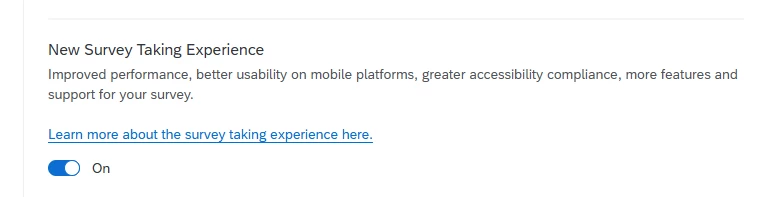
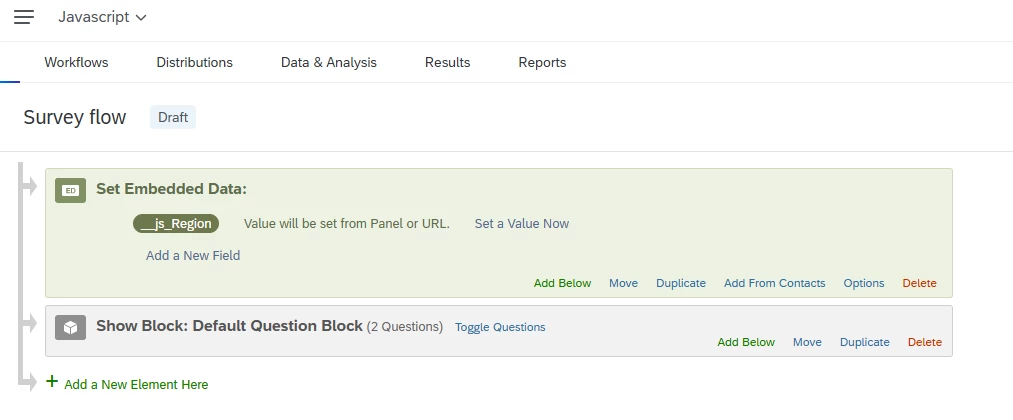
  1. Declare the Embedded Data field in the Survey Flow. Note: I’ve enabled the New Survey Taking Experience 

    I declared __js_Region as an Embedded Data field.

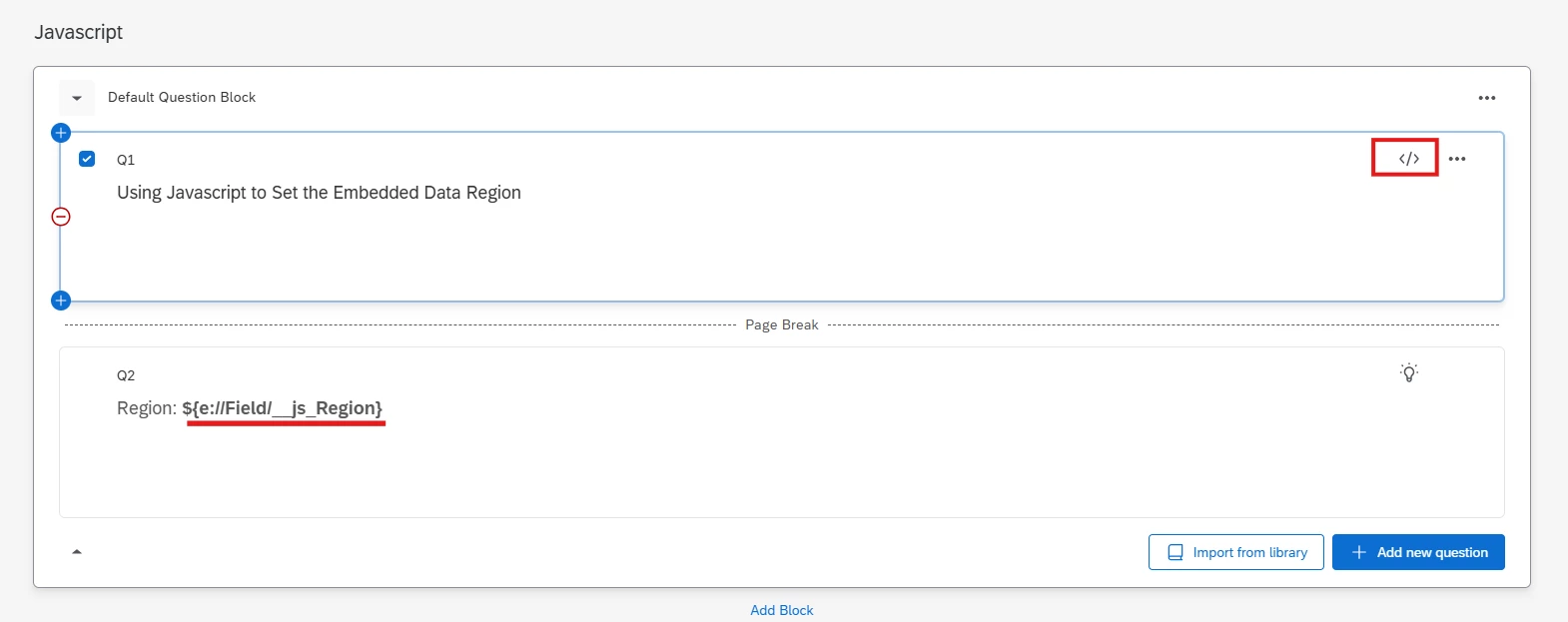
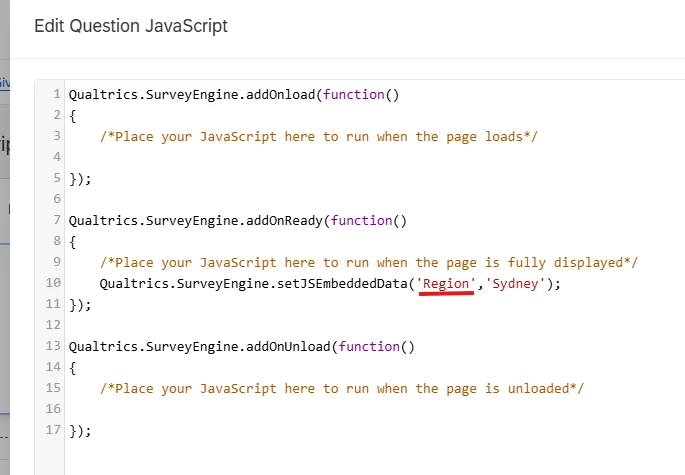
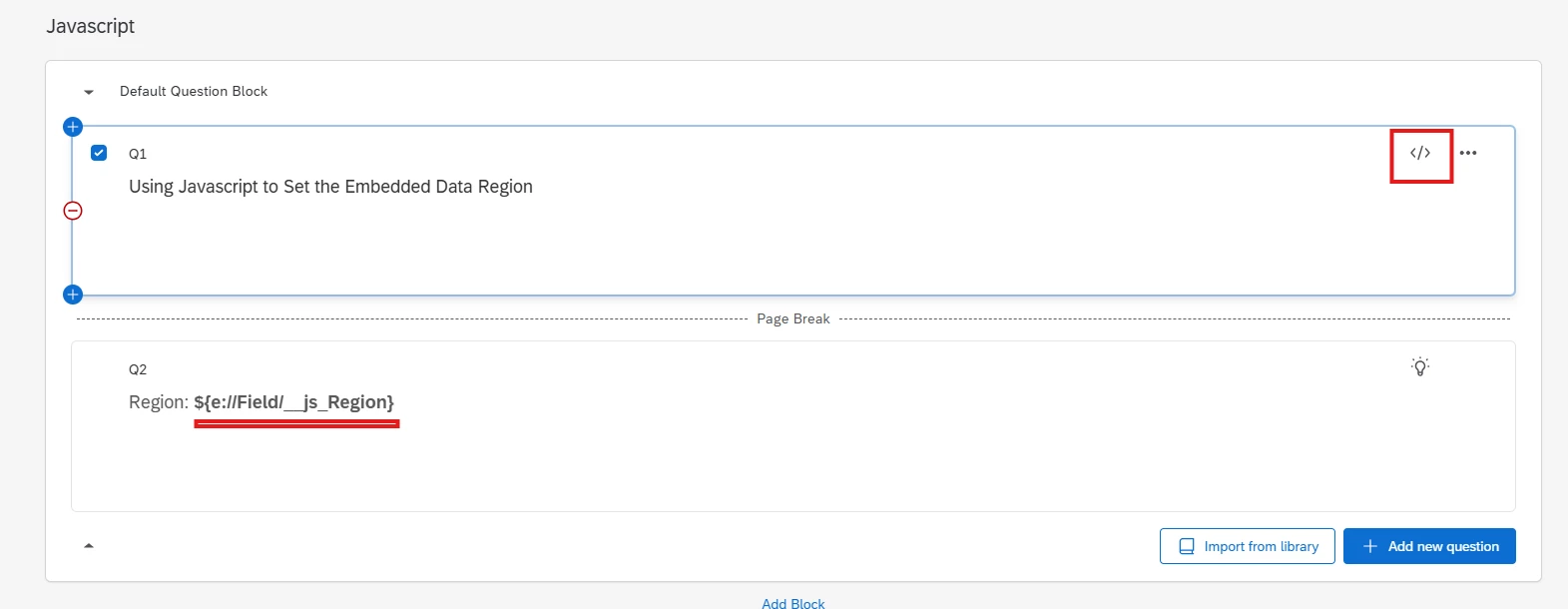
  2. Added the JavaScript to Q1. 

    1. Qualtrics.SurveyEngine.setJSEmbeddedData('Region','Sydney');

      The important part with the JavaScript is:

      Use the Embedded Data field name without the __js_ prefix when setting it in JavaScript.

      So if your Survey Flow declares:

      __js_Region

      Your JavaScript should set:

      Region

      rather than:

      __js_Region


  3. Pipe the Embedded Data into Q2

    In Q2, pipe in the __js_Region Embedded Data field to verify that the value was set correctly.


Preview: