How to pipe text from loop and merge into highlight question | Experience Community
Skip to main content
Solved

How to pipe text from loop and merge into highlight question

  • Oct 27, 2023 9:56 PM UTC
  • 3 replies
  • 185 views

Forum|alt.badge.img+1

I’m hoping someone can help me fix this problem. I have hundreds of text excerpts that I would like to present to participants in the highlight question type, so they can highlight parts of the text that seem warm vs. not warm.
 

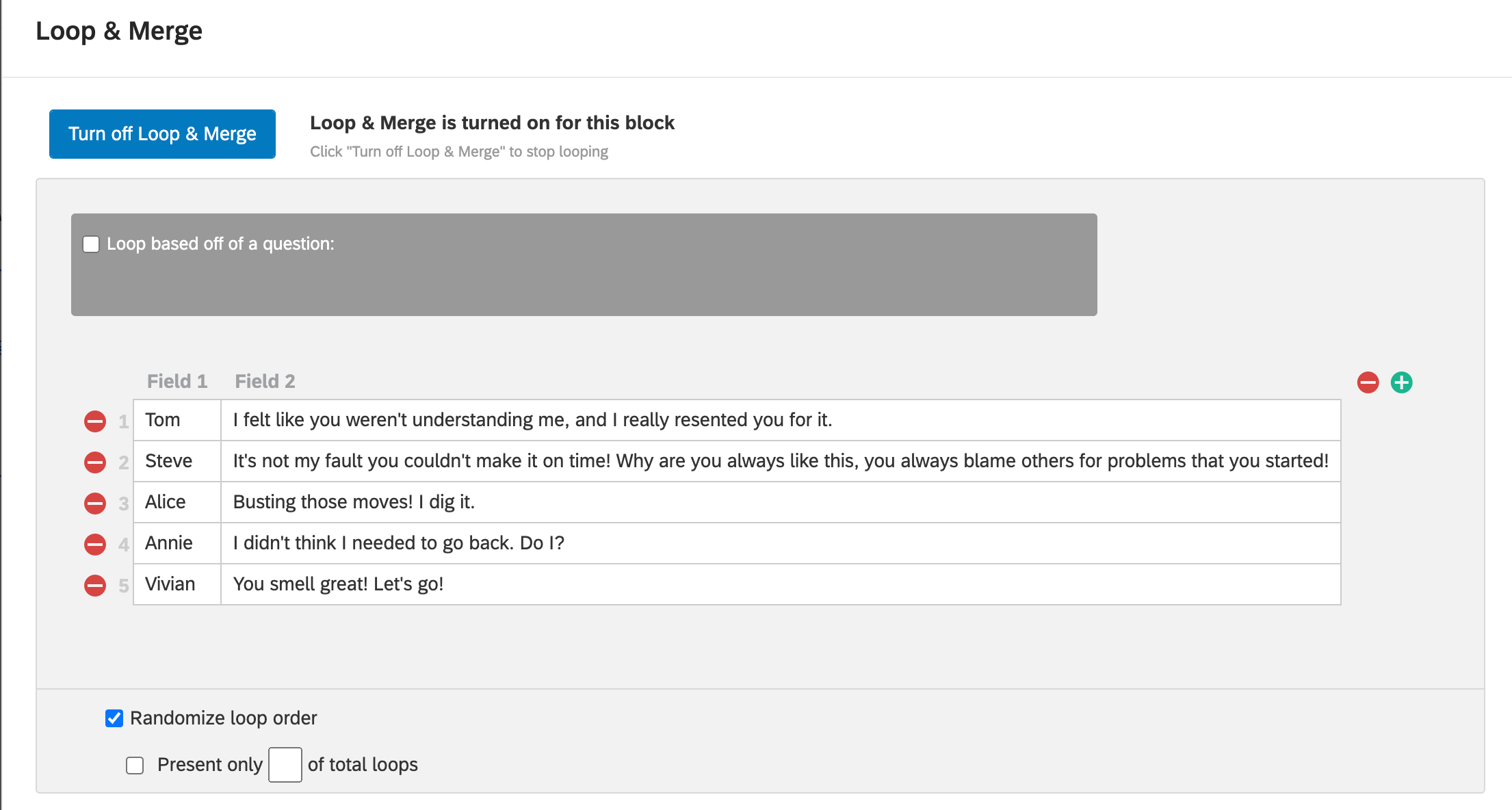
I pasted the different text into the loop and merge field (toy data for example):
 

I added this bit of JS code to the block: 

Qualtrics.SurveyEngine.addOnload(

function () {

var words = "${lm://Field/2}".split(" ");

jQuery("#"+this.questionId+" .HLTextWord").each(function(i) {

jQuery(this).text(words[i]);


});

}

);

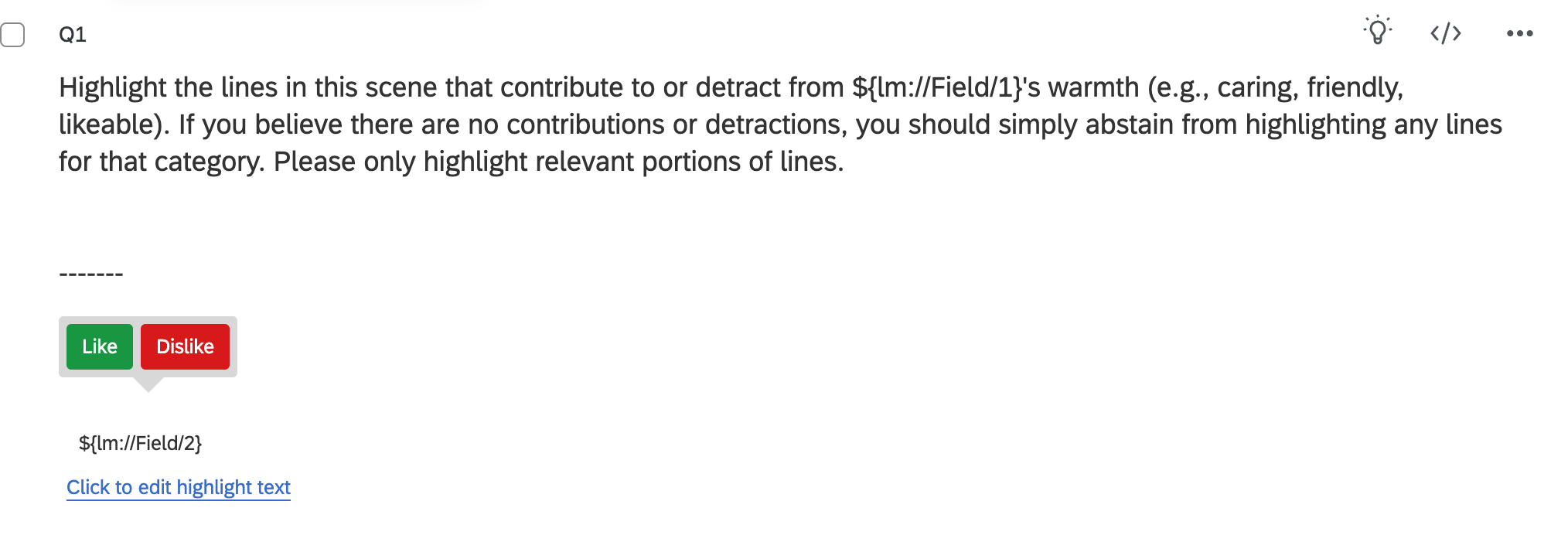
And then I entered ${lm://Field/2} into the “edit highlight text section”:
 

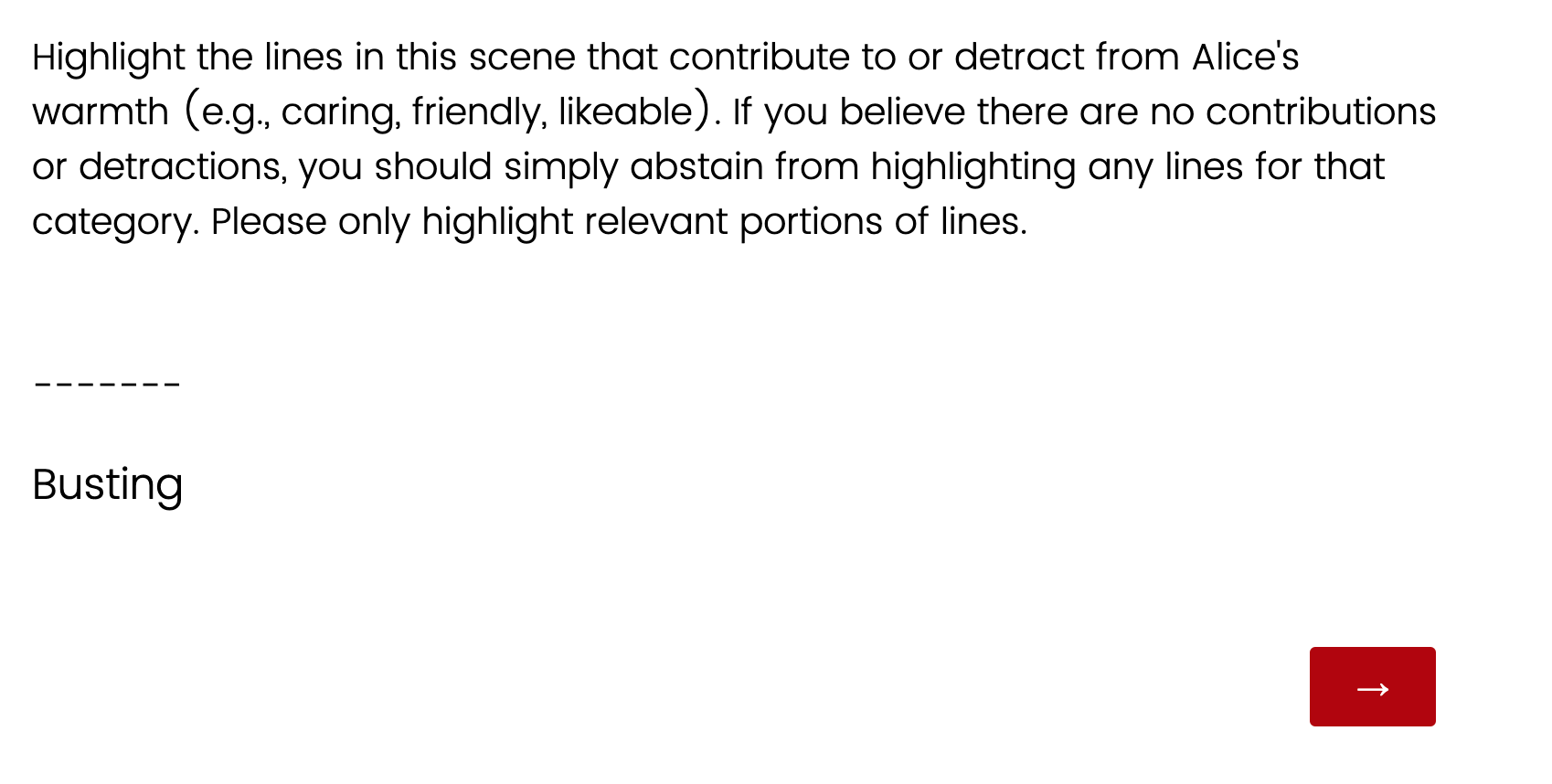
But when I preview the question, only the first word of Field 2 appears:
 

How do I get the text to pipe properly with each word as it’s own highlightable section? I’m not very familiar with JavaScript so I’d appreciate that if I needed to change my code that someone could help me identify those exact changes. Thank you!

Best answer by Nam Nguyen

@rondalo I can see what you’re trying to do following previous thread. However, you don’t get the full picture of this. Your code should look like this:

Qualtrics.SurveyEngine.addOnload(function () {
var words = "${lm://Field/2}".split(" ");
jQuery("#"+this.questionId+" .HLTextWord").each(function(i) {
if(i < words.length) jQuery(this).text(words[i]);
else jQuery(this).hide();
});
});

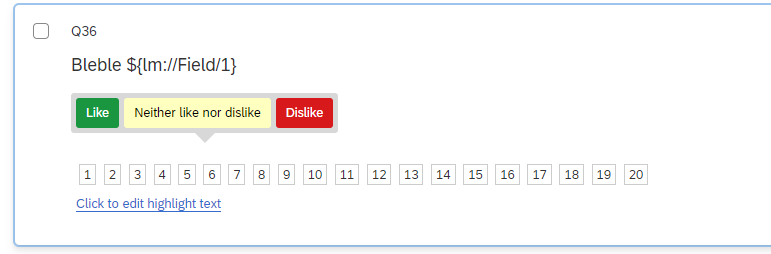
In the question, you have to set this up as container to hold your text (the number should cover the longest number of words in your sentences)

Hope this helps

View original

3 replies

Nam Nguyen
QPN Level 8 ●●●●●●●●
Forum|alt.badge.img+29
  • QPN Level 8 ●●●●●●●●
  • Answer
  • Oct 28, 2023 11:11 AM UTC

@rondalo I can see what you’re trying to do following previous thread. However, you don’t get the full picture of this. Your code should look like this:

Qualtrics.SurveyEngine.addOnload(function () {
var words = "${lm://Field/2}".split(" ");
jQuery("#"+this.questionId+" .HLTextWord").each(function(i) {
if(i < words.length) jQuery(this).text(words[i]);
else jQuery(this).hide();
});
});

In the question, you have to set this up as container to hold your text (the number should cover the longest number of words in your sentences)

Hope this helps


Forum|alt.badge.img+1
  • Author
  • Oct 30, 2023 6:56 AM UTC

@dxconnamnguyen Thank you so much for your help! It worked! 


Nam Nguyen
QPN Level 8 ●●●●●●●●
Forum|alt.badge.img+29
  • QPN Level 8 ●●●●●●●●
  • Oct 30, 2023 7:54 AM UTC

@dxconnamnguyen Thank you so much for your help! It worked! 

@rondalo Happy to help 👍