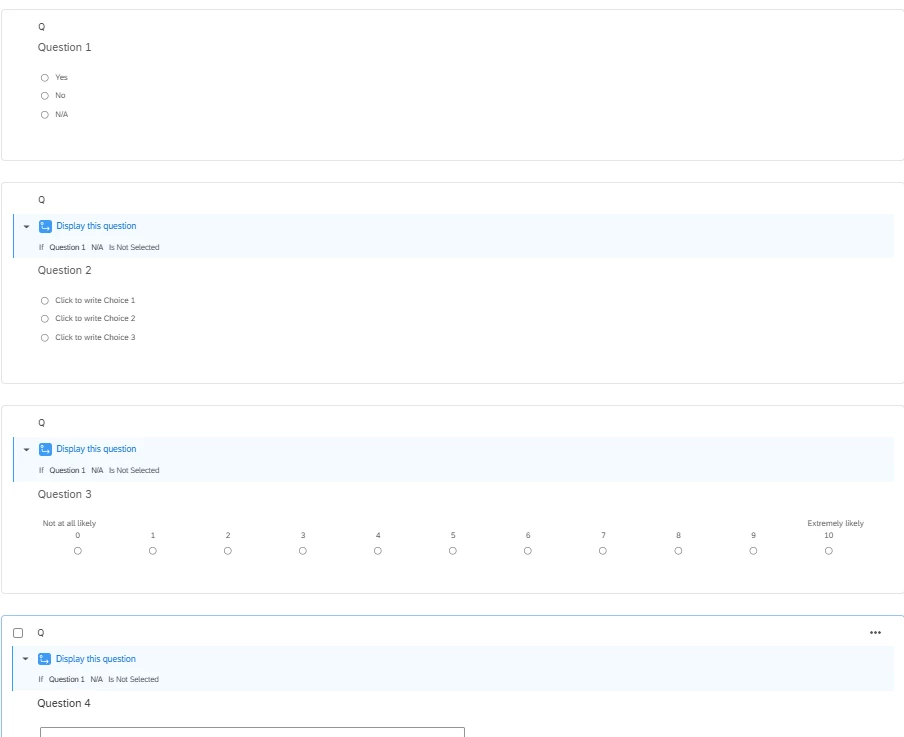
I have 4 Questions that I need all on 1 page, no page breaks.
But Question 1 has an “N/A” as the final multiple choice answer.
If someone answers with “N/A” I need the survey to jump to Question 5, not making the person respond to the others on that page.
I’ve tried “skip logic” & “display logic”...but they’re not working and keeping Questions 1-4 still on the same page…..help me please!
Best answer by omkarkewat
hey @jduncan , you can achieve this by applying in-page display logic on the questions 2, 3, 4 and 5.
Question 1 (no logic.)
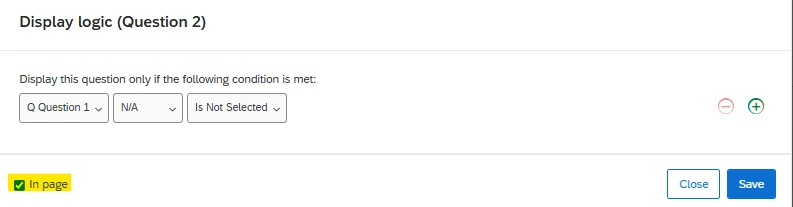
Display Question 2 only when N/A is not selected in Question 1
Display Question 3 only when N/A is not selected in Question 1
Display Question 4 only when N/A is not selected in Question 1
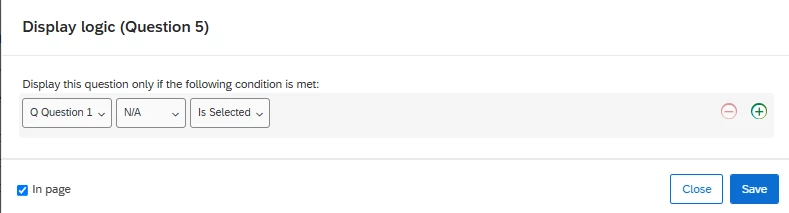
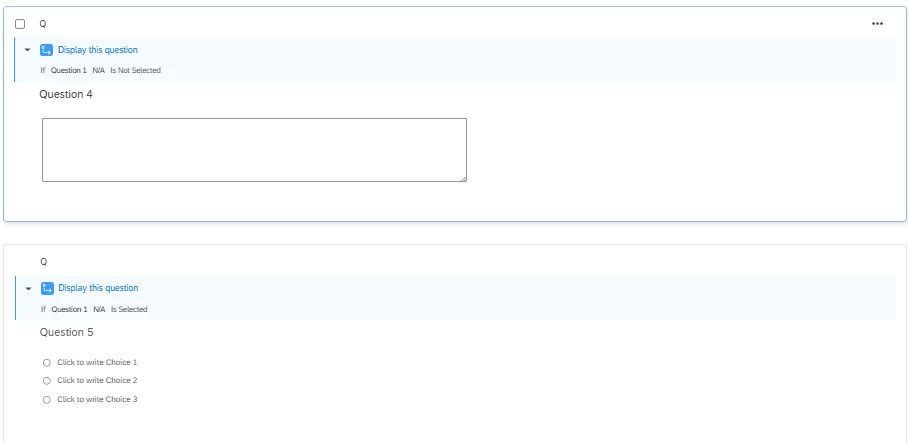
Display Question 5 only when N/A is selected in Question 1
Below is a example snapshot on how the logic will look like -
apply this display logic and select the yellow highlighted checkbox on the questions 2, 3, 4.the logic will be reversed for question 5 (i.e., N/A is selected).
The above setup will - show all the 5 questions on a single page. As soon as the respondent selects N/A option in Q1, question 2, 3 and 4 will disappear and 5 will appear. And if the respondent selects any other option other than N/A, then question 2, 3 and 4 will stay on the page as is and Q5 wont appear.
Let me know if it works or you are expecting something else.
hey @jduncan , you can achieve this by applying in-page display logic on the questions 2, 3, 4 and 5.
Question 1 (no logic.)
Display Question 2 only when N/A is not selected in Question 1
Display Question 3 only when N/A is not selected in Question 1
Display Question 4 only when N/A is not selected in Question 1
Display Question 5 only when N/A is selected in Question 1
Below is a example snapshot on how the logic will look like -
apply this display logic and select the yellow highlighted checkbox on the questions 2, 3, 4.the logic will be reversed for question 5 (i.e., N/A is selected).
The above setup will - show all the 5 questions on a single page. As soon as the respondent selects N/A option in Q1, question 2, 3 and 4 will disappear and 5 will appear. And if the respondent selects any other option other than N/A, then question 2, 3 and 4 will stay on the page as is and Q5 wont appear.
Let me know if it works or you are expecting something else.
@jduncan , with your existing setup, adding a page break for all the questions and with display and the skip logic should solve the problem. Otherwise, you can follow the instructions from @omkarkewat
Thank you both!!! I feel like I am getting closer I followed all the steps you laid out above, but now it is only displaying Question 1 by itself one 1 page. Then the next page has Questions 2,3, and 4 all together. I do have “in page” checked along with the logic.
@jduncan there must be page breaks in between those questions, please check and remove them. if you want, feel free to share snapshots of your setup and i will be happy to help.
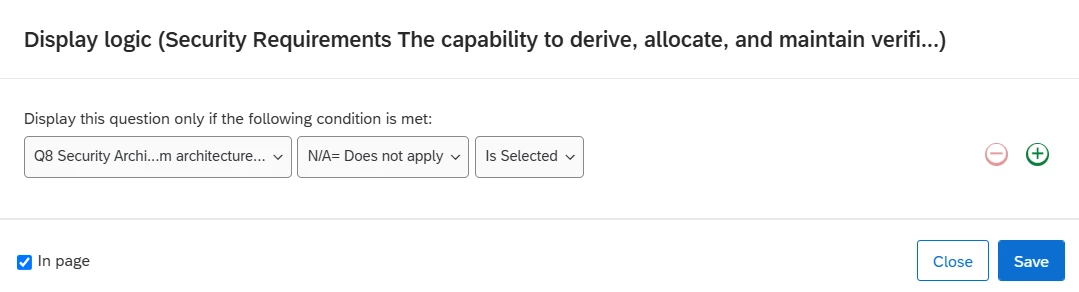
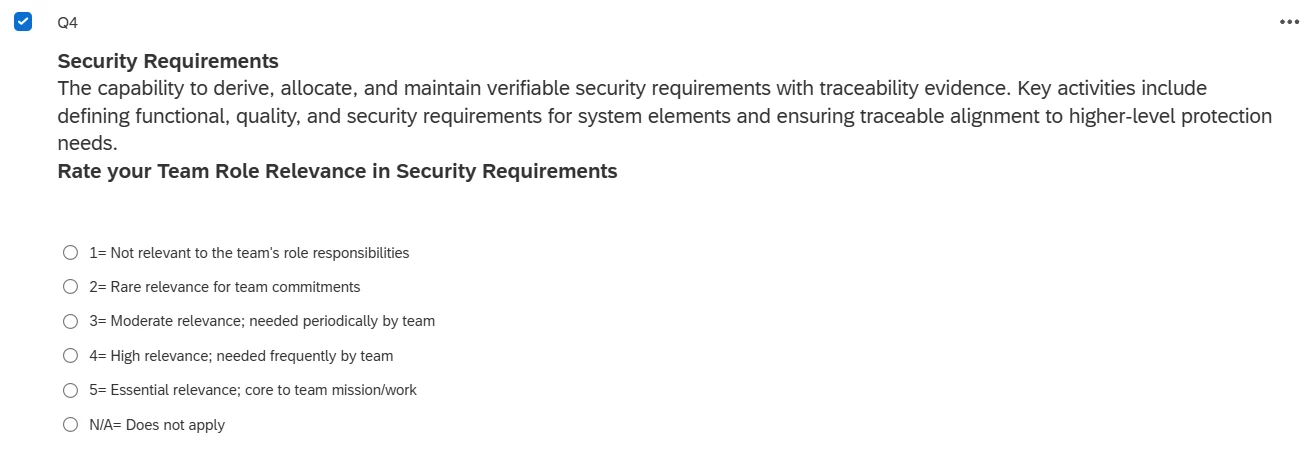
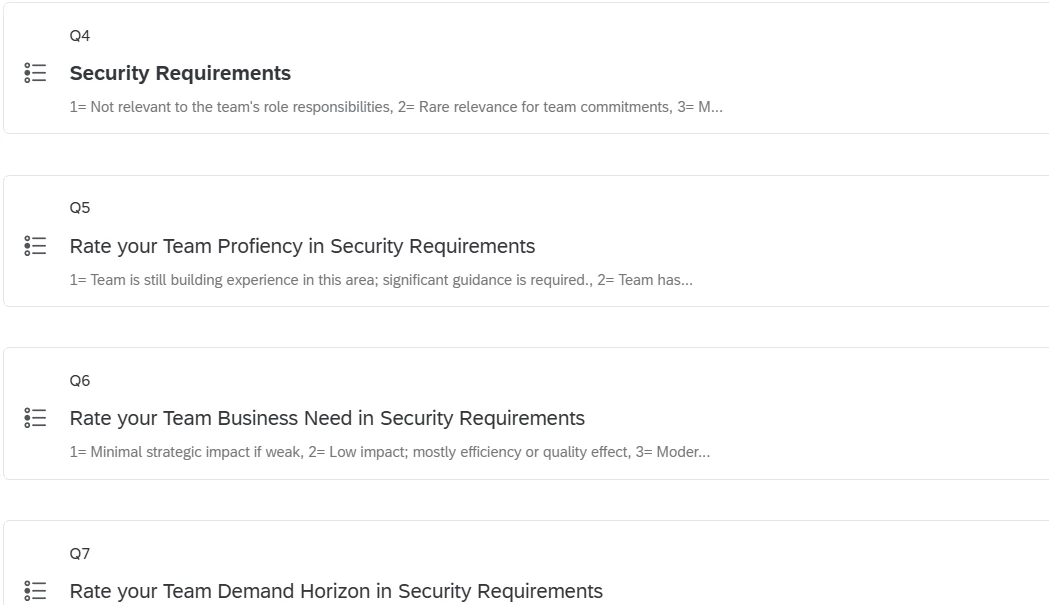
Ok, thanks, I am attaching screen shots, please ignore the question numbers, they’ve changed but the outcome should still be the same. Question 4 has the N/A, then Question 5,6,7 are the next ones “if” N/A is not chosen. It should then go to Question 8, which it does, my only issue is Question 4 - 7 are not on the same page. I did hover in between 4 and 5 to ensure no page break is there and it is not.
@jduncan this looks good. can you share more pics from the rest of your setup. I want to make sure that all your questions (4,5,6,7,8) should be one below another in a linear manner and without any page breaks in between each of it.
something like below -
the above setup has all 5 questions one below another without any page breaks. you can also review the display logic on each of it. also try to have all these 5 Qs in a separate block.
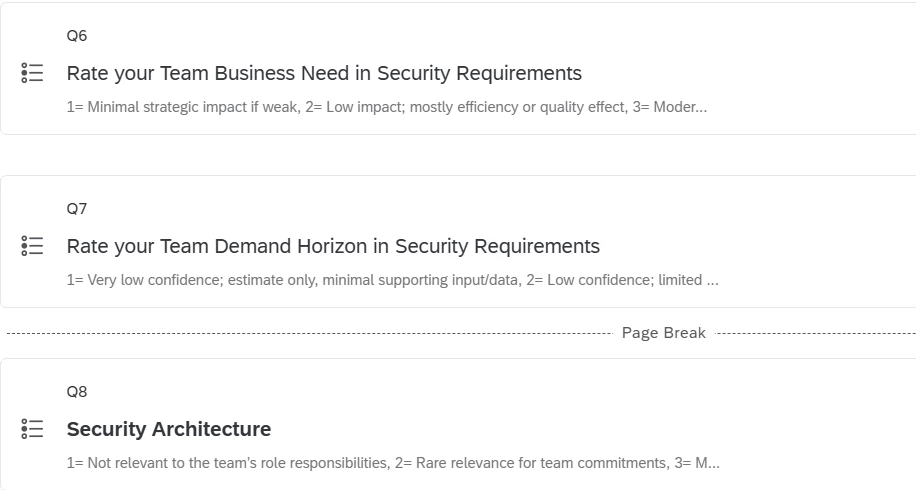
Sure thing, here they are….I couldn’t capture all in one view but I started at the top, 4 through 7, then captured 6, 7, 8 so you could see there’s no page breaks, thanks
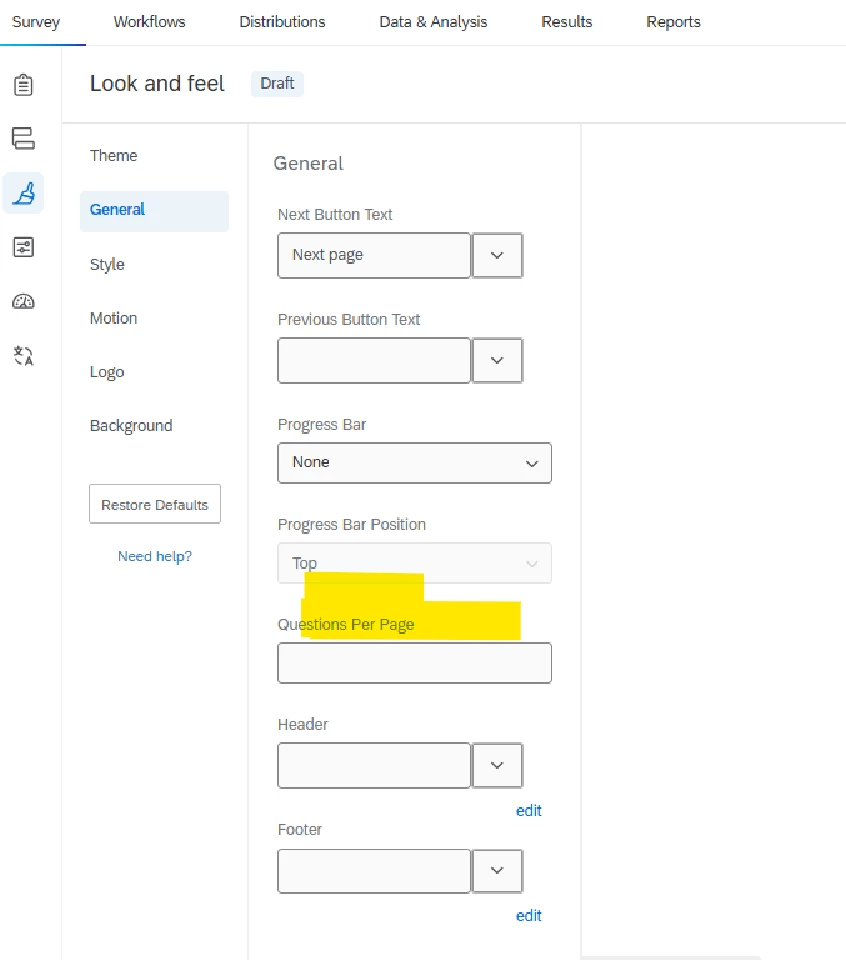
Try double checking to confirm whether you have the survey look and feel settings ‘Questions per page’ set to 1 (see below screenshot). If it is set to 1, then it will force page breaks between all questions.
Also, if you are testing using the survey preview, I recommend re-publishing & re-opening the link at the start of the survey to check whether that solves the issue.