

I have a longitudinal survey that gathers data from over 50 educational institutions. We are in the 5th year of data collection and 2 of the institutions have combined. How do I make a change to an existing survey item (Institution Name) so that people now see their new institution’s name and not the names of the 2 previous institutions without disrupting anything with the survey’s longitudinal data?

Solved
Longitudinal survey with a demographic item that needs to change
Best answer by bgooldfed
Hi
We have a similar behaviour in our surveys, which presents a student with their teacher and unit names for feedback. The solution is very easy; you’ll need to use embedded data to store the correct institution name for each student, and then add that embedded data field to the relevant question.
eg:
- Add a new embedded data field to your survey called institutionName. Leave the value blank, as this will allow it to populate dynamically based on what we do next.
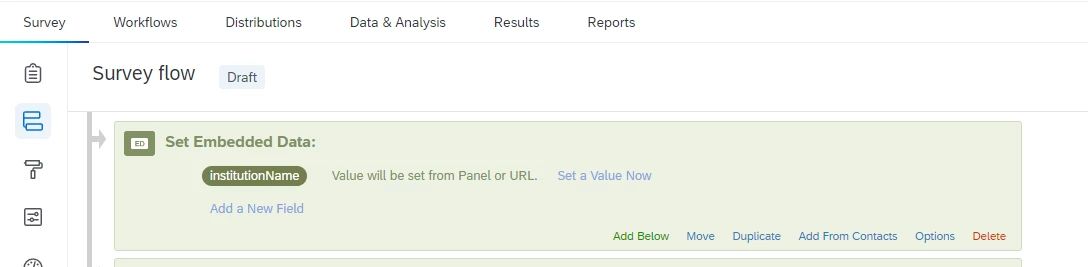
- Add a new column to your population called institutionName, containing the correct values for each participant:
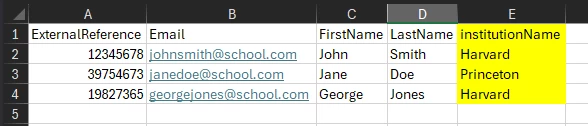
- Upload the file to your mailing list to update it with the new data
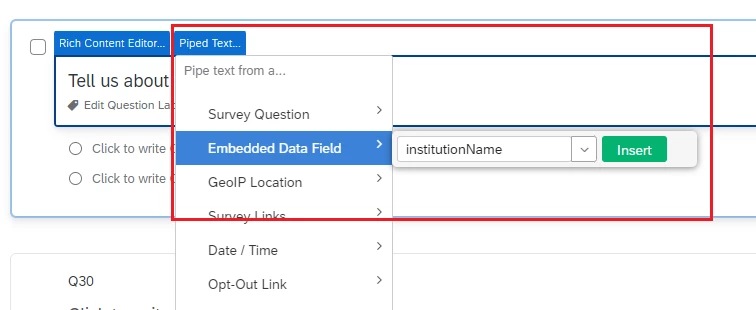
- Adjust the survey question to pipe in the institutionName field:
- Test and publish your survey
With that done, the survey should now present whatever you’ve specified for institutionName to each participant.
eg: for John Smith
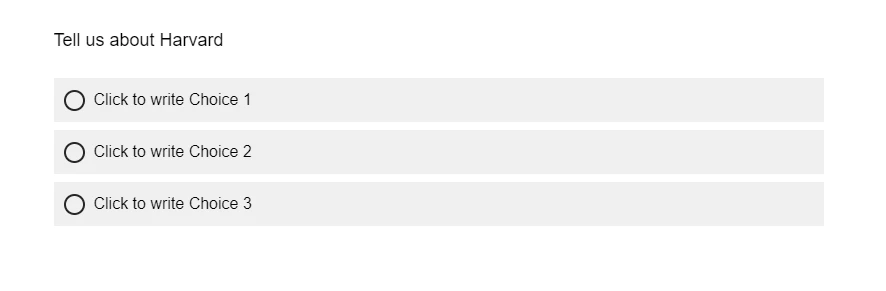
eg: for Jane Doe
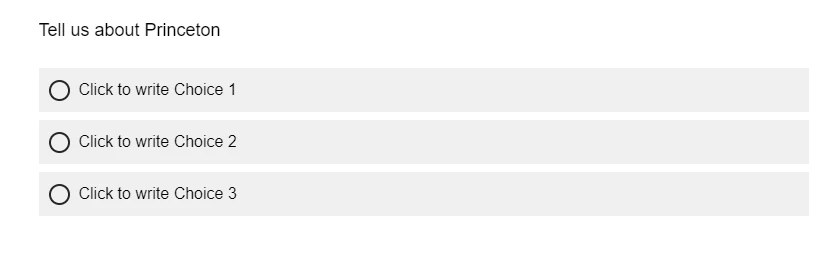
I hope that helps!







Sign up
Already have an account? Login

Welcome! To join the Qualtrics Experience Community, log in with your existing Qualtrics credentials below.
Confirm your username, share a bit about yourself, then you're ready to explore and connect .
Free trial account? No problem. Log in with your trial credentials to join.
No free trial account? No problem! Register here
Already a member? Hi and welcome back! We're glad you're here 🙂
You will see the Qualtrics login page briefly before being taken to the Experience Community.
Login with Qualtrics
Welcome! To join the Qualtrics Experience Community, log in with your existing Qualtrics credentials below.
Confirm your username, share a bit about yourself, then you're ready to explore and connect .
Free trial account? No problem. Log in with your trial credentials to join. No free trial account? No problem! Register here
Already a member? Hi and welcome back! We're glad you're here 🙂
You will see the Qualtrics login page briefly before being taken to the Experience Community.
Login to the Community
No account yet? Create an account
Welcome! To join the Qualtrics Experience Community, log in with your existing Qualtrics credentials below.
Confirm your username, share a bit about yourself, then you're ready to explore and connect .
Free trial account? No problem. Log in with your trial credentials to join.
No free trial account? No problem! Register here
Already a member? Hi and welcome back! We're glad you're here 🙂
You will see the Qualtrics login page briefly before being taken to the Experience Community.
Login with Qualtrics
Welcome! To join the Qualtrics Experience Community, log in with your existing Qualtrics credentials below.
Confirm your username, share a bit about yourself, then you're ready to explore and connect .
Free trial account? No problem. Log in with your trial credentials to join. No free trial account? No problem! Register here
Already a member? Hi and welcome back! We're glad you're here 🙂
You will see the Qualtrics login page briefly before being taken to the Experience Community.
Enter your E-mail address. We'll send you an e-mail with instructions to reset your password.