


Displaying date that form filled out/signed (versus the present date) via piped text | Experience Community
Skip to main content
Solved

Displaying date that form filled out/signed (versus the present date) via piped text

  • Aug 24, 2026 10:13 PM UTC
  • 2 replies
  • 54 views

Hi there,

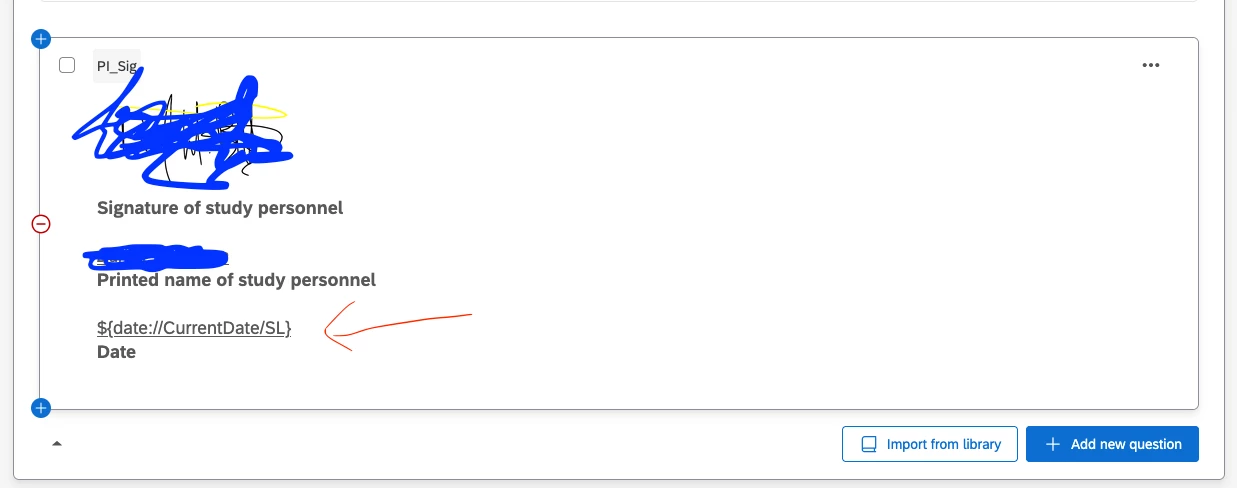
I am essentially dealing with the same issue/question as this topic except that my form is open and has been live and collecting responses for months. It’s “fine” in that if I download responses as a spreadsheet, I can see the date the form was submitted, but if I go to export them as a PDF (which I would like to do for my records) then the piped text (see below) displays the present date (i.e., the date on which I download the PDFs).

Is there a way I can get “RecordedDate” into my piped text there?


Best answer by Mishraji

​@dwbatten ,


There isn’t an easy way to fix it for historical data, however, to ensure recorded date is captured for all responses moving forward, you can do the following:

Store the current date in an embedded data field(EDF) just above this block in survey flow and pipe this EDF on the question.

View original

2 replies

XM_JoshB
Level 5 ●●●●●
Forum|alt.badge.img+39
  • Level 5 ●●●●●
  • Oct 13, 2026 6:54 PM UTC

Did you add the piped text fields in the Field Editor? I found that the text doesn’t pipe through unless you add the piped field into the Field Editor. Just make sure to set it for the right data type when creating. I hope that helps!


Mishraji
Level 4 ●●●●
Forum|alt.badge.img+18
  • Level 4 ●●●●
  • Answer
  • Oct 14, 2026 9:07 AM UTC

​@dwbatten ,


There isn’t an easy way to fix it for historical data, however, to ensure recorded date is captured for all responses moving forward, you can do the following:

Store the current date in an embedded data field(EDF) just above this block in survey flow and pipe this EDF on the question.