


How can I save the answers to one block separately? | Experience Community
Skip to main content
Question

How can I save the answers to one block separately?

  • June 20, 2026
  • 2 replies
  • 28 views

Forum|alt.badge.img

The last part of my survey prompts a user to input their UID (Unique User Identifier), which I need to keep separate from the rest of the responses for data privacy/anonymity reasons.

Is there a way to have just that one block's question(s) export to a separate spreadsheet that cannot be linked back to the rest of a respondent's survey answers? Or is the only real option to split this into two separate surveys


2 replies

nikamshubham73
Level 3 ●●●
Forum|alt.badge.img+4

Hi ​@Tsao0010,

If I understand correctly, you prefer not to include the UID in your main survey, but instead collect it seperately.

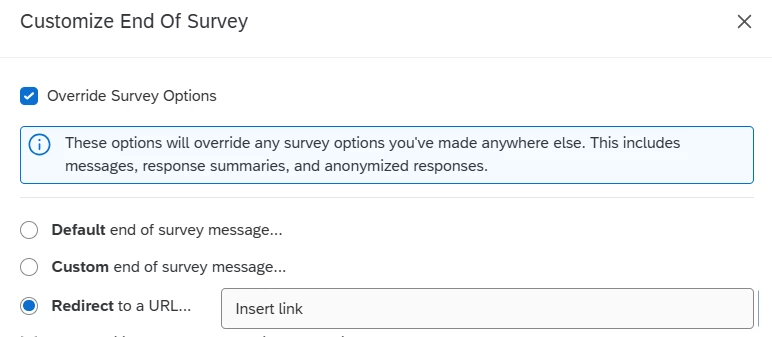
To do this, you can add an End of Survey (EOS) element just before the point where you would normally ask for the UID in the survey flow. In the EOS settings, enable Override Survey Options and set it to redirect to another survey’s link. This secondary survey would contain only one question—the UID. No need to program it in the main survey.


TusharDalwani
QPN Level 6 ●●●●●●

Hi ​@Tsao0010, I agree with the solution shared by Shubham above. To add to it, you can add a query parameter of original response ID just in case you want to tie back the UID with actual respondent