Modifying Piped Text | Experience Community
Skip to main content
Solved

Modifying Piped Text

  • Apr 4, 2022 6:34 PM UTC
  • 11 replies
  • 559 views

Forum|alt.badge.img+1

Hello,
I am trying to modify the piped text that is derived from a previous question's options. Instead of including each choice's entire text which contains a description, I would like to have a shortened version in the subsequent question. For example, if a respondent selects 'Artist/musician who performs in venues (or wishes to perform in venues)', how can I make it appear as 'Artist' in the piped text?
This is what the piped text currently looks like:

 ${q://QID1/ChoiceGroup/SelectedChoices}
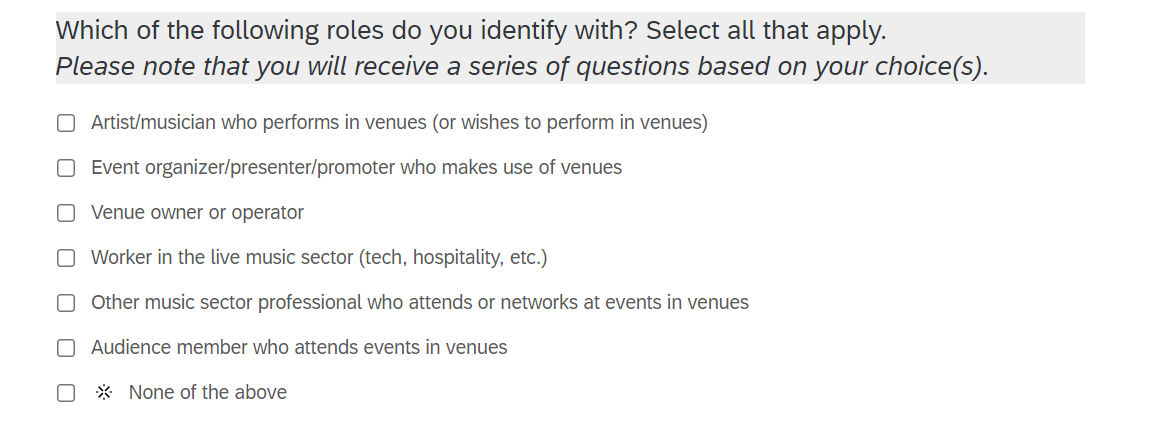


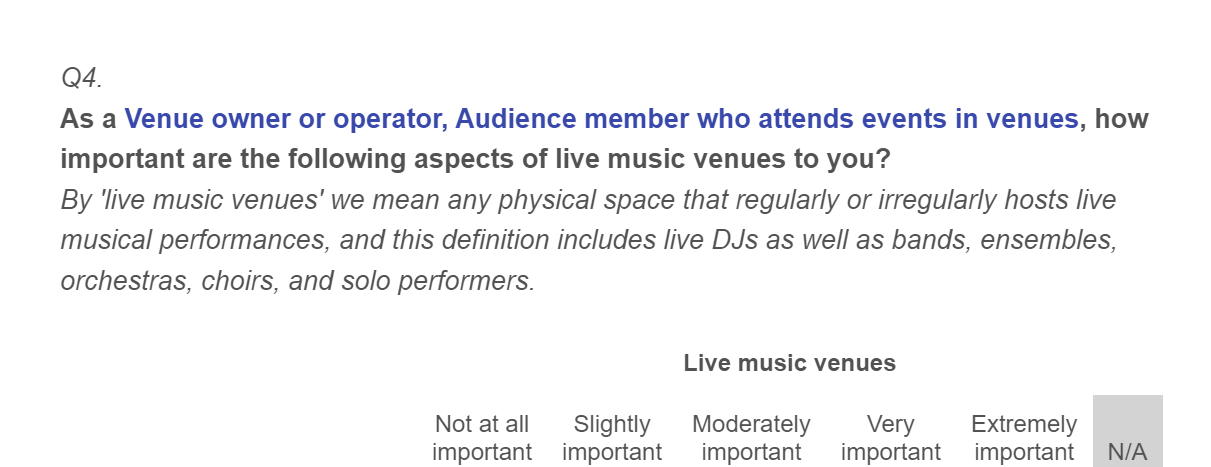
piped text source.PNGpiped text.PNGThanks in advance for your help!

Best answer by TomG

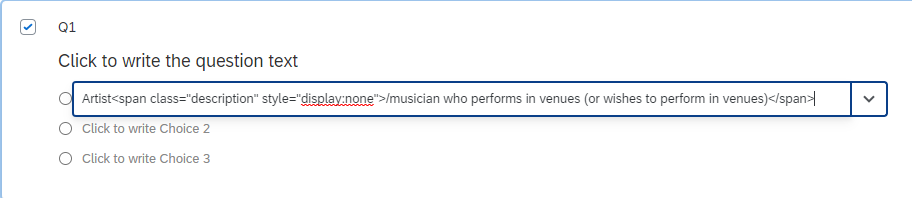
https://community.qualtrics.com/XMcommunity/discussion/comment/45336#Comment_45336It would look like this when you edit the choice:
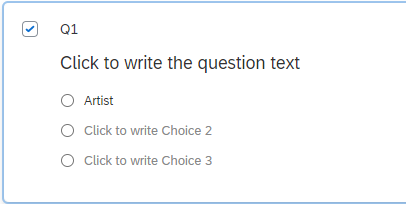
image.pngand this when you aren't editing:

image.png

View original

11 replies

TomG
Level 8 ●●●●●●●●
Forum|alt.badge.img+27
  • Level 8 ●●●●●●●●
  • Apr 4, 2022 7:55 PM UTC

Put the description part in a span tag with a class and hide it. Then in your initial question use JS to show the description. Anywhere else you pipe it, it will be hidden.
html:
Artist
JS:
Qualtrics.SurveyEngine.addOnload(function() {
jQuery("#"+this.questionId+" .description").show();
});


Forum|alt.badge.img+1
  • Author
  • Apr 4, 2022 8:08 PM UTC

TomG thanks for the suggestion -- where does the html string get inputted?


TomG
Level 8 ●●●●●●●●
Forum|alt.badge.img+27
  • Level 8 ●●●●●●●●
  • Apr 4, 2022 8:12 PM UTC

Forum|alt.badge.img+1
  • Author
  • Apr 7, 2022 5:31 PM UTC

Hi TomG, unfortunately the HTML isn't working when I insert it using the Rich Content Editor. Are you able to show what it should look like in the survey editor?


TomG
Level 8 ●●●●●●●●
Forum|alt.badge.img+27
  • Level 8 ●●●●●●●●
  • Answer
  • Apr 7, 2022 6:10 PM UTC

https://community.qualtrics.com/XMcommunity/discussion/comment/45336#Comment_45336It would look like this when you edit the choice:
image.pngand this when you aren't editing:
image.png


Forum|alt.badge.img+1

TomG the JS is not working. Have tried multiple times and made sure to publish. Number and qid all correct. Any suggestions?
Current code
Qualtrics.SurveyEngine.addOnload(function()
{
jQuery("q11.1_1"+this.qid32+".description").show();

});


TomG
Level 8 ●●●●●●●●
Forum|alt.badge.img+27
  • Level 8 ●●●●●●●●
  • Aug 12, 2022 5:45 PM UTC

https://community.qualtrics.com/XMcommunity/discussion/comment/48452#Comment_48452The code should be:
Qualtrics.SurveyEngine.addOnload(function() {
jQuery("#"+this.questionId+" .description").show();
});
'this' is the current question. this.questionId is the question id of the current question (e.g., QID32). So, it is the equivalent of

jQuery("#QID32 .description")
without having to hard code the question id.


Forum|alt.badge.img+1

thank you TomG I actually had the code correct when I first tried and doesn't show full description. I've copied and pasted directly from here, added it to addOnload in the JS for the question but nothing.
thank you for the explanation of 'this'!


Forum|alt.badge.img+1

TomG the initial part works beautifully.
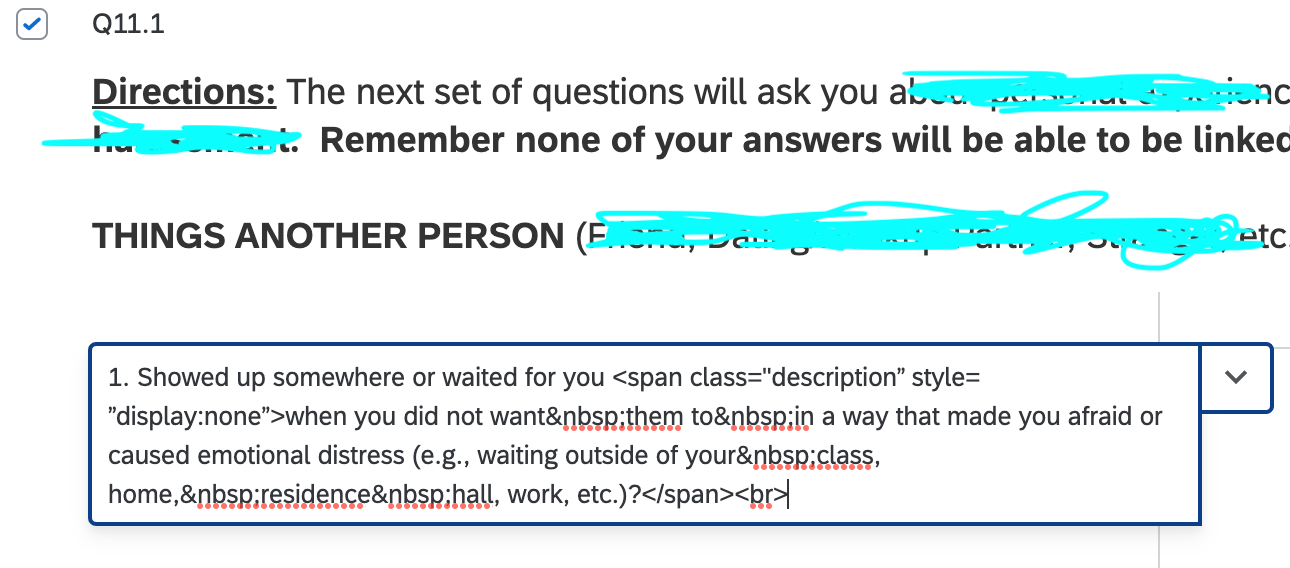
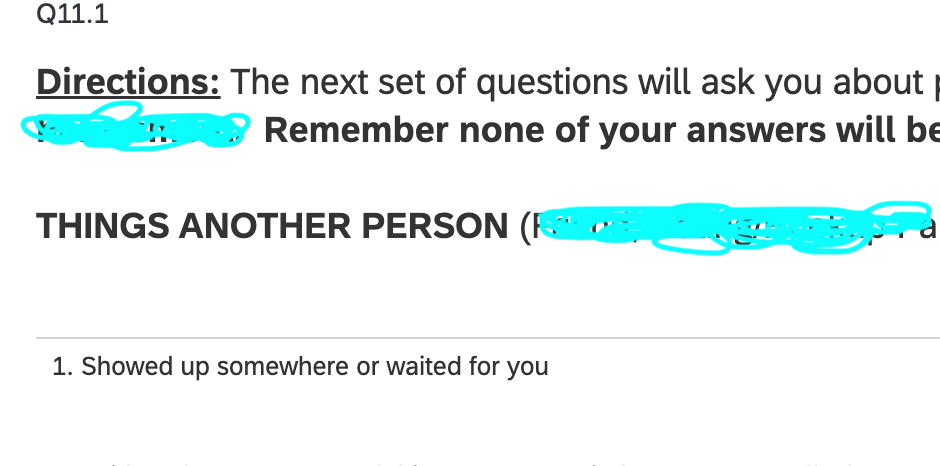
Screen Shot 2022-08-12 at 2.07.37 PM.png
Screen Shot 2022-08-12 at 2.07.49 PM.png


Forum|alt.badge.img+1

TomG FYI the following worked:
image.pngNot sure why the other JS didn't but I appreciate your help!


TomG
Level 8 ●●●●●●●●
Forum|alt.badge.img+27
  • Level 8 ●●●●●●●●
  • Aug 17, 2022 6:04 PM UTC

https://community.qualtrics.com/XMcommunity/discussion/comment/48552#Comment_48552The element with the class "description" must be in a different question than the question the JS is attached to.