Scheduling (quota only showing for question) | Experience Community
Skip to main content
Question

Scheduling (quota only showing for question)

  • September 29, 2026
  • 4 replies
  • 78 views

Forum|alt.badge.img

I am trying to use a multiple choice question for scheduling interviews. After reading every post I could find about scheduling and/or disappearing options, I have been fiddling with the quota settings to no avail. 

I can’t find the “option display logic,” only the question display logic. Obviously I still need the question to display even after someone selects a time slot, i just need that one option not to display.


Someone help a struggling grad student out! TIA!

4 replies

Forum|alt.badge.img+30

Hi ​@KJACKS ,


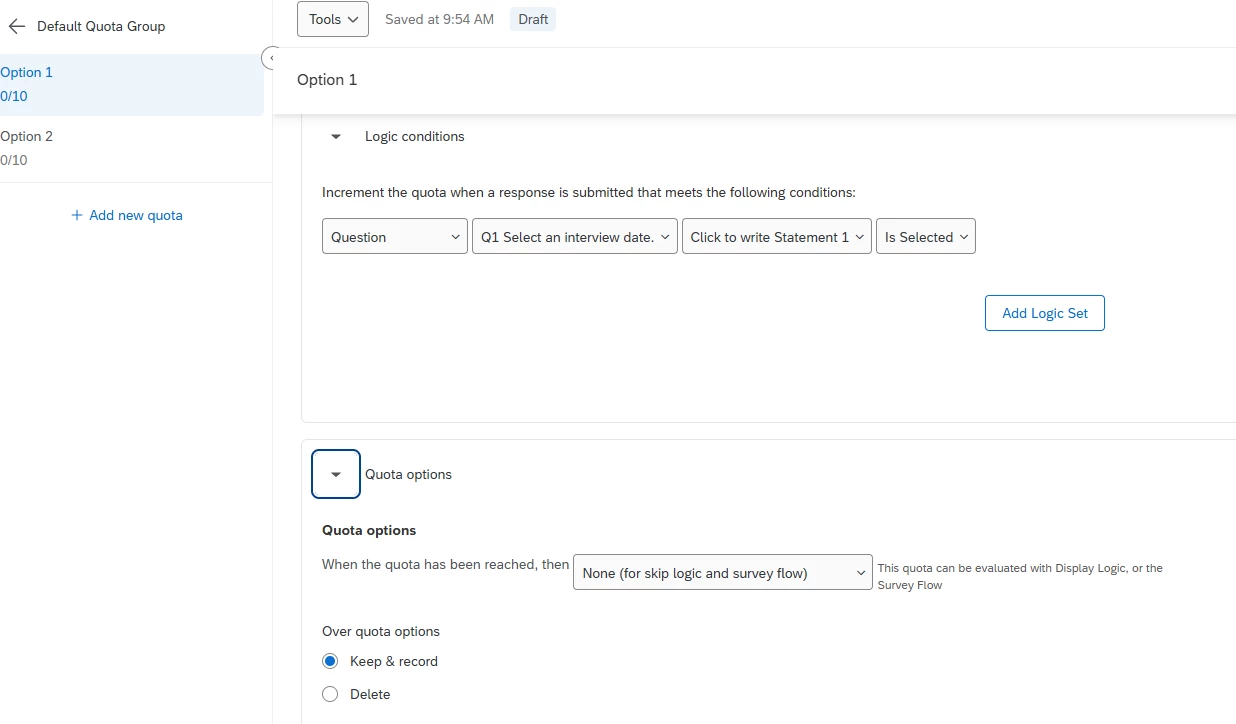
For Quota, you probably would select None.

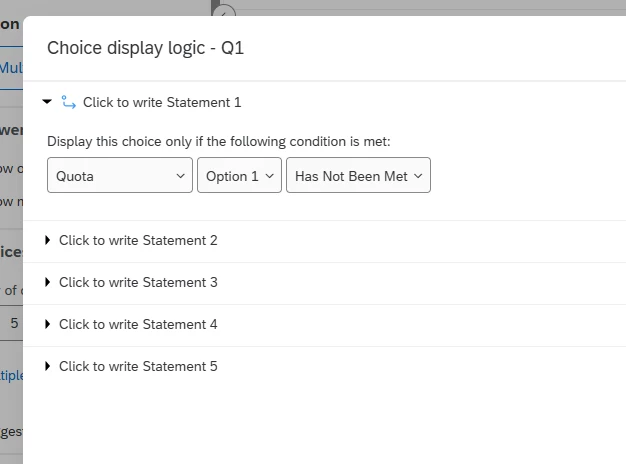
Then, for choice display logic, go to your question, click on the dropdown beside your choice/option and select add display logic.

Add the condition for that choice to display when quota has not been met.


Forum|alt.badge.img

I’m having this same issue. I’ve created simple quotas for each answer in a multiple choice question asking users to choose a date/time. When I try to set display logic for my question, I can access the quotas I built, but I am unable to access them when I try to set display logic for the choices (which is where I need them). For choices, I only see the option to select “New Quota” (which I can’t define).


Mishraji
Level 4 ●●●●
Forum|alt.badge.img+18
  • Level 4 ●●●●
  • October 12, 2026

​@gwhitaker , ​@KJACKS ,


You should see the Quota for the choice options if while configuring the Quota, you selcted ‘None’ for Quota met actions. PFA.


Forum|alt.badge.img

Thanks for replying. The quotas were all set up that way. However, after logging in to look at the survey again this morning, I can now access the quotas on choice display logic. Not sure what happened, but I’m happy it’s working now. For what it’s worth, my Quotas view looks different now, with a table view for my quota group. The view wasn’t organized that way last week. 

Thanks again!