





Digital Intercept - Survey not loading | Experience Community
Skip to main content
Solved

Digital Intercept - Survey not loading

  • March 25, 2026
  • 2 replies
  • 42 views

AnnaP
Level 2 ●●
Forum|alt.badge.img+9

Hello

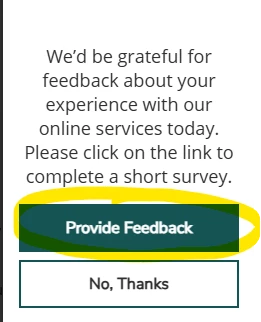
Recently a new issue occurred on one of our Digital Intercepts survey. The Intercept triggers ok, but when you click on ‘Provide Feedback’ Button survey is not launching. We have not changed anything in Qualtrics on our side of Set up. IT are saying there were no changes made that would affect intercept. 

Any ideas what could be wrong? anyone came across similar issue?
Thanks 

Anna

Best answer by Lpena

Hey, Anna!


It looks like you’re running into a frustrating spot where that 'Provide Feedback' button just isn't cooperating, even though nothing changed on your end. This often boils down to a few behind-the-scenes culprits, like Content Security Policy (CSP) headers blocking the survey domains or your Tag Manager settings acting up. If your site is a Single Page Application (SPA), definitely double-check that the SPA support is toggled on in your intercept settings. It’s also worth opening up your browser's developer tools to see if there are any JavaScript errors or CSP violations popping up when you click the button.

If you've run through those checks and things are still stalled, it might be time to have a specialist take a closer look at the back-end logic. You can get in touch with the team over at the Customer Success Hub by logging in here: https://support-portal.qualtrics.com/. Just head to the "Get Technical Support" section to get a ticket started so they can help you figure out why that launch trigger is hanging.

2 replies

Lpena
Qualtrics Employee
Forum|alt.badge.img+3
  • Qualtrics Employee
  • Answer
  • April 13, 2026

Hey, Anna!


It looks like you’re running into a frustrating spot where that 'Provide Feedback' button just isn't cooperating, even though nothing changed on your end. This often boils down to a few behind-the-scenes culprits, like Content Security Policy (CSP) headers blocking the survey domains or your Tag Manager settings acting up. If your site is a Single Page Application (SPA), definitely double-check that the SPA support is toggled on in your intercept settings. It’s also worth opening up your browser's developer tools to see if there are any JavaScript errors or CSP violations popping up when you click the button.

If you've run through those checks and things are still stalled, it might be time to have a specialist take a closer look at the back-end logic. You can get in touch with the team over at the Customer Success Hub by logging in here: https://support-portal.qualtrics.com/. Just head to the "Get Technical Support" section to get a ticket started so they can help you figure out why that launch trigger is hanging.


AnnaP
Level 2 ●●
Forum|alt.badge.img+9
  • Author
  • Level 2 ●●
  • April 16, 2026

Thank you ​@Lpena 

I think you are right, it’s the Content Security Policy (CSP) headers blocking the survey.


thanks

Anna


