




intercepts: multiple “Custom Trigger → On Click” intercepts — only one works | Experience Community
Skip to main content
Question

intercepts: multiple “Custom Trigger → On Click” intercepts — only one works

  • March 3, 2026
  • 1 reply
  • 26 views

Forum|alt.badge.img+8

Hi,

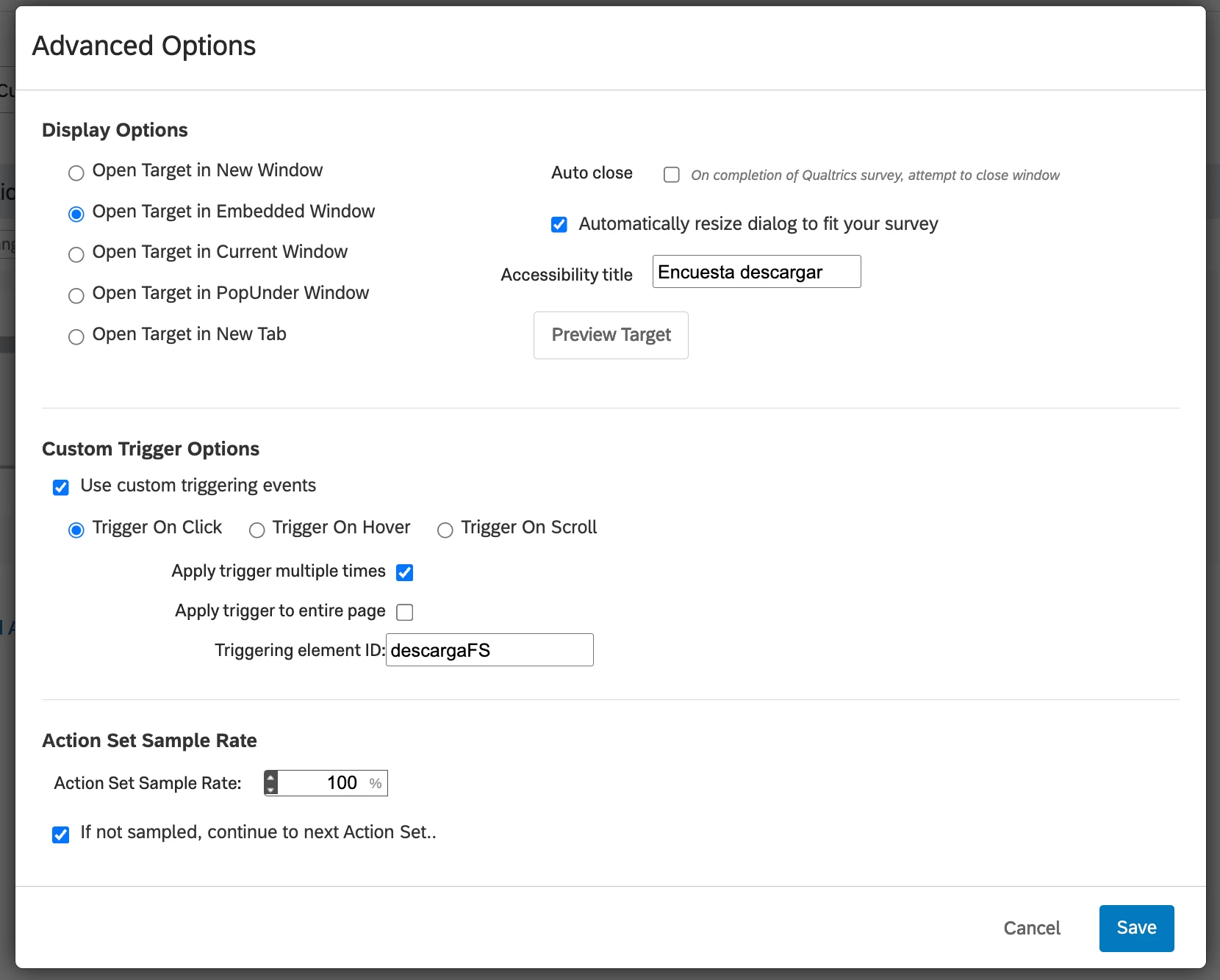
I’m using Qualtrics Website & App Feedback intercepts and I’m seeing an issue with Custom Trigger → Trigger On Click.

Setup

  • Same project and same page

  • Multiple intercepts enabled at the same time

  • Each intercept:

    • Uses Custom Trigger → On Click

    • Targets a different HTML element but displays the same survey

Expected behavior
All intercepts should work simultaneously and display their survey when their specific HTML element is clicked.

Actual behavior

  • If only one intercept is active → it works

  • If more than one intercept is active → only the first activated/published intercept works

  • The other intercepts never display their survey

  • No console errors

  • Each intercept works correctly when tested alone

Question
Is this a known limitation in Qualtrics that only one click-based intercept can work per page?


If so, is the recommended solution?
 

Thanks.

1 reply

AlonsoC
Administrator
Forum|alt.badge.img+27
  • Administrator
  • March 5, 2026

Hi ​@Erikahuer! Great question! From what we can tell, this shouldn't be a hard limitation, there's nothing documented saying multiple click-based intercepts can't run on the same page at the same time. That said, without access to your project it's hard to say exactly what's going on.

One quick thing to check: is Prevent Repeated Display turned on for any of the intercepts? That setting can sometimes cause this kind of behavior where only one intercept fires.

If that's not it, your best bet is to contact Qualtrics Support directly since they'll be able to dig into your actual setup and get to the bottom of it.


