Website / App Insights Projects - Shared Automatically | XM Community
Skip to main content
Question

Website / App Insights Projects - Shared Automatically

  • August 31, 2023
  • 3 replies
  • 66 views

Forum|alt.badge.img+5

Hi Everyone

Via Admin, I just created a new, fresh, test account.

When logging in, I already had 3 projects shared with my new test account. And after further tests, all users under our brand account have these projects shared with them.

When looking in collaborate via the project owner, no account is selected to be shared with.

How do I stop sharing these, seemingly automatically?

Thanks :)

3 replies

InessaG
Level 5 ●●●●●
Forum|alt.badge.img+19
  • Level 5 ●●●●●
  • August 31, 2023

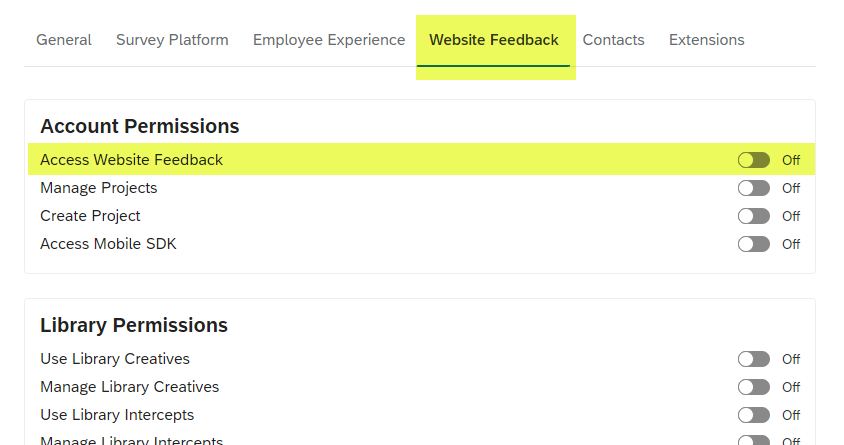
I believe you need to check settings on the account type for these new users and make sure they do not have access to Website feedback. I think the way Qualtrics set up intercept projects is that anyone with Website Feedback access can see them. 


Forum|alt.badge.img+2
  • Level 2 ●●
  • December 10, 2025

I believe I found the solution to this problem.

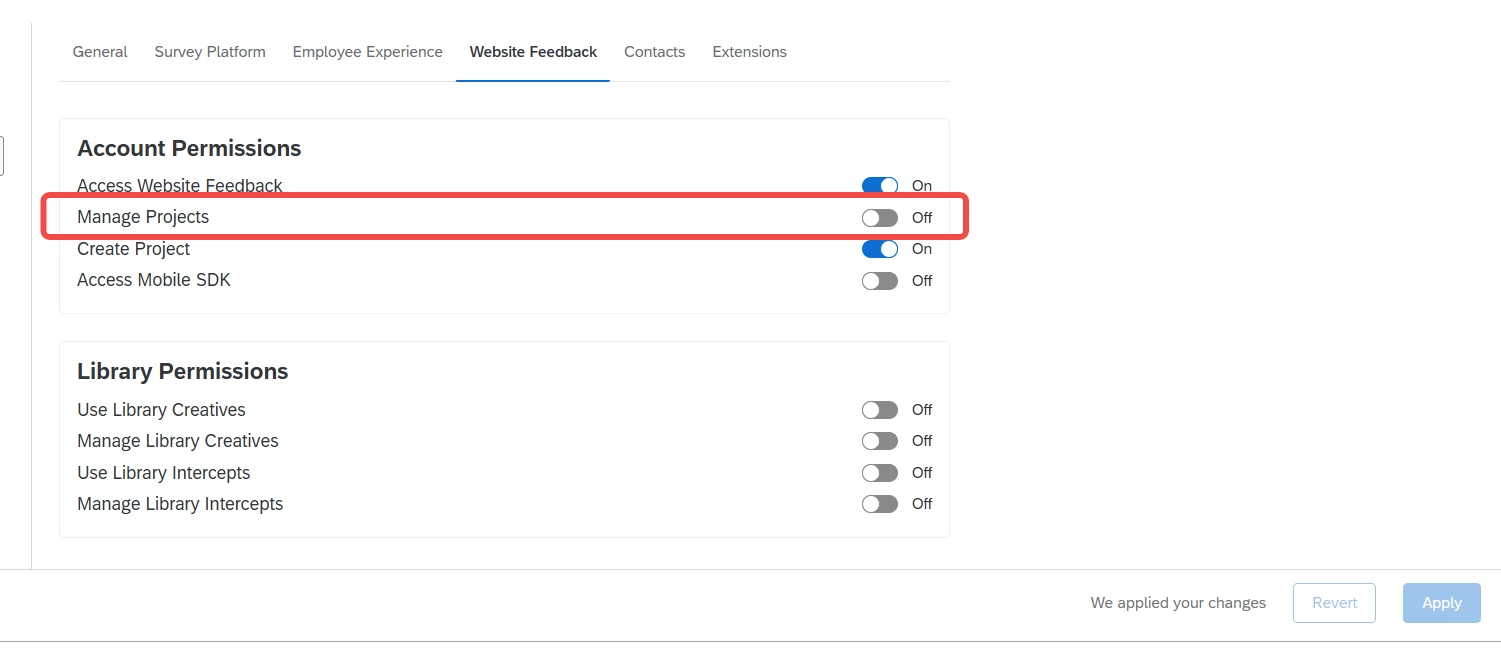
You need to disable the "Manage Projects" permission for these users as it will allows a user to have access to every single Website / App Insights project in the brand.

Turning off this specific permission should prevent those projects from being automatically shared with them.

Hope this helps!


Forum|alt.badge.img+2
  • Level 2 ●●
  • December 10, 2025

You can read more details here
User, Group, & Division Permissions