

Hi - I'm new to Qualtrics and have been struggling a bit but have managed to find answers for most of my doubts online. Now I'm stumped.
I'm doing a dyadic survey - to employees and then to their managers/supervisors. The employee enters their own email address (which is their identification) and selects (I've given them a drop down list to select from) their supervisor. Then I send the supervisor a different survey where they rate the employees who have named them as their manager,
My question is for the supervisor/manager survey. Can I send the employee's email address embedded in the survey link so that when the supervisor clicks on the link he/she sees a message that says "You are rating xxxx employee who indicated that you are their supervisor"?
Not sure I've explained the issue well.
Any help would be much appreciated and gratefully received.
Thanks so much
Kiran

Dyadic Survey

 +1
+1





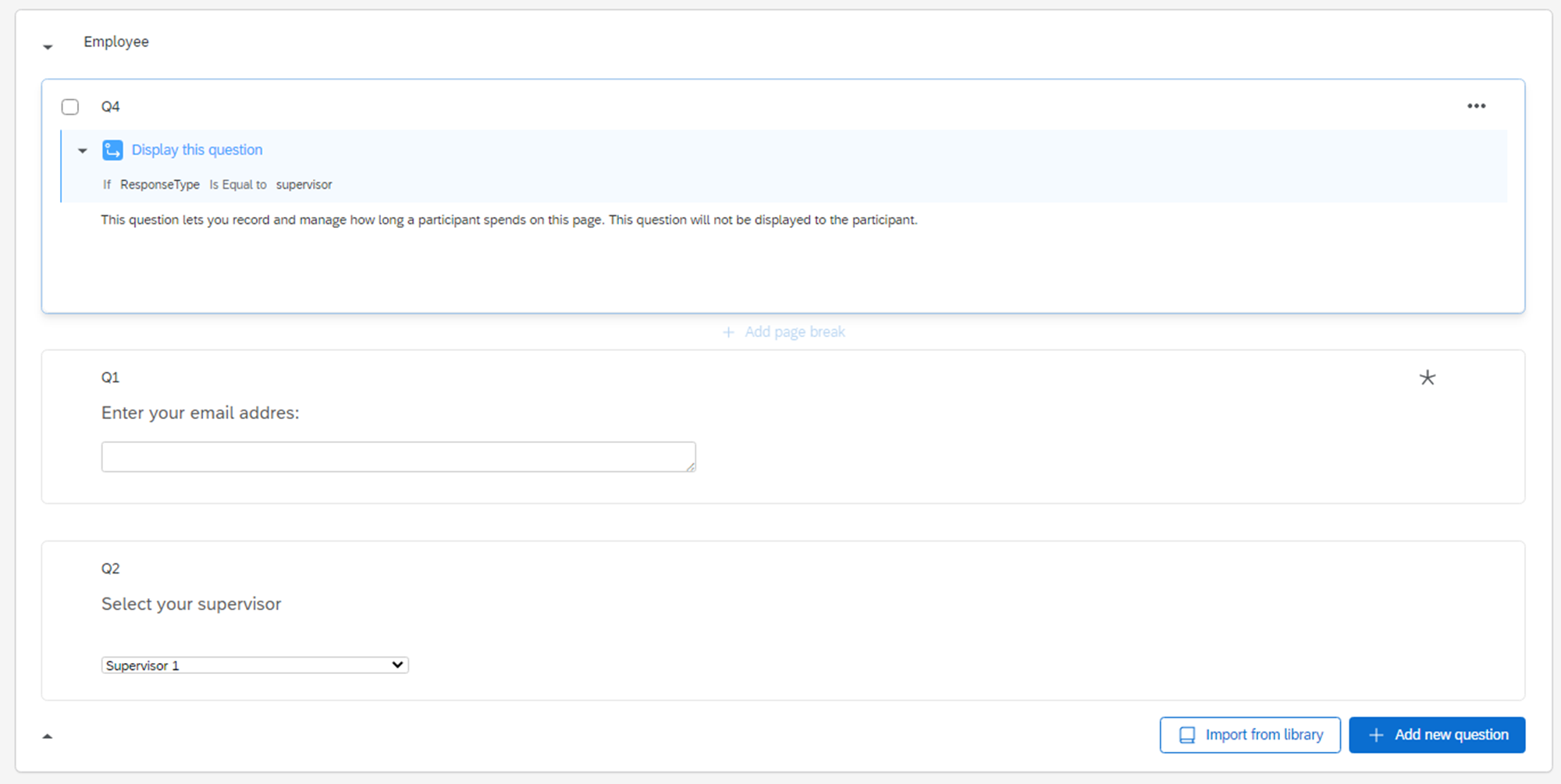 Employee block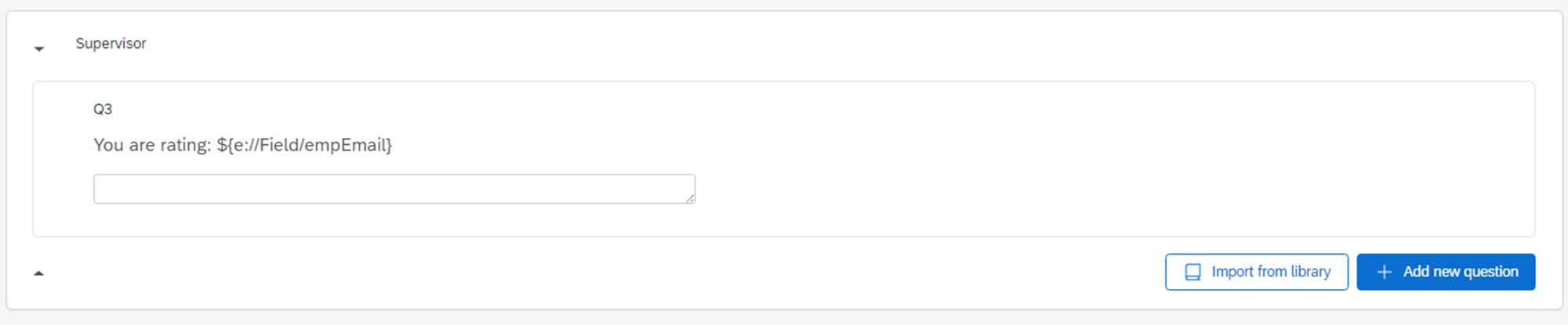
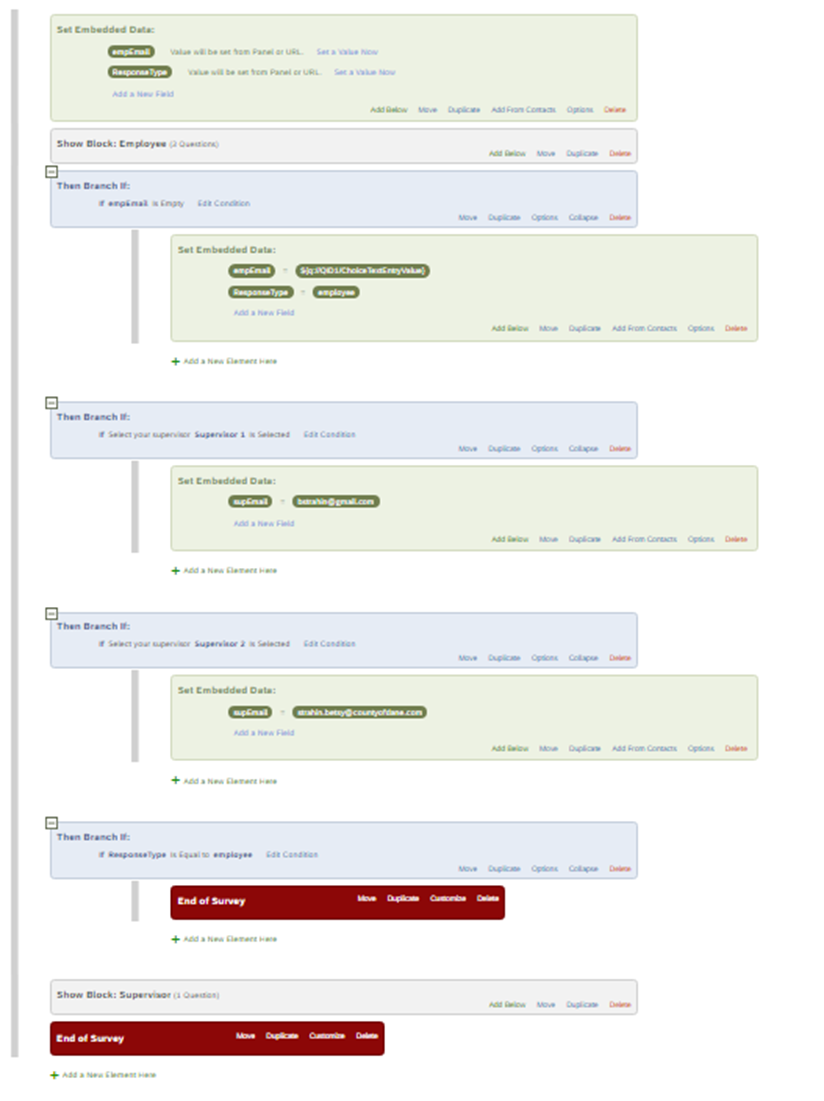 Start with Embedded Data fields to set variables empEmail and ResponseType from URL
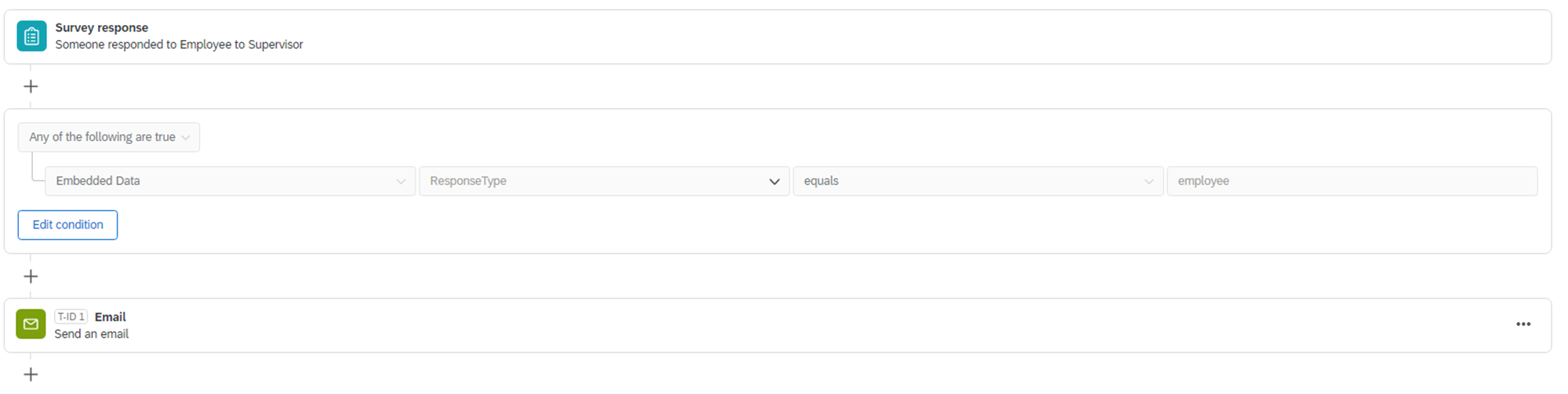 Applied when a response is submitted
Sign up
Already have an account? Login

Welcome! To join the Qualtrics Experience Community, log in with your existing Qualtrics credentials below.
Confirm your username, share a bit about yourself, then you're ready to explore and connect .
Free trial account? No problem. Log in with your trial credentials to join.
No free trial account? No problem! Register here
Already a member? Hi and welcome back! We're glad you're here 🙂
You will see the Qualtrics login page briefly before being taken to the Experience Community.
Login with Qualtrics
Welcome! To join the Qualtrics Experience Community, log in with your existing Qualtrics credentials below.
Confirm your username, share a bit about yourself, then you're ready to explore and connect .
Free trial account? No problem. Log in with your trial credentials to join. No free trial account? No problem! Register here
Already a member? Hi and welcome back! We're glad you're here 🙂
You will see the Qualtrics login page briefly before being taken to the Experience Community.
Login to the Community
Welcome! To join the Qualtrics Experience Community, log in with your existing Qualtrics credentials below.
Confirm your username, share a bit about yourself, then you're ready to explore and connect .
Free trial account? No problem. Log in with your trial credentials to join.
No free trial account? No problem! Register here
Already a member? Hi and welcome back! We're glad you're here 🙂
You will see the Qualtrics login page briefly before being taken to the Experience Community.
Login with Qualtrics
Welcome! To join the Qualtrics Experience Community, log in with your existing Qualtrics credentials below.
Confirm your username, share a bit about yourself, then you're ready to explore and connect .
Free trial account? No problem. Log in with your trial credentials to join. No free trial account? No problem! Register here
Already a member? Hi and welcome back! We're glad you're here 🙂
You will see the Qualtrics login page briefly before being taken to the Experience Community.
Enter your E-mail address. We'll send you an e-mail with instructions to reset your password.